


An inputmask helps the user with the input by ensuring a predefined format. This can be useful for dates, numerics, phone numbers etc
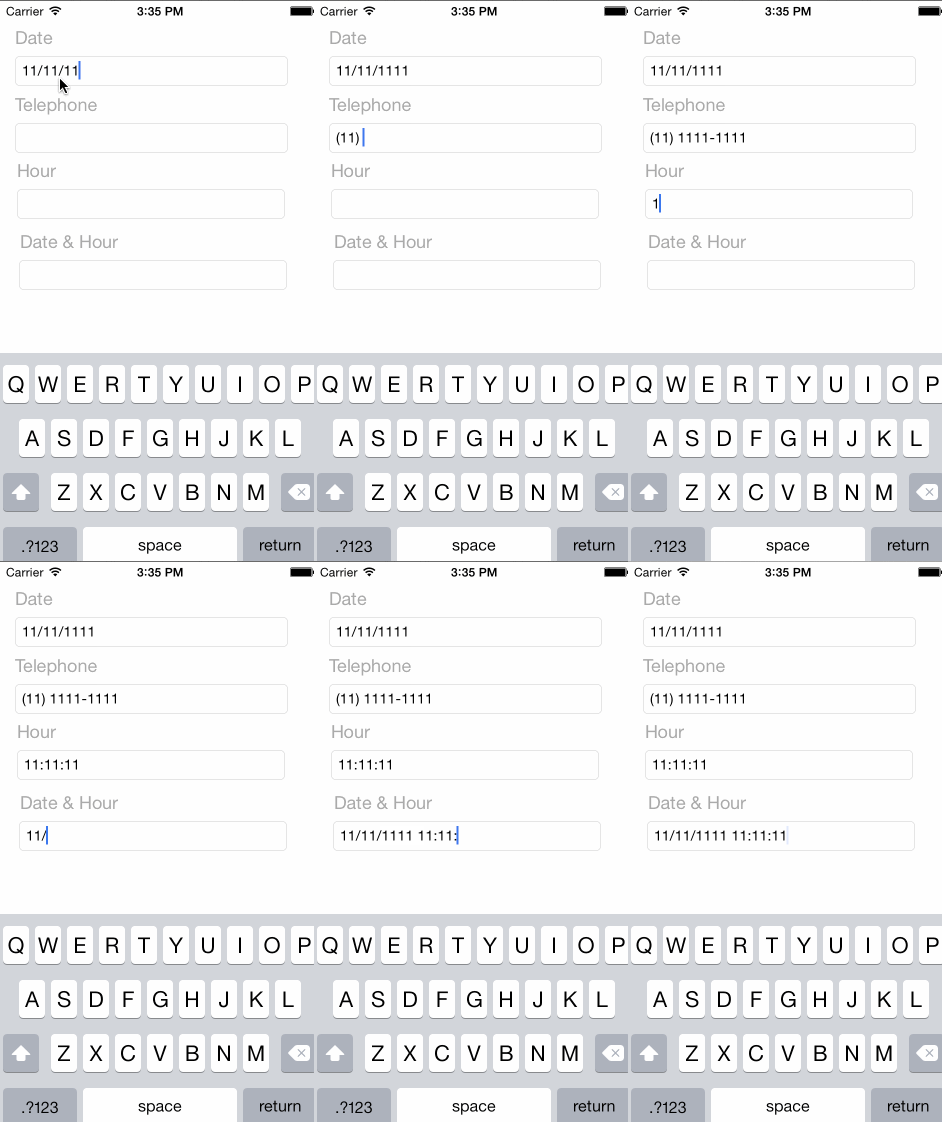
@interfaceVViewController ()
@property (weak,nonatomic) IBOutlet VMaskTextField * maskTextField;
@end@implementationVViewController
- (void)viewDidLoad{
//Telephone with Code Area
self.maskTextField.mask = @"(##) ####-####";
self.maskTextField.delegate = self;
}
- (BOOL)textField:(UITextField *)textFieldshouldChangeCharactersInRange:(NSRange)rangereplacementString:(NSString *)string{
return [_maskTextField shouldChangeCharactersInRange:range replacementString:string];
}
@end- Validating data type
- Flexible masks
- Automatic maxlength
VMaskTextField is available through CocoaPods. To install it, simply add the following line to your Podfile:
pod"VMaskTextField"or copy VMaskTextField.h and VMaskTextField.m to your project folder.
viniciusmo, vinicius.moises.oliveira@gmail.com
VMaskTextField is available under the MIT license. See the LICENSE file for more info.