
Component to make easy use of iOS8
UIVisualEffectViewswithUIBlurEffectandUIVibrancyEffectin ReactNative.
npm install react-native-effects-view --save- In XCode right click on project's name and choose
Add Files to.. - Go to
node_modules/react-native-effects-viewand selectDVEffectsfolder - Now you're ready to
require('react-native-effects-view')inside your app!
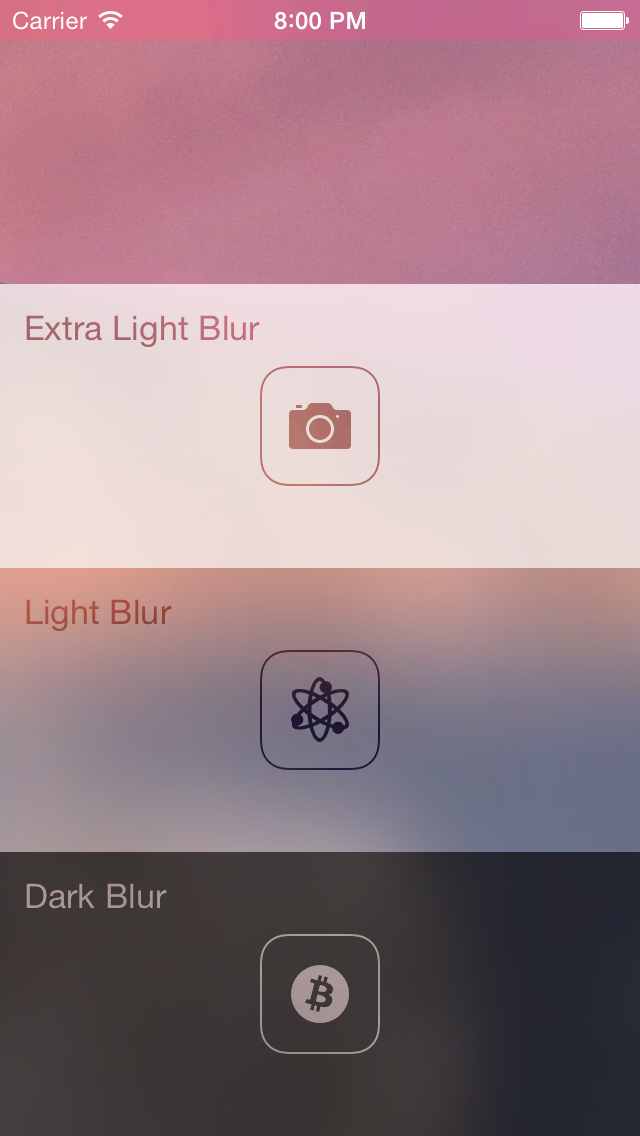
blurStyle(String) - choose one of the following:"light"(default)"extraLight""dark"
vibrantContent(ReactElement) - render vibrant content inside blurred view.
All children of <EffectsView /> will be blurred, however you can use it without children and position element on top of background images and other views.
In order to see usage example check example/EffectsApp folder in XCode (don't forget to run npm install inside). It contains the app presented by screenshot.
varReact=require('react-native');varEffectsView=require('react-native-effects-view');var{ AppRegistry, StyleSheet, View }=React;varApp=React.createClass({renderVibrant(){return(<View><Textstyle={styles.text}>Do you feel blurry??</Text></View>);},render(){return(<EffectsViewstyle={styles.view}blurStyle="dark"vibrantContent={this.renderVibrant()}><Imagestyle={styles.bg}source={require('image!bg')}/></EffectsView>);}});varstyles=StyleSheet.create({bg: {flex: 1,position: 'absolute',bottom: 0,left: 0,right: 0,top: 0,justifyContent: 'center',alignItems: 'center',},view: {flex: 1},text: {fontSize: 20,color: 'white',textAlign: 'center',},});AppRegistry.registerComponent('App',()=>App);Demo app is inspired by UIVisualEffects repo.
MIT Licensed