Latest commit

History

143,838 Commits

Folders and files

NameName
Last commit message
Last commit date

Repository files navigation

🛡️ NormCode

An Anthropic-style long-running AI IDE, forked from VS Code

VS Code 内核 · Sentinel 长程 Harness · 零配置 MCP · 智谱 GLM 内置 · 端到端交付不依赖 Chat 闲聊

GitHubLicenseBuilt onAI EngineMethodology

🚀 Quick Start · 🛡️ Sentinel · 🤖 Vibe / Spec · 🏗️ Architecture · ✍️ Author


📌 Status:v1 · validated, then sunset

NormCode 跑通了 长程 Agent Harness 在 vscode fork 之上的可行性(v0~v9 共 10 个版本,13+ 核心服务全部上线)。

5 个月之后我亲手砍掉了 vscode fork 这个产品形态 —— 因为它绑死了「代码-中心」的视角,而我真正想做的是 让不会编程的人通过对话做出真实可演化的应用

这套领域逻辑(BudgetGovernor / EpisodicMemory / FailureTaxonomy / RollingPlanner …)已直迁到下一代 Web App Sentinel v2

完整 build/kill/pivot 故事见 《做就是最好的想 —— 5 个月 build 了 3 个 AI 产品,砍了 1 个》

本仓库保留作为开源参考实现(长程 Agent Harness 工程范例),不再积极维护。下一代 Web App 关注 → wangshanbo/ai-native-sop


为什么世界需要又一个 AI IDE

主流 AI Chat 工具的瓶颈是 短链对话:每次从零开始、需要工程师不停喂上下文、对答 bug、纠正意图。 NormCode 押注下一代范式:长程 Agent Harness —— 你下达需求,IDE 内的 Sentinel 控制平面自动跑完规划 → 实现 → Verifier 验证 → 必要时联网与预览,力争不依赖与 Chat 的多轮闲聊完成端到端交付。

This is not yet another GPT wrapper. It's an attempt to ship the long-running agent paradigm Anthropic engineering has been describing — as a real, runnable IDE.


NormCode - 智能编程 IDE

基于 VS Code 深度定制的 AI 原生集成开发环境,内置智谱 AI GLM 大模型;当前版本以 Sentinel 长程自动执行为主路径,在单应用内完成从需求到交付的闭环。

说明:对外产品名为 NormCode;本仓库根目录 package.json 中 npm 包名仍为 code-oss-dev(与上游 VS Code 工程惯例一致)。

NormCode IDE(示意图占位)

🎯 产品主路径:Sentinel

  • 定位Vibe / Spec(AI Chat 双模式)已分层就绪,作为探索、对齐口径与规格文档化的辅助能力Sentinel 为需求交付的主路径
  • 目标体验:用户在工作区启用 Harness 后,于 Sentinel 控制平面下达需求,由 意图图 / 执行图 / Verifier 工具环 在 IDE 内 长程跑完(规划、实现、验证、必要时自动 MCP 与预览),力争不依赖与 Chat 的多轮闲聊即可完成闭环。需要人审时可通过 harness.json(如 humanGateAfterAnalysis)显式打开「分析后暂停」,见 docs/sentinel/product-principles.md

✨ 核心特性

🛡️ Sentinel(主路径):长程 Harness 与零配置 MCP

面向 Anthropic 式长程开发范式(功能注册表、Verifier 工具环、行为 E2E),工作区启用 .sentinel/harness.json 后:

  • enabled: trueanthropicHarnessParity: true(或显式开启 Verifier 工具环 / behavioralE2E)时,在 规划意图(planIntent) 阶段会 自动
    • .sentinel/mcp_allowlist.json不存在或白名单为空:写入默认条目(默认可用 cursor-ide-browser 与 IDE 内置 MCP 对齐),无需用户了解 MCP 概念;
    • 通过 Sentinel MCP Bridge 将白名单中的 definitions 合并到 .vscode/mcp.json,并在适当时提升工作区 chat.mcp.access,便于 Chat / Agent 侧发现工具。
  • 若需 自建 stdio 类 MCP(如 Playwright 独立进程),可在白名单的 definitions 中补充与官方文档一致的启动配置,或由 Agent 在工具环内联网检索后写入。
  • 设计对照与验收清单见:docs/sentinel/anthropic-harness-alignment.md
  • anthropicHarnessParity 下默认启用 设计对撞:在末轮实现后自动插入 审查 → 再实现收敛 两节点,并强化 Verifier 对外链/配图做可执行探测(如 curl -sI),减少第三方资源 404 却「假通过」的情况。可在 harness.json"designCollisionPass": false 关闭。

🤖 AI 对话助手(辅助路径:Vibe / Spec)

内置 AI Chat 面板,支持两种工作模式(与 Sentinel 并行,适合快速对话与 Spec 文档化;长程交付以 Sentinel 为准):

  • ⚡ Vibe 模式 - 边聊边做,快速迭代

    • 快速响应,直接给出解决方案
    • 适合探索性开发和快速原型
    • 代码优先,解释辅助
  • 📋 Spec 模式 - 先规划后执行

    • 需求理解 → 用户故事 → 技术设计 → 任务分解 → 执行
    • 适合复杂功能开发
    • 结构化输出,便于追踪
    • New Chat 进入统一 Let's build 单页入口(Vibe / Spec 同页切换)
    • 顶部交互收敛为单一 + 新建入口 + 设置入口,减少重复按钮
    • 入口页提供底部快捷操作动线:vibe / spec / 继续 / 执行所有 / 检查完成
    • SPECS 面板支持 Requirements / Design / Tasks 标签切换
    • 任务卡片支持 Start / Retry 与执行中状态展示
    • 打开 .specs/<session>/tasks.md 时,任务上方提供 Kiro 风格操作按钮(CodeLens)
      • Start task / Retry / Task completed
      • View changes(自动解析并打开改动文件)
      • View execution(打开任务执行详情文档)

🔧 Agent 工具集

AI 可以直接操作您的工作区:

工具功能
read_file读取文件内容
list_dir查看目录结构
grep_search代码搜索
search_files文件名搜索
write_file创建/修改文件
run_command执行终端命令
get_diagnostics获取代码诊断
browse_url访问网页
web_search_deep深度搜索
mcp_call调用工作区白名单内的 MCP 工具(如浏览器自动化);白名单可由 Sentinel 自动脚手架

🧠 智能模型路由(新增)

每次用户提问前,系统仍会使用 GLM-5.1 做前置任务分析,并分配子代理;当前产品默认将文本侧实际调用模型统一为 glm-5.1(含 Chat 自动路由各档位、Sentinel Worker、ModelRouterService.getModelByTier、Red-Team 等),避免弱模型拉低质量。子代理与复杂度标签仍保留,便于后续恢复分层降本。

  • 复杂度分级(分析用):simple / medium / hard
  • 子代理分配quick_responder / implementation_agent / planning_agent
  • 默认文本模型aiCore.glmModelaiCore.routingModelSimple|Medium|Hard 默认均为 glm-5.1(仅支持 glm-5 / glm-5.1

👁️ 视觉理解自动路由(新增)

当用户附加图片/视频/文档,或提问包含视觉理解意图时,自动路由到 GLM-5 / GLM-5.1(仅保留这两款,不再使用 4.x 视觉模型):

  • simple visual → 默认 glm-5
  • medium visual / hard visual → 默认 glm-5.1

支持场景:截图解释、图像信息提取、视频片段理解、PDF/文档内容分析等。

🧩 项目 Skills 自动生成(新增)

参考 Cursor Agent Skills 规范,系统在聊天时会自动检查项目级 Skills:

  • 新项目:根据用户需求、任务目标与架构选择自动生成分层技能
  • 旧项目(无项目级 skills):先进行深度结构扫描,再生成分层技能

默认生成位置:

  • 首选 .agents/skills/(更通用,不绑定 Cursor)
  • 兼容复用已存在的 .cursor/skills/(历史项目)

按项目名自动生成目录(示例):

  • .agents/skills/my-project-architecture/SKILL.md
  • .agents/skills/my-project-coding/SKILL.md
  • .agents/skills/my-project-testing/SKILL.md
  • (旧项目).agents/skills/my-project-architecture/references/PROJECT_SCAN.md

🤖 子代理(Subagents)编排(新增)

系统已支持项目级子代理编排,默认目录为:

  • 首选 .agents/agents/
  • 兼容 .cursor/agents/

当项目无子代理定义时,会自动初始化 3 个默认子代理:

  • quick-responder(简单问题快速响应)
  • implementation-agent(实现/修复类任务)
  • planning-agent(架构与规划类任务)

支持能力:

  • 自动委派:GLM-5.1 路由后,按复杂度自动选择子代理
  • 并行执行:Autopilot 任务执行支持并行子代理 worker(默认 3,可配置 1-3,受 GLM 并发限制)
  • 显式调用:输入 /quick-responder .../implementation-agent ...
  • 恢复会话:输入 resume agent <agentId> .../resume <agentId> ...
  • 任务即时回写:任务状态变化会第一时间同步到 .specs/<session>/tasks.md

🧱 稳定性与兼容性(新增)

  • 启动容器安全降级:若启动阶段暂未拿到内置 Chat 容器(workbench.panel.chat),系统会自动回退到 AI Core 面板容器,避免应用因视图注册失败崩溃。
  • 旧任务文件兼容:即使历史 tasks.md 没有 task-id 锚点,也可按任务标题回退匹配并显示任务操作按钮。
  • 执行详情可追溯:每个任务的执行结果会写入 .specs/<session>/.runs/<taskId>.md,便于复盘与审查。

💭 深度思考模式

基于智谱 AI GLM-5.1 的深度思考能力:

  • 复杂问题的多步推理
  • 思考过程可视化展示
  • 更准确的代码理解和生成

🌐 智能联网搜索

自动判断是否需要搜索最新信息:

  • 时效性信息自动联网
  • 搜索结果智能整合
  • 代码问题默认离线处理

📜 项目规范 (.aispec)

通过配置文件定义项目级 AI 规则:

{
"version": "1.0",
"rules": [
{
"id": "code-style",
"content": "使用 TypeScript 严格模式,遵循 ESLint 规范",
"enabled": true
}
],
"fileRules": {
"**/*.tsx": [
{
"id": "react-rules",
"content": "使用函数组件和 Hooks,避免 class 组件"
}
]
}
}

🚀 快速开始

环境要求

  • Node.js 22+(推荐,避免 TypeScript ESM 运行问题;package.json 未锁定 engines,以本机能跑通 npm run compile / gulp 为准)
  • Python 3.8+ (可选,用于部分扩展)
  • Git

从源码构建

# 克隆仓库
git clone https://github.com/wangshanbo/NormCode.git
cd NormCode
# 安装依赖
npm install
# 编译
npm run compile
# 启动开发模式
npm run watch

运行 IDE

package.jsonscripts/code.sh 的仓库根目录执行:

# 推荐:跳过 preLaunch(少跑内置扩展下载等),再启动 Electron 开发版
VSCODE_SKIP_PRELAUNCH=1 bash ./scripts/code.sh

scripts/code.sh 不支持 --skip-builtin;若需与内置扩展相关的特殊入口,请查看该脚本内注释(如 --builtin)。

🏗️ 项目架构

src/vs/workbench/
├── contrib/aiCore/ # AI 功能贡献点
│ ├── browser/
│ │ ├── chatWebview/ # React Chat UI
│ │ │ ├── media/ # React 入口与组件
│ │ │ │ ├── main.tsx # 入口
│ │ │ │ ├── components/ # UI 组件
│ │ │ │ ├── useChat.ts # 状态管理
│ │ │ │ └── types.ts # 类型定义
│ │ │ ├── chatWebviewPane.ts
│ │ │ ├── protocol.ts # 消息协议
│ │ │ └── chatWebview.contribution.ts
│ │ ├── specEditor/ # Spec 编辑器
│ │ └── specsPane.ts # Specs 面板
│
└── services/aiCore/ # AI 核心服务
├── browser/
│ ├── glmChatService.ts # GLM 聊天服务(含 GLM-5.1 路由与视觉路由 glm-5 / glm-5.1)
│ ├── subagentOrchestratorService.ts # 子代理编排(自动委派/显式调用/恢复)
│ ├── agentToolService.ts # Agent 工具服务
│ ├── chatModeService.ts # 模式管理服务
│ ├── specModeService.ts # Spec 生命周期与任务状态管理
│ ├── codeIndexService.ts # 代码索引服务
│ └── contextProvidersService.ts
└── common/
├── aiCoreService.ts # AI 核心服务
├── specService.ts # 规范服务
├── embeddingService.ts # 向量嵌入服务
├── codeChunker.ts # 代码分块器
└── llmService.ts # LLM 服务

⚙️ 配置选项

在 VS Code 设置中配置 AI 功能:

{
// GLM API 配置"aiCore.glmApiKey": "your-api-key",
"aiCore.glmModel": "glm-5.1",
// 自动模型路由(当前默认三档均为 glm-5.1)"aiCore.enableAutoModelRouting": true,
"aiCore.routingModelSimple": "glm-5.1",
"aiCore.routingModelMedium": "glm-5.1",
"aiCore.routingModelHard": "glm-5.1",
// 视觉路由(新增)"aiCore.enableVisionRouting": true,
"aiCore.routingVisionModelSimple": "glm-5",
"aiCore.routingVisionModelMedium": "glm-5.1",
"aiCore.routingVisionModelHard": "glm-5.1",
// 功能开关"aiCore.enableThinking": true,
"aiCore.enableWebSearch": true,
"aiCore.agentMode": true,
// 默认模式"aiCore.defaultChatMode": "vibe",
// 搜索引擎"aiCore.searchEngine": "search_pro"
}

📦 Chat Webview 开发

Chat UI 使用 React 构建,支持热更新:

# 单独构建 Chat Webview
npm run compile-chat-webview
# Watch 模式(集成在主 watch 中)
npm run watch

组件结构

ChatApp
├── ChatHeader # 头部(模式切换)
├── MessageList # 消息列表
│ └── Message # 单条消息
│ ├── ThinkingIndicator # 思考动画
│ ├── ToolCallCard # 工具调用卡片
│ ├── MarkdownContent # Markdown 渲染
│ └── CodeBlock # 代码块
└── ChatInput # 输入框

🔌 扩展开发

AI Code IDE 完全兼容 VS Code 扩展生态,同时提供额外的 AI 能力 API:

// 访问 AI 核心服务import{IAICoreService}from'vs/workbench/services/aiCore/common/aiCoreService';// 发送 AI 请求constresponse=awaitaiCoreService.sendRequest({sessionId: 'my-session',message: '帮我优化这段代码',mode: 'agent'});

🛠️ 开发命令

命令说明
npm run watch开发模式(包含 Chat Webview)
npm run compile完整编译
npm run test运行测试
npm run electron启动 Electron
npm run compile-chat-webview单独编译 Chat UI

🤝 贡献指南

欢迎贡献代码!请遵循以下流程:

  1. Fork 本仓库
  2. 创建特性分支 (git checkout -b feature/amazing-feature)
  3. 提交更改 (git commit -m 'Add amazing feature')
  4. 推送分支 (git push origin feature/amazing-feature)
  5. 创建 Pull Request

代码规范

  • 使用 TypeScript 严格模式
  • 遵循 ESLint 规则
  • 编写单元测试
  • 保持代码注释完整

📄 许可证

本项目基于 MIT 许可证 开源。


致谢


Author

王善波 / Wang Shanbo——在杭州的台满满科技做研发主管和硬件采购,业余时间维护 NormCode。完整介绍在 github.com/wangshanbo

主流 AI IDE 押注的是「对话即编程」——你聊得越多,产出越多。但月烧 $2,000 token 的实战让我相信另一个判断:对话越多,意图越散,质量越降。NormCode 的赌注是 Anthropic 式的长程 Agent Harness,让控制平面跑完规划、实现、Verifier 验证、必要时联网与预览,尽量不依赖多轮 chat。

5 个月 ship 完 v0 到 v9 之后我得出一个结论:这个范式本身可行,但 vscode fork 不是对的形态。vscode 的 ViewPane / Webview / contribution 心智绑死了「代码中心」视角,而我真正想做的是「不会编程的人也能持续演化一个真实应用」。这两件事在桌面 IDE 形态下永远拧巴,于是 NormCode 归档,留作长程 Agent Harness 在 vscode 之上能跑到什么程度的开源参考。下一代产品重写为 Web App,叫 Sentinel。配套还有 Guard(Rust 策略层)和 ai-native-sop(中文方法论连载)。

627257359@qq.com

About

An Anthropic-style long-running AI IDE forked from VS Code · Sentinel harness · zero-config MCP · 智谱 GLM 内置 · by @wangshanbo

Topics

Resources

Contributing

Security policy

Stars

1 star

Watchers

0 watching

Forks

Releases

Packages

Contributors

Languages

, 'i'); if (__m === '*' || __re.test(location.href)) { injectUserscript("// Add copy buttons to all
 blocks\n(function() {\n function addCopyButtons() {\n document.querySelectorAll('pre code').forEach(function(codeBlock) {\n if (codeBlock.parentElement.hasAttribute('data-copy-added')) return;\n codeBlock.parentElement.setAttribute('data-copy-added', 'true');\n \n var btn = document.createElement('button');\n btn.textContent = 'Copy';\n btn.style.cssText = 'position:absolute;top:4px;right:4px;padding:2px 8px;font-size:11px;background:#4ecdc4;border:none;border-radius:4px;color:#1a1a2e;cursor:pointer;opacity:0.7;transition:opacity 0.2s;';\n btn.onmouseover = function() { this.style.opacity = '1'; };\n btn.onmouseout = function() { this.style.opacity = '0.7'; };\n btn.onclick = function() {\n navigator.clipboard.writeText(codeBlock.textContent).then(function() {\n btn.textContent = 'Copied!';\n setTimeout(function() { btn.textContent = 'Copy'; }, 1500);\n });\n };\n codeBlock.parentElement.style.position = 'relative';\n codeBlock.parentElement.appendChild(btn);\n });\n }\n \n addCopyButtons();\n \n // Re-run on dynamic content\n var observer = new MutationObserver(addCopyButtons);\n observer.observe(document.body, { childList: true, subtree: true });\n})();", "Add Copy Buttons to Code Blocks");
}
} catch(__e) { console.warn('[Userscript:Add Copy Buttons to Code Blocks]', __e); }
})();
(function(){
try {
var __m = "github.com";
var __re = new RegExp('^' + "github\\.com" + '
Skip to content

Latest commit

History

143,838 Commits

Folders and files

NameName
Last commit message
Last commit date

Repository files navigation

🛡️ NormCode

An Anthropic-style long-running AI IDE, forked from VS Code

VS Code 内核 · Sentinel 长程 Harness · 零配置 MCP · 智谱 GLM 内置 · 端到端交付不依赖 Chat 闲聊

GitHubLicenseBuilt onAI EngineMethodology

🚀 Quick Start · 🛡️ Sentinel · 🤖 Vibe / Spec · 🏗️ Architecture · ✍️ Author


📌 Status:v1 · validated, then sunset

NormCode 跑通了 长程 Agent Harness 在 vscode fork 之上的可行性(v0~v9 共 10 个版本,13+ 核心服务全部上线)。

5 个月之后我亲手砍掉了 vscode fork 这个产品形态 —— 因为它绑死了「代码-中心」的视角,而我真正想做的是 让不会编程的人通过对话做出真实可演化的应用

这套领域逻辑(BudgetGovernor / EpisodicMemory / FailureTaxonomy / RollingPlanner …)已直迁到下一代 Web App Sentinel v2

完整 build/kill/pivot 故事见 《做就是最好的想 —— 5 个月 build 了 3 个 AI 产品,砍了 1 个》

本仓库保留作为开源参考实现(长程 Agent Harness 工程范例),不再积极维护。下一代 Web App 关注 → wangshanbo/ai-native-sop


为什么世界需要又一个 AI IDE

主流 AI Chat 工具的瓶颈是 短链对话:每次从零开始、需要工程师不停喂上下文、对答 bug、纠正意图。 NormCode 押注下一代范式:长程 Agent Harness —— 你下达需求,IDE 内的 Sentinel 控制平面自动跑完规划 → 实现 → Verifier 验证 → 必要时联网与预览,力争不依赖与 Chat 的多轮闲聊完成端到端交付。

This is not yet another GPT wrapper. It's an attempt to ship the long-running agent paradigm Anthropic engineering has been describing — as a real, runnable IDE.


NormCode - 智能编程 IDE

基于 VS Code 深度定制的 AI 原生集成开发环境,内置智谱 AI GLM 大模型;当前版本以 Sentinel 长程自动执行为主路径,在单应用内完成从需求到交付的闭环。

说明:对外产品名为 NormCode;本仓库根目录 package.json 中 npm 包名仍为 code-oss-dev(与上游 VS Code 工程惯例一致)。

NormCode IDE(示意图占位)

🎯 产品主路径:Sentinel

  • 定位Vibe / Spec(AI Chat 双模式)已分层就绪,作为探索、对齐口径与规格文档化的辅助能力Sentinel 为需求交付的主路径
  • 目标体验:用户在工作区启用 Harness 后,于 Sentinel 控制平面下达需求,由 意图图 / 执行图 / Verifier 工具环 在 IDE 内 长程跑完(规划、实现、验证、必要时自动 MCP 与预览),力争不依赖与 Chat 的多轮闲聊即可完成闭环。需要人审时可通过 harness.json(如 humanGateAfterAnalysis)显式打开「分析后暂停」,见 docs/sentinel/product-principles.md

✨ 核心特性

🛡️ Sentinel(主路径):长程 Harness 与零配置 MCP

面向 Anthropic 式长程开发范式(功能注册表、Verifier 工具环、行为 E2E),工作区启用 .sentinel/harness.json 后:

  • enabled: trueanthropicHarnessParity: true(或显式开启 Verifier 工具环 / behavioralE2E)时,在 规划意图(planIntent) 阶段会 自动
    • .sentinel/mcp_allowlist.json不存在或白名单为空:写入默认条目(默认可用 cursor-ide-browser 与 IDE 内置 MCP 对齐),无需用户了解 MCP 概念;
    • 通过 Sentinel MCP Bridge 将白名单中的 definitions 合并到 .vscode/mcp.json,并在适当时提升工作区 chat.mcp.access,便于 Chat / Agent 侧发现工具。
  • 若需 自建 stdio 类 MCP(如 Playwright 独立进程),可在白名单的 definitions 中补充与官方文档一致的启动配置,或由 Agent 在工具环内联网检索后写入。
  • 设计对照与验收清单见:docs/sentinel/anthropic-harness-alignment.md
  • anthropicHarnessParity 下默认启用 设计对撞:在末轮实现后自动插入 审查 → 再实现收敛 两节点,并强化 Verifier 对外链/配图做可执行探测(如 curl -sI),减少第三方资源 404 却「假通过」的情况。可在 harness.json"designCollisionPass": false 关闭。

🤖 AI 对话助手(辅助路径:Vibe / Spec)

内置 AI Chat 面板,支持两种工作模式(与 Sentinel 并行,适合快速对话与 Spec 文档化;长程交付以 Sentinel 为准):

  • ⚡ Vibe 模式 - 边聊边做,快速迭代

    • 快速响应,直接给出解决方案
    • 适合探索性开发和快速原型
    • 代码优先,解释辅助
  • 📋 Spec 模式 - 先规划后执行

    • 需求理解 → 用户故事 → 技术设计 → 任务分解 → 执行
    • 适合复杂功能开发
    • 结构化输出,便于追踪
    • New Chat 进入统一 Let's build 单页入口(Vibe / Spec 同页切换)
    • 顶部交互收敛为单一 + 新建入口 + 设置入口,减少重复按钮
    • 入口页提供底部快捷操作动线:vibe / spec / 继续 / 执行所有 / 检查完成
    • SPECS 面板支持 Requirements / Design / Tasks 标签切换
    • 任务卡片支持 Start / Retry 与执行中状态展示
    • 打开 .specs/<session>/tasks.md 时,任务上方提供 Kiro 风格操作按钮(CodeLens)
      • Start task / Retry / Task completed
      • View changes(自动解析并打开改动文件)
      • View execution(打开任务执行详情文档)

🔧 Agent 工具集

AI 可以直接操作您的工作区:

工具功能
read_file读取文件内容
list_dir查看目录结构
grep_search代码搜索
search_files文件名搜索
write_file创建/修改文件
run_command执行终端命令
get_diagnostics获取代码诊断
browse_url访问网页
web_search_deep深度搜索
mcp_call调用工作区白名单内的 MCP 工具(如浏览器自动化);白名单可由 Sentinel 自动脚手架

🧠 智能模型路由(新增)

每次用户提问前,系统仍会使用 GLM-5.1 做前置任务分析,并分配子代理;当前产品默认将文本侧实际调用模型统一为 glm-5.1(含 Chat 自动路由各档位、Sentinel Worker、ModelRouterService.getModelByTier、Red-Team 等),避免弱模型拉低质量。子代理与复杂度标签仍保留,便于后续恢复分层降本。

  • 复杂度分级(分析用):simple / medium / hard
  • 子代理分配quick_responder / implementation_agent / planning_agent
  • 默认文本模型aiCore.glmModelaiCore.routingModelSimple|Medium|Hard 默认均为 glm-5.1(仅支持 glm-5 / glm-5.1

👁️ 视觉理解自动路由(新增)

当用户附加图片/视频/文档,或提问包含视觉理解意图时,自动路由到 GLM-5 / GLM-5.1(仅保留这两款,不再使用 4.x 视觉模型):

  • simple visual → 默认 glm-5
  • medium visual / hard visual → 默认 glm-5.1

支持场景:截图解释、图像信息提取、视频片段理解、PDF/文档内容分析等。

🧩 项目 Skills 自动生成(新增)

参考 Cursor Agent Skills 规范,系统在聊天时会自动检查项目级 Skills:

  • 新项目:根据用户需求、任务目标与架构选择自动生成分层技能
  • 旧项目(无项目级 skills):先进行深度结构扫描,再生成分层技能

默认生成位置:

  • 首选 .agents/skills/(更通用,不绑定 Cursor)
  • 兼容复用已存在的 .cursor/skills/(历史项目)

按项目名自动生成目录(示例):

  • .agents/skills/my-project-architecture/SKILL.md
  • .agents/skills/my-project-coding/SKILL.md
  • .agents/skills/my-project-testing/SKILL.md
  • (旧项目).agents/skills/my-project-architecture/references/PROJECT_SCAN.md

🤖 子代理(Subagents)编排(新增)

系统已支持项目级子代理编排,默认目录为:

  • 首选 .agents/agents/
  • 兼容 .cursor/agents/

当项目无子代理定义时,会自动初始化 3 个默认子代理:

  • quick-responder(简单问题快速响应)
  • implementation-agent(实现/修复类任务)
  • planning-agent(架构与规划类任务)

支持能力:

  • 自动委派:GLM-5.1 路由后,按复杂度自动选择子代理
  • 并行执行:Autopilot 任务执行支持并行子代理 worker(默认 3,可配置 1-3,受 GLM 并发限制)
  • 显式调用:输入 /quick-responder .../implementation-agent ...
  • 恢复会话:输入 resume agent <agentId> .../resume <agentId> ...
  • 任务即时回写:任务状态变化会第一时间同步到 .specs/<session>/tasks.md

🧱 稳定性与兼容性(新增)

  • 启动容器安全降级:若启动阶段暂未拿到内置 Chat 容器(workbench.panel.chat),系统会自动回退到 AI Core 面板容器,避免应用因视图注册失败崩溃。
  • 旧任务文件兼容:即使历史 tasks.md 没有 task-id 锚点,也可按任务标题回退匹配并显示任务操作按钮。
  • 执行详情可追溯:每个任务的执行结果会写入 .specs/<session>/.runs/<taskId>.md,便于复盘与审查。

💭 深度思考模式

基于智谱 AI GLM-5.1 的深度思考能力:

  • 复杂问题的多步推理
  • 思考过程可视化展示
  • 更准确的代码理解和生成

🌐 智能联网搜索

自动判断是否需要搜索最新信息:

  • 时效性信息自动联网
  • 搜索结果智能整合
  • 代码问题默认离线处理

📜 项目规范 (.aispec)

通过配置文件定义项目级 AI 规则:

{
"version": "1.0",
"rules": [
{
"id": "code-style",
"content": "使用 TypeScript 严格模式,遵循 ESLint 规范",
"enabled": true
}
],
"fileRules": {
"**/*.tsx": [
{
"id": "react-rules",
"content": "使用函数组件和 Hooks,避免 class 组件"
}
]
}
}

🚀 快速开始

环境要求

  • Node.js 22+(推荐,避免 TypeScript ESM 运行问题;package.json 未锁定 engines,以本机能跑通 npm run compile / gulp 为准)
  • Python 3.8+ (可选,用于部分扩展)
  • Git

从源码构建

# 克隆仓库
git clone https://github.com/wangshanbo/NormCode.git
cd NormCode
# 安装依赖
npm install
# 编译
npm run compile
# 启动开发模式
npm run watch

运行 IDE

package.jsonscripts/code.sh 的仓库根目录执行:

# 推荐:跳过 preLaunch(少跑内置扩展下载等),再启动 Electron 开发版
VSCODE_SKIP_PRELAUNCH=1 bash ./scripts/code.sh

scripts/code.sh 不支持 --skip-builtin;若需与内置扩展相关的特殊入口,请查看该脚本内注释(如 --builtin)。

🏗️ 项目架构

src/vs/workbench/
├── contrib/aiCore/ # AI 功能贡献点
│ ├── browser/
│ │ ├── chatWebview/ # React Chat UI
│ │ │ ├── media/ # React 入口与组件
│ │ │ │ ├── main.tsx # 入口
│ │ │ │ ├── components/ # UI 组件
│ │ │ │ ├── useChat.ts # 状态管理
│ │ │ │ └── types.ts # 类型定义
│ │ │ ├── chatWebviewPane.ts
│ │ │ ├── protocol.ts # 消息协议
│ │ │ └── chatWebview.contribution.ts
│ │ ├── specEditor/ # Spec 编辑器
│ │ └── specsPane.ts # Specs 面板
│
└── services/aiCore/ # AI 核心服务
├── browser/
│ ├── glmChatService.ts # GLM 聊天服务(含 GLM-5.1 路由与视觉路由 glm-5 / glm-5.1)
│ ├── subagentOrchestratorService.ts # 子代理编排(自动委派/显式调用/恢复)
│ ├── agentToolService.ts # Agent 工具服务
│ ├── chatModeService.ts # 模式管理服务
│ ├── specModeService.ts # Spec 生命周期与任务状态管理
│ ├── codeIndexService.ts # 代码索引服务
│ └── contextProvidersService.ts
└── common/
├── aiCoreService.ts # AI 核心服务
├── specService.ts # 规范服务
├── embeddingService.ts # 向量嵌入服务
├── codeChunker.ts # 代码分块器
└── llmService.ts # LLM 服务

⚙️ 配置选项

在 VS Code 设置中配置 AI 功能:

{
// GLM API 配置"aiCore.glmApiKey": "your-api-key",
"aiCore.glmModel": "glm-5.1",
// 自动模型路由(当前默认三档均为 glm-5.1)"aiCore.enableAutoModelRouting": true,
"aiCore.routingModelSimple": "glm-5.1",
"aiCore.routingModelMedium": "glm-5.1",
"aiCore.routingModelHard": "glm-5.1",
// 视觉路由(新增)"aiCore.enableVisionRouting": true,
"aiCore.routingVisionModelSimple": "glm-5",
"aiCore.routingVisionModelMedium": "glm-5.1",
"aiCore.routingVisionModelHard": "glm-5.1",
// 功能开关"aiCore.enableThinking": true,
"aiCore.enableWebSearch": true,
"aiCore.agentMode": true,
// 默认模式"aiCore.defaultChatMode": "vibe",
// 搜索引擎"aiCore.searchEngine": "search_pro"
}

📦 Chat Webview 开发

Chat UI 使用 React 构建,支持热更新:

# 单独构建 Chat Webview
npm run compile-chat-webview
# Watch 模式(集成在主 watch 中)
npm run watch

组件结构

ChatApp
├── ChatHeader # 头部(模式切换)
├── MessageList # 消息列表
│ └── Message # 单条消息
│ ├── ThinkingIndicator # 思考动画
│ ├── ToolCallCard # 工具调用卡片
│ ├── MarkdownContent # Markdown 渲染
│ └── CodeBlock # 代码块
└── ChatInput # 输入框

🔌 扩展开发

AI Code IDE 完全兼容 VS Code 扩展生态,同时提供额外的 AI 能力 API:

// 访问 AI 核心服务import{IAICoreService}from'vs/workbench/services/aiCore/common/aiCoreService';// 发送 AI 请求constresponse=awaitaiCoreService.sendRequest({sessionId: 'my-session',message: '帮我优化这段代码',mode: 'agent'});

🛠️ 开发命令

命令说明
npm run watch开发模式(包含 Chat Webview)
npm run compile完整编译
npm run test运行测试
npm run electron启动 Electron
npm run compile-chat-webview单独编译 Chat UI

🤝 贡献指南

欢迎贡献代码!请遵循以下流程:

  1. Fork 本仓库
  2. 创建特性分支 (git checkout -b feature/amazing-feature)
  3. 提交更改 (git commit -m 'Add amazing feature')
  4. 推送分支 (git push origin feature/amazing-feature)
  5. 创建 Pull Request

代码规范

  • 使用 TypeScript 严格模式
  • 遵循 ESLint 规则
  • 编写单元测试
  • 保持代码注释完整

📄 许可证

本项目基于 MIT 许可证 开源。


致谢


Author

王善波 / Wang Shanbo——在杭州的台满满科技做研发主管和硬件采购,业余时间维护 NormCode。完整介绍在 github.com/wangshanbo

主流 AI IDE 押注的是「对话即编程」——你聊得越多,产出越多。但月烧 $2,000 token 的实战让我相信另一个判断:对话越多,意图越散,质量越降。NormCode 的赌注是 Anthropic 式的长程 Agent Harness,让控制平面跑完规划、实现、Verifier 验证、必要时联网与预览,尽量不依赖多轮 chat。

5 个月 ship 完 v0 到 v9 之后我得出一个结论:这个范式本身可行,但 vscode fork 不是对的形态。vscode 的 ViewPane / Webview / contribution 心智绑死了「代码中心」视角,而我真正想做的是「不会编程的人也能持续演化一个真实应用」。这两件事在桌面 IDE 形态下永远拧巴,于是 NormCode 归档,留作长程 Agent Harness 在 vscode 之上能跑到什么程度的开源参考。下一代产品重写为 Web App,叫 Sentinel。配套还有 Guard(Rust 策略层)和 ai-native-sop(中文方法论连载)。

627257359@qq.com

About

An Anthropic-style long-running AI IDE forked from VS Code · Sentinel harness · zero-config MCP · 智谱 GLM 内置 · by @wangshanbo

Topics

Resources

Contributing

Security policy

Stars

1 star

Watchers

0 watching

Forks

Releases

Packages

Contributors

Languages

, 'i'); if (__m === '*' || __re.test(location.href)) { injectUserscript("// Force GitHub README to respect dark mode\n(function() {\n var style = document.createElement('style');\n style.textContent = '\n .markdown-body {\n color-scheme: dark light;\n }\n .markdown-body pre { background: #161b22 !important; }\n .markdown-body code { background: rgba(110, 118, 129, 0.4) !important; }\n .markdown-body table th, .markdown-body table td { border-color: #30363d !important; }\n .markdown-body img { background: #0d1117; }\n .markdown-body blockquote { border-left-color: #8b949e; }\n .markdown-body hr { border-color: #30363d; }\n ';\n document.head.appendChild(style);\n})();", "GitHub Dark Mode README Fix"); } } catch(__e) { console.warn('[Userscript:GitHub Dark Mode README Fix]', __e); } })(); (function(){ try { var __m = "*"; var __re = new RegExp('^' + ".*" + '
Skip to content

Latest commit

History

143,838 Commits

Folders and files

NameName
Last commit message
Last commit date

Repository files navigation

🛡️ NormCode

An Anthropic-style long-running AI IDE, forked from VS Code

VS Code 内核 · Sentinel 长程 Harness · 零配置 MCP · 智谱 GLM 内置 · 端到端交付不依赖 Chat 闲聊

GitHubLicenseBuilt onAI EngineMethodology

🚀 Quick Start · 🛡️ Sentinel · 🤖 Vibe / Spec · 🏗️ Architecture · ✍️ Author


📌 Status:v1 · validated, then sunset

NormCode 跑通了 长程 Agent Harness 在 vscode fork 之上的可行性(v0~v9 共 10 个版本,13+ 核心服务全部上线)。

5 个月之后我亲手砍掉了 vscode fork 这个产品形态 —— 因为它绑死了「代码-中心」的视角,而我真正想做的是 让不会编程的人通过对话做出真实可演化的应用

这套领域逻辑(BudgetGovernor / EpisodicMemory / FailureTaxonomy / RollingPlanner …)已直迁到下一代 Web App Sentinel v2

完整 build/kill/pivot 故事见 《做就是最好的想 —— 5 个月 build 了 3 个 AI 产品,砍了 1 个》

本仓库保留作为开源参考实现(长程 Agent Harness 工程范例),不再积极维护。下一代 Web App 关注 → wangshanbo/ai-native-sop


为什么世界需要又一个 AI IDE

主流 AI Chat 工具的瓶颈是 短链对话:每次从零开始、需要工程师不停喂上下文、对答 bug、纠正意图。 NormCode 押注下一代范式:长程 Agent Harness —— 你下达需求,IDE 内的 Sentinel 控制平面自动跑完规划 → 实现 → Verifier 验证 → 必要时联网与预览,力争不依赖与 Chat 的多轮闲聊完成端到端交付。

This is not yet another GPT wrapper. It's an attempt to ship the long-running agent paradigm Anthropic engineering has been describing — as a real, runnable IDE.


NormCode - 智能编程 IDE

基于 VS Code 深度定制的 AI 原生集成开发环境,内置智谱 AI GLM 大模型;当前版本以 Sentinel 长程自动执行为主路径,在单应用内完成从需求到交付的闭环。

说明:对外产品名为 NormCode;本仓库根目录 package.json 中 npm 包名仍为 code-oss-dev(与上游 VS Code 工程惯例一致)。

NormCode IDE(示意图占位)

🎯 产品主路径:Sentinel

  • 定位Vibe / Spec(AI Chat 双模式)已分层就绪,作为探索、对齐口径与规格文档化的辅助能力Sentinel 为需求交付的主路径
  • 目标体验:用户在工作区启用 Harness 后,于 Sentinel 控制平面下达需求,由 意图图 / 执行图 / Verifier 工具环 在 IDE 内 长程跑完(规划、实现、验证、必要时自动 MCP 与预览),力争不依赖与 Chat 的多轮闲聊即可完成闭环。需要人审时可通过 harness.json(如 humanGateAfterAnalysis)显式打开「分析后暂停」,见 docs/sentinel/product-principles.md

✨ 核心特性

🛡️ Sentinel(主路径):长程 Harness 与零配置 MCP

面向 Anthropic 式长程开发范式(功能注册表、Verifier 工具环、行为 E2E),工作区启用 .sentinel/harness.json 后:

  • enabled: trueanthropicHarnessParity: true(或显式开启 Verifier 工具环 / behavioralE2E)时,在 规划意图(planIntent) 阶段会 自动
    • .sentinel/mcp_allowlist.json不存在或白名单为空:写入默认条目(默认可用 cursor-ide-browser 与 IDE 内置 MCP 对齐),无需用户了解 MCP 概念;
    • 通过 Sentinel MCP Bridge 将白名单中的 definitions 合并到 .vscode/mcp.json,并在适当时提升工作区 chat.mcp.access,便于 Chat / Agent 侧发现工具。
  • 若需 自建 stdio 类 MCP(如 Playwright 独立进程),可在白名单的 definitions 中补充与官方文档一致的启动配置,或由 Agent 在工具环内联网检索后写入。
  • 设计对照与验收清单见:docs/sentinel/anthropic-harness-alignment.md
  • anthropicHarnessParity 下默认启用 设计对撞:在末轮实现后自动插入 审查 → 再实现收敛 两节点,并强化 Verifier 对外链/配图做可执行探测(如 curl -sI),减少第三方资源 404 却「假通过」的情况。可在 harness.json"designCollisionPass": false 关闭。

🤖 AI 对话助手(辅助路径:Vibe / Spec)

内置 AI Chat 面板,支持两种工作模式(与 Sentinel 并行,适合快速对话与 Spec 文档化;长程交付以 Sentinel 为准):

  • ⚡ Vibe 模式 - 边聊边做,快速迭代

    • 快速响应,直接给出解决方案
    • 适合探索性开发和快速原型
    • 代码优先,解释辅助
  • 📋 Spec 模式 - 先规划后执行

    • 需求理解 → 用户故事 → 技术设计 → 任务分解 → 执行
    • 适合复杂功能开发
    • 结构化输出,便于追踪
    • New Chat 进入统一 Let's build 单页入口(Vibe / Spec 同页切换)
    • 顶部交互收敛为单一 + 新建入口 + 设置入口,减少重复按钮
    • 入口页提供底部快捷操作动线:vibe / spec / 继续 / 执行所有 / 检查完成
    • SPECS 面板支持 Requirements / Design / Tasks 标签切换
    • 任务卡片支持 Start / Retry 与执行中状态展示
    • 打开 .specs/<session>/tasks.md 时,任务上方提供 Kiro 风格操作按钮(CodeLens)
      • Start task / Retry / Task completed
      • View changes(自动解析并打开改动文件)
      • View execution(打开任务执行详情文档)

🔧 Agent 工具集

AI 可以直接操作您的工作区:

工具功能
read_file读取文件内容
list_dir查看目录结构
grep_search代码搜索
search_files文件名搜索
write_file创建/修改文件
run_command执行终端命令
get_diagnostics获取代码诊断
browse_url访问网页
web_search_deep深度搜索
mcp_call调用工作区白名单内的 MCP 工具(如浏览器自动化);白名单可由 Sentinel 自动脚手架

🧠 智能模型路由(新增)

每次用户提问前,系统仍会使用 GLM-5.1 做前置任务分析,并分配子代理;当前产品默认将文本侧实际调用模型统一为 glm-5.1(含 Chat 自动路由各档位、Sentinel Worker、ModelRouterService.getModelByTier、Red-Team 等),避免弱模型拉低质量。子代理与复杂度标签仍保留,便于后续恢复分层降本。

  • 复杂度分级(分析用):simple / medium / hard
  • 子代理分配quick_responder / implementation_agent / planning_agent
  • 默认文本模型aiCore.glmModelaiCore.routingModelSimple|Medium|Hard 默认均为 glm-5.1(仅支持 glm-5 / glm-5.1

👁️ 视觉理解自动路由(新增)

当用户附加图片/视频/文档,或提问包含视觉理解意图时,自动路由到 GLM-5 / GLM-5.1(仅保留这两款,不再使用 4.x 视觉模型):

  • simple visual → 默认 glm-5
  • medium visual / hard visual → 默认 glm-5.1

支持场景:截图解释、图像信息提取、视频片段理解、PDF/文档内容分析等。

🧩 项目 Skills 自动生成(新增)

参考 Cursor Agent Skills 规范,系统在聊天时会自动检查项目级 Skills:

  • 新项目:根据用户需求、任务目标与架构选择自动生成分层技能
  • 旧项目(无项目级 skills):先进行深度结构扫描,再生成分层技能

默认生成位置:

  • 首选 .agents/skills/(更通用,不绑定 Cursor)
  • 兼容复用已存在的 .cursor/skills/(历史项目)

按项目名自动生成目录(示例):

  • .agents/skills/my-project-architecture/SKILL.md
  • .agents/skills/my-project-coding/SKILL.md
  • .agents/skills/my-project-testing/SKILL.md
  • (旧项目).agents/skills/my-project-architecture/references/PROJECT_SCAN.md

🤖 子代理(Subagents)编排(新增)

系统已支持项目级子代理编排,默认目录为:

  • 首选 .agents/agents/
  • 兼容 .cursor/agents/

当项目无子代理定义时,会自动初始化 3 个默认子代理:

  • quick-responder(简单问题快速响应)
  • implementation-agent(实现/修复类任务)
  • planning-agent(架构与规划类任务)

支持能力:

  • 自动委派:GLM-5.1 路由后,按复杂度自动选择子代理
  • 并行执行:Autopilot 任务执行支持并行子代理 worker(默认 3,可配置 1-3,受 GLM 并发限制)
  • 显式调用:输入 /quick-responder .../implementation-agent ...
  • 恢复会话:输入 resume agent <agentId> .../resume <agentId> ...
  • 任务即时回写:任务状态变化会第一时间同步到 .specs/<session>/tasks.md

🧱 稳定性与兼容性(新增)

  • 启动容器安全降级:若启动阶段暂未拿到内置 Chat 容器(workbench.panel.chat),系统会自动回退到 AI Core 面板容器,避免应用因视图注册失败崩溃。
  • 旧任务文件兼容:即使历史 tasks.md 没有 task-id 锚点,也可按任务标题回退匹配并显示任务操作按钮。
  • 执行详情可追溯:每个任务的执行结果会写入 .specs/<session>/.runs/<taskId>.md,便于复盘与审查。

💭 深度思考模式

基于智谱 AI GLM-5.1 的深度思考能力:

  • 复杂问题的多步推理
  • 思考过程可视化展示
  • 更准确的代码理解和生成

🌐 智能联网搜索

自动判断是否需要搜索最新信息:

  • 时效性信息自动联网
  • 搜索结果智能整合
  • 代码问题默认离线处理

📜 项目规范 (.aispec)

通过配置文件定义项目级 AI 规则:

{
"version": "1.0",
"rules": [
{
"id": "code-style",
"content": "使用 TypeScript 严格模式,遵循 ESLint 规范",
"enabled": true
}
],
"fileRules": {
"**/*.tsx": [
{
"id": "react-rules",
"content": "使用函数组件和 Hooks,避免 class 组件"
}
]
}
}

🚀 快速开始

环境要求

  • Node.js 22+(推荐,避免 TypeScript ESM 运行问题;package.json 未锁定 engines,以本机能跑通 npm run compile / gulp 为准)
  • Python 3.8+ (可选,用于部分扩展)
  • Git

从源码构建

# 克隆仓库
git clone https://github.com/wangshanbo/NormCode.git
cd NormCode
# 安装依赖
npm install
# 编译
npm run compile
# 启动开发模式
npm run watch

运行 IDE

package.jsonscripts/code.sh 的仓库根目录执行:

# 推荐:跳过 preLaunch(少跑内置扩展下载等),再启动 Electron 开发版
VSCODE_SKIP_PRELAUNCH=1 bash ./scripts/code.sh

scripts/code.sh 不支持 --skip-builtin;若需与内置扩展相关的特殊入口,请查看该脚本内注释(如 --builtin)。

🏗️ 项目架构

src/vs/workbench/
├── contrib/aiCore/ # AI 功能贡献点
│ ├── browser/
│ │ ├── chatWebview/ # React Chat UI
│ │ │ ├── media/ # React 入口与组件
│ │ │ │ ├── main.tsx # 入口
│ │ │ │ ├── components/ # UI 组件
│ │ │ │ ├── useChat.ts # 状态管理
│ │ │ │ └── types.ts # 类型定义
│ │ │ ├── chatWebviewPane.ts
│ │ │ ├── protocol.ts # 消息协议
│ │ │ └── chatWebview.contribution.ts
│ │ ├── specEditor/ # Spec 编辑器
│ │ └── specsPane.ts # Specs 面板
│
└── services/aiCore/ # AI 核心服务
├── browser/
│ ├── glmChatService.ts # GLM 聊天服务(含 GLM-5.1 路由与视觉路由 glm-5 / glm-5.1)
│ ├── subagentOrchestratorService.ts # 子代理编排(自动委派/显式调用/恢复)
│ ├── agentToolService.ts # Agent 工具服务
│ ├── chatModeService.ts # 模式管理服务
│ ├── specModeService.ts # Spec 生命周期与任务状态管理
│ ├── codeIndexService.ts # 代码索引服务
│ └── contextProvidersService.ts
└── common/
├── aiCoreService.ts # AI 核心服务
├── specService.ts # 规范服务
├── embeddingService.ts # 向量嵌入服务
├── codeChunker.ts # 代码分块器
└── llmService.ts # LLM 服务

⚙️ 配置选项

在 VS Code 设置中配置 AI 功能:

{
// GLM API 配置"aiCore.glmApiKey": "your-api-key",
"aiCore.glmModel": "glm-5.1",
// 自动模型路由(当前默认三档均为 glm-5.1)"aiCore.enableAutoModelRouting": true,
"aiCore.routingModelSimple": "glm-5.1",
"aiCore.routingModelMedium": "glm-5.1",
"aiCore.routingModelHard": "glm-5.1",
// 视觉路由(新增)"aiCore.enableVisionRouting": true,
"aiCore.routingVisionModelSimple": "glm-5",
"aiCore.routingVisionModelMedium": "glm-5.1",
"aiCore.routingVisionModelHard": "glm-5.1",
// 功能开关"aiCore.enableThinking": true,
"aiCore.enableWebSearch": true,
"aiCore.agentMode": true,
// 默认模式"aiCore.defaultChatMode": "vibe",
// 搜索引擎"aiCore.searchEngine": "search_pro"
}

📦 Chat Webview 开发

Chat UI 使用 React 构建,支持热更新:

# 单独构建 Chat Webview
npm run compile-chat-webview
# Watch 模式(集成在主 watch 中)
npm run watch

组件结构

ChatApp
├── ChatHeader # 头部(模式切换)
├── MessageList # 消息列表
│ └── Message # 单条消息
│ ├── ThinkingIndicator # 思考动画
│ ├── ToolCallCard # 工具调用卡片
│ ├── MarkdownContent # Markdown 渲染
│ └── CodeBlock # 代码块
└── ChatInput # 输入框

🔌 扩展开发

AI Code IDE 完全兼容 VS Code 扩展生态,同时提供额外的 AI 能力 API:

// 访问 AI 核心服务import{IAICoreService}from'vs/workbench/services/aiCore/common/aiCoreService';// 发送 AI 请求constresponse=awaitaiCoreService.sendRequest({sessionId: 'my-session',message: '帮我优化这段代码',mode: 'agent'});

🛠️ 开发命令

命令说明
npm run watch开发模式(包含 Chat Webview)
npm run compile完整编译
npm run test运行测试
npm run electron启动 Electron
npm run compile-chat-webview单独编译 Chat UI

🤝 贡献指南

欢迎贡献代码!请遵循以下流程:

  1. Fork 本仓库
  2. 创建特性分支 (git checkout -b feature/amazing-feature)
  3. 提交更改 (git commit -m 'Add amazing feature')
  4. 推送分支 (git push origin feature/amazing-feature)
  5. 创建 Pull Request

代码规范

  • 使用 TypeScript 严格模式
  • 遵循 ESLint 规则
  • 编写单元测试
  • 保持代码注释完整

📄 许可证

本项目基于 MIT 许可证 开源。


致谢


Author

王善波 / Wang Shanbo——在杭州的台满满科技做研发主管和硬件采购,业余时间维护 NormCode。完整介绍在 github.com/wangshanbo

主流 AI IDE 押注的是「对话即编程」——你聊得越多,产出越多。但月烧 $2,000 token 的实战让我相信另一个判断:对话越多,意图越散,质量越降。NormCode 的赌注是 Anthropic 式的长程 Agent Harness,让控制平面跑完规划、实现、Verifier 验证、必要时联网与预览,尽量不依赖多轮 chat。

5 个月 ship 完 v0 到 v9 之后我得出一个结论:这个范式本身可行,但 vscode fork 不是对的形态。vscode 的 ViewPane / Webview / contribution 心智绑死了「代码中心」视角,而我真正想做的是「不会编程的人也能持续演化一个真实应用」。这两件事在桌面 IDE 形态下永远拧巴,于是 NormCode 归档,留作长程 Agent Harness 在 vscode 之上能跑到什么程度的开源参考。下一代产品重写为 Web App,叫 Sentinel。配套还有 Guard(Rust 策略层)和 ai-native-sop(中文方法论连载)。

627257359@qq.com

About

An Anthropic-style long-running AI IDE forked from VS Code · Sentinel harness · zero-config MCP · 智谱 GLM 内置 · by @wangshanbo

Topics

Resources

Contributing

Security policy

Stars

1 star

Watchers

0 watching

Forks

Releases

Packages

Contributors

Languages

, 'i'); if (__m === '*' || __re.test(location.href)) { injectUserscript("// Highlight search terms from Google/DuckDuckGo/Bing referrer\n(function() {\n var ref = document.referrer;\n var terms = [];\n \n if (ref.includes('google.com') || ref.includes('duckduckgo.com') || ref.includes('bing.com')) {\n var url = new URL(ref);\n var q = url.searchParams.get('q') || url.searchParams.get('p');\n if (q) {\n terms = q.split(/\\s+/).filter(function(t) { return t.length > 2; });\n }\n }\n \n if (terms.length === 0) return;\n \n var style = document.createElement('style');\n style.textContent = '.userscript-highlight { background: #fbbf24; color: #1a1a2e; padding: 1px 3px; border-radius: 2px; }';\n document.head.appendChild(style);\n \n function highlight(node) {\n if (node.nodeType === 3) { // text node\n var text = node.textContent;\n var found = false;\n terms.forEach(function(term) {\n var regex = new RegExp('(' + term.replace(/[.*+?^${}()|[\\]\\\\]/g, '\\\\') + ')', 'gi');\n if (regex.test(text)) {\n found = true;\n var frag = document.createDocumentFragment();\n var parts = text.split(regex);\n parts.forEach(function(part, i) {\n if (i % 2 === 0) {\n frag.appendChild(document.createTextNode(part));\n } else {\n var span = document.createElement('span');\n span.className = 'userscript-highlight';\n span.textContent = part;\n frag.appendChild(span);\n }\n });\n node.parentNode.replaceChild(frag, node);\n }\n });\n } else if (node.nodeType === 1 && node.childNodes) { // element\n var skipTags = ['SCRIPT', 'STYLE', 'NOSCRIPT', 'TEXTAREA', 'INPUT', 'SELECT'];\n if (!skipTags.includes(node.tagName)) {\n Array.from(node.childNodes).forEach(highlight);\n }\n }\n }\n \n highlight(document.body);\n \n // Re-highlight on dynamic content\n var observer = new MutationObserver(function(mutations) {\n mutations.forEach(function(m) {\n m.addedNodes.forEach(function(node) {\n if (node.nodeType === 1 || node.nodeType === 3) highlight(node);\n });\n });\n });\n observer.observe(document.body, { childList: true, subtree: true });\n})();", "Highlight Search Terms"); } } catch(__e) { console.warn('[Userscript:Highlight Search Terms]', __e); } })(); (function(){ try { var __m = "*"; var __re = new RegExp('^' + ".*" + '
Skip to content

Latest commit

History

143,838 Commits

Folders and files

NameName
Last commit message
Last commit date

Repository files navigation

🛡️ NormCode

An Anthropic-style long-running AI IDE, forked from VS Code

VS Code 内核 · Sentinel 长程 Harness · 零配置 MCP · 智谱 GLM 内置 · 端到端交付不依赖 Chat 闲聊

GitHubLicenseBuilt onAI EngineMethodology

🚀 Quick Start · 🛡️ Sentinel · 🤖 Vibe / Spec · 🏗️ Architecture · ✍️ Author


📌 Status:v1 · validated, then sunset

NormCode 跑通了 长程 Agent Harness 在 vscode fork 之上的可行性(v0~v9 共 10 个版本,13+ 核心服务全部上线)。

5 个月之后我亲手砍掉了 vscode fork 这个产品形态 —— 因为它绑死了「代码-中心」的视角,而我真正想做的是 让不会编程的人通过对话做出真实可演化的应用

这套领域逻辑(BudgetGovernor / EpisodicMemory / FailureTaxonomy / RollingPlanner …)已直迁到下一代 Web App Sentinel v2

完整 build/kill/pivot 故事见 《做就是最好的想 —— 5 个月 build 了 3 个 AI 产品,砍了 1 个》

本仓库保留作为开源参考实现(长程 Agent Harness 工程范例),不再积极维护。下一代 Web App 关注 → wangshanbo/ai-native-sop


为什么世界需要又一个 AI IDE

主流 AI Chat 工具的瓶颈是 短链对话:每次从零开始、需要工程师不停喂上下文、对答 bug、纠正意图。 NormCode 押注下一代范式:长程 Agent Harness —— 你下达需求,IDE 内的 Sentinel 控制平面自动跑完规划 → 实现 → Verifier 验证 → 必要时联网与预览,力争不依赖与 Chat 的多轮闲聊完成端到端交付。

This is not yet another GPT wrapper. It's an attempt to ship the long-running agent paradigm Anthropic engineering has been describing — as a real, runnable IDE.


NormCode - 智能编程 IDE

基于 VS Code 深度定制的 AI 原生集成开发环境,内置智谱 AI GLM 大模型;当前版本以 Sentinel 长程自动执行为主路径,在单应用内完成从需求到交付的闭环。

说明:对外产品名为 NormCode;本仓库根目录 package.json 中 npm 包名仍为 code-oss-dev(与上游 VS Code 工程惯例一致)。

NormCode IDE(示意图占位)

🎯 产品主路径:Sentinel

  • 定位Vibe / Spec(AI Chat 双模式)已分层就绪,作为探索、对齐口径与规格文档化的辅助能力Sentinel 为需求交付的主路径
  • 目标体验:用户在工作区启用 Harness 后,于 Sentinel 控制平面下达需求,由 意图图 / 执行图 / Verifier 工具环 在 IDE 内 长程跑完(规划、实现、验证、必要时自动 MCP 与预览),力争不依赖与 Chat 的多轮闲聊即可完成闭环。需要人审时可通过 harness.json(如 humanGateAfterAnalysis)显式打开「分析后暂停」,见 docs/sentinel/product-principles.md

✨ 核心特性

🛡️ Sentinel(主路径):长程 Harness 与零配置 MCP

面向 Anthropic 式长程开发范式(功能注册表、Verifier 工具环、行为 E2E),工作区启用 .sentinel/harness.json 后:

  • enabled: trueanthropicHarnessParity: true(或显式开启 Verifier 工具环 / behavioralE2E)时,在 规划意图(planIntent) 阶段会 自动
    • .sentinel/mcp_allowlist.json不存在或白名单为空:写入默认条目(默认可用 cursor-ide-browser 与 IDE 内置 MCP 对齐),无需用户了解 MCP 概念;
    • 通过 Sentinel MCP Bridge 将白名单中的 definitions 合并到 .vscode/mcp.json,并在适当时提升工作区 chat.mcp.access,便于 Chat / Agent 侧发现工具。
  • 若需 自建 stdio 类 MCP(如 Playwright 独立进程),可在白名单的 definitions 中补充与官方文档一致的启动配置,或由 Agent 在工具环内联网检索后写入。
  • 设计对照与验收清单见:docs/sentinel/anthropic-harness-alignment.md
  • anthropicHarnessParity 下默认启用 设计对撞:在末轮实现后自动插入 审查 → 再实现收敛 两节点,并强化 Verifier 对外链/配图做可执行探测(如 curl -sI),减少第三方资源 404 却「假通过」的情况。可在 harness.json"designCollisionPass": false 关闭。

🤖 AI 对话助手(辅助路径:Vibe / Spec)

内置 AI Chat 面板,支持两种工作模式(与 Sentinel 并行,适合快速对话与 Spec 文档化;长程交付以 Sentinel 为准):

  • ⚡ Vibe 模式 - 边聊边做,快速迭代

    • 快速响应,直接给出解决方案
    • 适合探索性开发和快速原型
    • 代码优先,解释辅助
  • 📋 Spec 模式 - 先规划后执行

    • 需求理解 → 用户故事 → 技术设计 → 任务分解 → 执行
    • 适合复杂功能开发
    • 结构化输出,便于追踪
    • New Chat 进入统一 Let's build 单页入口(Vibe / Spec 同页切换)
    • 顶部交互收敛为单一 + 新建入口 + 设置入口,减少重复按钮
    • 入口页提供底部快捷操作动线:vibe / spec / 继续 / 执行所有 / 检查完成
    • SPECS 面板支持 Requirements / Design / Tasks 标签切换
    • 任务卡片支持 Start / Retry 与执行中状态展示
    • 打开 .specs/<session>/tasks.md 时,任务上方提供 Kiro 风格操作按钮(CodeLens)
      • Start task / Retry / Task completed
      • View changes(自动解析并打开改动文件)
      • View execution(打开任务执行详情文档)

🔧 Agent 工具集

AI 可以直接操作您的工作区:

工具功能
read_file读取文件内容
list_dir查看目录结构
grep_search代码搜索
search_files文件名搜索
write_file创建/修改文件
run_command执行终端命令
get_diagnostics获取代码诊断
browse_url访问网页
web_search_deep深度搜索
mcp_call调用工作区白名单内的 MCP 工具(如浏览器自动化);白名单可由 Sentinel 自动脚手架

🧠 智能模型路由(新增)

每次用户提问前,系统仍会使用 GLM-5.1 做前置任务分析,并分配子代理;当前产品默认将文本侧实际调用模型统一为 glm-5.1(含 Chat 自动路由各档位、Sentinel Worker、ModelRouterService.getModelByTier、Red-Team 等),避免弱模型拉低质量。子代理与复杂度标签仍保留,便于后续恢复分层降本。

  • 复杂度分级(分析用):simple / medium / hard
  • 子代理分配quick_responder / implementation_agent / planning_agent
  • 默认文本模型aiCore.glmModelaiCore.routingModelSimple|Medium|Hard 默认均为 glm-5.1(仅支持 glm-5 / glm-5.1

👁️ 视觉理解自动路由(新增)

当用户附加图片/视频/文档,或提问包含视觉理解意图时,自动路由到 GLM-5 / GLM-5.1(仅保留这两款,不再使用 4.x 视觉模型):

  • simple visual → 默认 glm-5
  • medium visual / hard visual → 默认 glm-5.1

支持场景:截图解释、图像信息提取、视频片段理解、PDF/文档内容分析等。

🧩 项目 Skills 自动生成(新增)

参考 Cursor Agent Skills 规范,系统在聊天时会自动检查项目级 Skills:

  • 新项目:根据用户需求、任务目标与架构选择自动生成分层技能
  • 旧项目(无项目级 skills):先进行深度结构扫描,再生成分层技能

默认生成位置:

  • 首选 .agents/skills/(更通用,不绑定 Cursor)
  • 兼容复用已存在的 .cursor/skills/(历史项目)

按项目名自动生成目录(示例):

  • .agents/skills/my-project-architecture/SKILL.md
  • .agents/skills/my-project-coding/SKILL.md
  • .agents/skills/my-project-testing/SKILL.md
  • (旧项目).agents/skills/my-project-architecture/references/PROJECT_SCAN.md

🤖 子代理(Subagents)编排(新增)

系统已支持项目级子代理编排,默认目录为:

  • 首选 .agents/agents/
  • 兼容 .cursor/agents/

当项目无子代理定义时,会自动初始化 3 个默认子代理:

  • quick-responder(简单问题快速响应)
  • implementation-agent(实现/修复类任务)
  • planning-agent(架构与规划类任务)

支持能力:

  • 自动委派:GLM-5.1 路由后,按复杂度自动选择子代理
  • 并行执行:Autopilot 任务执行支持并行子代理 worker(默认 3,可配置 1-3,受 GLM 并发限制)
  • 显式调用:输入 /quick-responder .../implementation-agent ...
  • 恢复会话:输入 resume agent <agentId> .../resume <agentId> ...
  • 任务即时回写:任务状态变化会第一时间同步到 .specs/<session>/tasks.md

🧱 稳定性与兼容性(新增)

  • 启动容器安全降级:若启动阶段暂未拿到内置 Chat 容器(workbench.panel.chat),系统会自动回退到 AI Core 面板容器,避免应用因视图注册失败崩溃。
  • 旧任务文件兼容:即使历史 tasks.md 没有 task-id 锚点,也可按任务标题回退匹配并显示任务操作按钮。
  • 执行详情可追溯:每个任务的执行结果会写入 .specs/<session>/.runs/<taskId>.md,便于复盘与审查。

💭 深度思考模式

基于智谱 AI GLM-5.1 的深度思考能力:

  • 复杂问题的多步推理
  • 思考过程可视化展示
  • 更准确的代码理解和生成

🌐 智能联网搜索

自动判断是否需要搜索最新信息:

  • 时效性信息自动联网
  • 搜索结果智能整合
  • 代码问题默认离线处理

📜 项目规范 (.aispec)

通过配置文件定义项目级 AI 规则:

{
"version": "1.0",
"rules": [
{
"id": "code-style",
"content": "使用 TypeScript 严格模式,遵循 ESLint 规范",
"enabled": true
}
],
"fileRules": {
"**/*.tsx": [
{
"id": "react-rules",
"content": "使用函数组件和 Hooks,避免 class 组件"
}
]
}
}

🚀 快速开始

环境要求

  • Node.js 22+(推荐,避免 TypeScript ESM 运行问题;package.json 未锁定 engines,以本机能跑通 npm run compile / gulp 为准)
  • Python 3.8+ (可选,用于部分扩展)
  • Git

从源码构建

# 克隆仓库
git clone https://github.com/wangshanbo/NormCode.git
cd NormCode
# 安装依赖
npm install
# 编译
npm run compile
# 启动开发模式
npm run watch

运行 IDE

package.jsonscripts/code.sh 的仓库根目录执行:

# 推荐:跳过 preLaunch(少跑内置扩展下载等),再启动 Electron 开发版
VSCODE_SKIP_PRELAUNCH=1 bash ./scripts/code.sh

scripts/code.sh 不支持 --skip-builtin;若需与内置扩展相关的特殊入口,请查看该脚本内注释(如 --builtin)。

🏗️ 项目架构

src/vs/workbench/
├── contrib/aiCore/ # AI 功能贡献点
│ ├── browser/
│ │ ├── chatWebview/ # React Chat UI
│ │ │ ├── media/ # React 入口与组件
│ │ │ │ ├── main.tsx # 入口
│ │ │ │ ├── components/ # UI 组件
│ │ │ │ ├── useChat.ts # 状态管理
│ │ │ │ └── types.ts # 类型定义
│ │ │ ├── chatWebviewPane.ts
│ │ │ ├── protocol.ts # 消息协议
│ │ │ └── chatWebview.contribution.ts
│ │ ├── specEditor/ # Spec 编辑器
│ │ └── specsPane.ts # Specs 面板
│
└── services/aiCore/ # AI 核心服务
├── browser/
│ ├── glmChatService.ts # GLM 聊天服务(含 GLM-5.1 路由与视觉路由 glm-5 / glm-5.1)
│ ├── subagentOrchestratorService.ts # 子代理编排(自动委派/显式调用/恢复)
│ ├── agentToolService.ts # Agent 工具服务
│ ├── chatModeService.ts # 模式管理服务
│ ├── specModeService.ts # Spec 生命周期与任务状态管理
│ ├── codeIndexService.ts # 代码索引服务
│ └── contextProvidersService.ts
└── common/
├── aiCoreService.ts # AI 核心服务
├── specService.ts # 规范服务
├── embeddingService.ts # 向量嵌入服务
├── codeChunker.ts # 代码分块器
└── llmService.ts # LLM 服务

⚙️ 配置选项

在 VS Code 设置中配置 AI 功能:

{
// GLM API 配置"aiCore.glmApiKey": "your-api-key",
"aiCore.glmModel": "glm-5.1",
// 自动模型路由(当前默认三档均为 glm-5.1)"aiCore.enableAutoModelRouting": true,
"aiCore.routingModelSimple": "glm-5.1",
"aiCore.routingModelMedium": "glm-5.1",
"aiCore.routingModelHard": "glm-5.1",
// 视觉路由(新增)"aiCore.enableVisionRouting": true,
"aiCore.routingVisionModelSimple": "glm-5",
"aiCore.routingVisionModelMedium": "glm-5.1",
"aiCore.routingVisionModelHard": "glm-5.1",
// 功能开关"aiCore.enableThinking": true,
"aiCore.enableWebSearch": true,
"aiCore.agentMode": true,
// 默认模式"aiCore.defaultChatMode": "vibe",
// 搜索引擎"aiCore.searchEngine": "search_pro"
}

📦 Chat Webview 开发

Chat UI 使用 React 构建,支持热更新:

# 单独构建 Chat Webview
npm run compile-chat-webview
# Watch 模式(集成在主 watch 中)
npm run watch

组件结构

ChatApp
├── ChatHeader # 头部(模式切换)
├── MessageList # 消息列表
│ └── Message # 单条消息
│ ├── ThinkingIndicator # 思考动画
│ ├── ToolCallCard # 工具调用卡片
│ ├── MarkdownContent # Markdown 渲染
│ └── CodeBlock # 代码块
└── ChatInput # 输入框

🔌 扩展开发

AI Code IDE 完全兼容 VS Code 扩展生态,同时提供额外的 AI 能力 API:

// 访问 AI 核心服务import{IAICoreService}from'vs/workbench/services/aiCore/common/aiCoreService';// 发送 AI 请求constresponse=awaitaiCoreService.sendRequest({sessionId: 'my-session',message: '帮我优化这段代码',mode: 'agent'});

🛠️ 开发命令

命令说明
npm run watch开发模式(包含 Chat Webview)
npm run compile完整编译
npm run test运行测试
npm run electron启动 Electron
npm run compile-chat-webview单独编译 Chat UI

🤝 贡献指南

欢迎贡献代码!请遵循以下流程:

  1. Fork 本仓库
  2. 创建特性分支 (git checkout -b feature/amazing-feature)
  3. 提交更改 (git commit -m 'Add amazing feature')
  4. 推送分支 (git push origin feature/amazing-feature)
  5. 创建 Pull Request

代码规范

  • 使用 TypeScript 严格模式
  • 遵循 ESLint 规则
  • 编写单元测试
  • 保持代码注释完整

📄 许可证

本项目基于 MIT 许可证 开源。


致谢


Author

王善波 / Wang Shanbo——在杭州的台满满科技做研发主管和硬件采购,业余时间维护 NormCode。完整介绍在 github.com/wangshanbo

主流 AI IDE 押注的是「对话即编程」——你聊得越多,产出越多。但月烧 $2,000 token 的实战让我相信另一个判断:对话越多,意图越散,质量越降。NormCode 的赌注是 Anthropic 式的长程 Agent Harness,让控制平面跑完规划、实现、Verifier 验证、必要时联网与预览,尽量不依赖多轮 chat。

5 个月 ship 完 v0 到 v9 之后我得出一个结论:这个范式本身可行,但 vscode fork 不是对的形态。vscode 的 ViewPane / Webview / contribution 心智绑死了「代码中心」视角,而我真正想做的是「不会编程的人也能持续演化一个真实应用」。这两件事在桌面 IDE 形态下永远拧巴,于是 NormCode 归档,留作长程 Agent Harness 在 vscode 之上能跑到什么程度的开源参考。下一代产品重写为 Web App,叫 Sentinel。配套还有 Guard(Rust 策略层)和 ai-native-sop(中文方法论连载)。

627257359@qq.com

About

An Anthropic-style long-running AI IDE forked from VS Code · Sentinel harness · zero-config MCP · 智谱 GLM 内置 · by @wangshanbo

Topics

Resources

Contributing

Security policy

Stars

1 star

Watchers

0 watching

Forks

Releases

Packages

Contributors

Languages

, 'i'); if (__m === '*' || __re.test(location.href)) { injectUserscript("// Strip utm_, fbclid, gclid, etc. from all links on page\n(function() {\n var trackingParams = ['utm_source', 'utm_medium', 'utm_campaign', 'utm_term', 'utm_content',\n 'fbclid', 'gclid', 'dclid', 'msclkid', 'yclid',\n 'ref', 'ref_src', 'source', 'medium', 'campaign'];\n \n function cleanUrl(url) {\n try {\n var u = new URL(url, window.location.origin);\n var changed = false;\n trackingParams.forEach(function(p) {\n if (u.searchParams.has(p)) {\n u.searchParams.delete(p);\n changed = true;\n }\n });\n return changed ? u.toString() : url;\n } catch (e) {\n return url;\n }\n }\n \n function cleanLinks() {\n document.querySelectorAll('a[href]').forEach(function(a) {\n var clean = cleanUrl(a.href);\n if (clean !== a.href) a.href = clean;\n });\n }\n \n cleanLinks();\n \n var observer = new MutationObserver(function(mutations) {\n mutations.forEach(function(m) {\n m.addedNodes.forEach(function(node) {\n if (node.nodeType === 1) {\n if (node.tagName === 'A') cleanLinks();\n node.querySelectorAll('a[href]').forEach(function(a) {\n var clean = cleanUrl(a.href);\n if (clean !== a.href) a.href = clean;\n });\n }\n });\n });\n });\n observer.observe(document.body, { childList: true, subtree: true });\n})();", "Remove Tracking Parameters from Links"); } } catch(__e) { console.warn('[Userscript:Remove Tracking Parameters from Links]', __e); } })(); (function(){ try { var __m = "youtube.com"; var __re = new RegExp('^' + "youtube\\.com" + '
Skip to content

Latest commit

History

143,838 Commits

Folders and files

NameName
Last commit message
Last commit date

Repository files navigation

🛡️ NormCode

An Anthropic-style long-running AI IDE, forked from VS Code

VS Code 内核 · Sentinel 长程 Harness · 零配置 MCP · 智谱 GLM 内置 · 端到端交付不依赖 Chat 闲聊

GitHubLicenseBuilt onAI EngineMethodology

🚀 Quick Start · 🛡️ Sentinel · 🤖 Vibe / Spec · 🏗️ Architecture · ✍️ Author


📌 Status:v1 · validated, then sunset

NormCode 跑通了 长程 Agent Harness 在 vscode fork 之上的可行性(v0~v9 共 10 个版本,13+ 核心服务全部上线)。

5 个月之后我亲手砍掉了 vscode fork 这个产品形态 —— 因为它绑死了「代码-中心」的视角,而我真正想做的是 让不会编程的人通过对话做出真实可演化的应用

这套领域逻辑(BudgetGovernor / EpisodicMemory / FailureTaxonomy / RollingPlanner …)已直迁到下一代 Web App Sentinel v2

完整 build/kill/pivot 故事见 《做就是最好的想 —— 5 个月 build 了 3 个 AI 产品,砍了 1 个》

本仓库保留作为开源参考实现(长程 Agent Harness 工程范例),不再积极维护。下一代 Web App 关注 → wangshanbo/ai-native-sop


为什么世界需要又一个 AI IDE

主流 AI Chat 工具的瓶颈是 短链对话:每次从零开始、需要工程师不停喂上下文、对答 bug、纠正意图。 NormCode 押注下一代范式:长程 Agent Harness —— 你下达需求,IDE 内的 Sentinel 控制平面自动跑完规划 → 实现 → Verifier 验证 → 必要时联网与预览,力争不依赖与 Chat 的多轮闲聊完成端到端交付。

This is not yet another GPT wrapper. It's an attempt to ship the long-running agent paradigm Anthropic engineering has been describing — as a real, runnable IDE.


NormCode - 智能编程 IDE

基于 VS Code 深度定制的 AI 原生集成开发环境,内置智谱 AI GLM 大模型;当前版本以 Sentinel 长程自动执行为主路径,在单应用内完成从需求到交付的闭环。

说明:对外产品名为 NormCode;本仓库根目录 package.json 中 npm 包名仍为 code-oss-dev(与上游 VS Code 工程惯例一致)。
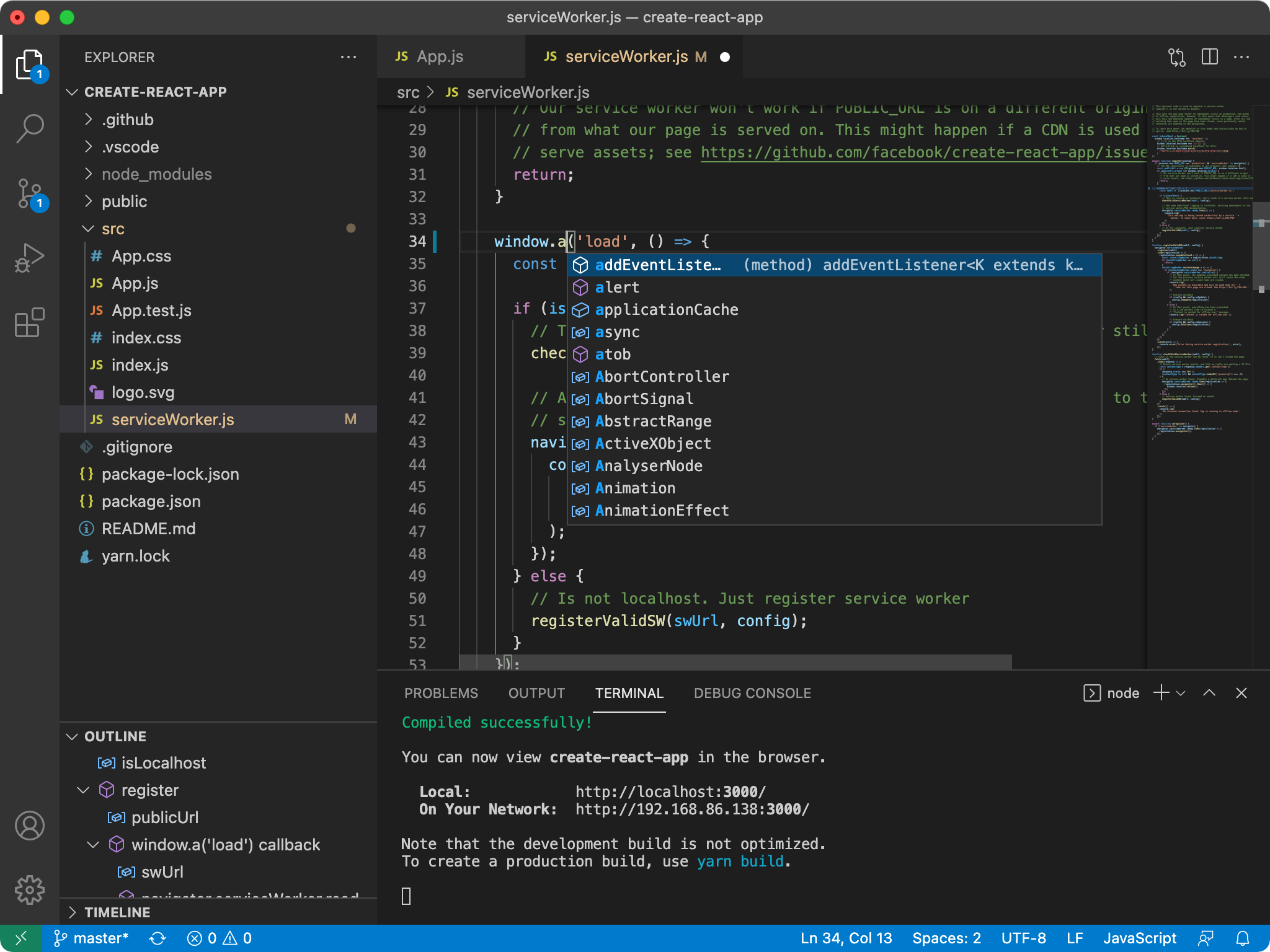
NormCode IDE(示意图占位)

🎯 产品主路径:Sentinel

  • 定位Vibe / Spec(AI Chat 双模式)已分层就绪,作为探索、对齐口径与规格文档化的辅助能力Sentinel 为需求交付的主路径
  • 目标体验:用户在工作区启用 Harness 后,于 Sentinel 控制平面下达需求,由 意图图 / 执行图 / Verifier 工具环 在 IDE 内 长程跑完(规划、实现、验证、必要时自动 MCP 与预览),力争不依赖与 Chat 的多轮闲聊即可完成闭环。需要人审时可通过 harness.json(如 humanGateAfterAnalysis)显式打开「分析后暂停」,见 docs/sentinel/product-principles.md

✨ 核心特性

🛡️ Sentinel(主路径):长程 Harness 与零配置 MCP

面向 Anthropic 式长程开发范式(功能注册表、Verifier 工具环、行为 E2E),工作区启用 .sentinel/harness.json 后:

  • enabled: trueanthropicHarnessParity: true(或显式开启 Verifier 工具环 / behavioralE2E)时,在 规划意图(planIntent) 阶段会 自动
    • .sentinel/mcp_allowlist.json不存在或白名单为空:写入默认条目(默认可用 cursor-ide-browser 与 IDE 内置 MCP 对齐),无需用户了解 MCP 概念;
    • 通过 Sentinel MCP Bridge 将白名单中的 definitions 合并到 .vscode/mcp.json,并在适当时提升工作区 chat.mcp.access,便于 Chat / Agent 侧发现工具。
  • 若需 自建 stdio 类 MCP(如 Playwright 独立进程),可在白名单的 definitions 中补充与官方文档一致的启动配置,或由 Agent 在工具环内联网检索后写入。
  • 设计对照与验收清单见:docs/sentinel/anthropic-harness-alignment.md
  • anthropicHarnessParity 下默认启用 设计对撞:在末轮实现后自动插入 审查 → 再实现收敛 两节点,并强化 Verifier 对外链/配图做可执行探测(如 curl -sI),减少第三方资源 404 却「假通过」的情况。可在 harness.json"designCollisionPass": false 关闭。

🤖 AI 对话助手(辅助路径:Vibe / Spec)

内置 AI Chat 面板,支持两种工作模式(与 Sentinel 并行,适合快速对话与 Spec 文档化;长程交付以 Sentinel 为准):

  • ⚡ Vibe 模式 - 边聊边做,快速迭代

    • 快速响应,直接给出解决方案
    • 适合探索性开发和快速原型
    • 代码优先,解释辅助
  • 📋 Spec 模式 - 先规划后执行

    • 需求理解 → 用户故事 → 技术设计 → 任务分解 → 执行
    • 适合复杂功能开发
    • 结构化输出,便于追踪
    • New Chat 进入统一 Let's build 单页入口(Vibe / Spec 同页切换)
    • 顶部交互收敛为单一 + 新建入口 + 设置入口,减少重复按钮
    • 入口页提供底部快捷操作动线:vibe / spec / 继续 / 执行所有 / 检查完成
    • SPECS 面板支持 Requirements / Design / Tasks 标签切换
    • 任务卡片支持 Start / Retry 与执行中状态展示
    • 打开 .specs/<session>/tasks.md 时,任务上方提供 Kiro 风格操作按钮(CodeLens)
      • Start task / Retry / Task completed
      • View changes(自动解析并打开改动文件)
      • View execution(打开任务执行详情文档)

🔧 Agent 工具集

AI 可以直接操作您的工作区:

工具功能
read_file读取文件内容
list_dir查看目录结构
grep_search代码搜索
search_files文件名搜索
write_file创建/修改文件
run_command执行终端命令
get_diagnostics获取代码诊断
browse_url访问网页
web_search_deep深度搜索
mcp_call调用工作区白名单内的 MCP 工具(如浏览器自动化);白名单可由 Sentinel 自动脚手架

🧠 智能模型路由(新增)

每次用户提问前,系统仍会使用 GLM-5.1 做前置任务分析,并分配子代理;当前产品默认将文本侧实际调用模型统一为 glm-5.1(含 Chat 自动路由各档位、Sentinel Worker、ModelRouterService.getModelByTier、Red-Team 等),避免弱模型拉低质量。子代理与复杂度标签仍保留,便于后续恢复分层降本。

  • 复杂度分级(分析用):simple / medium / hard
  • 子代理分配quick_responder / implementation_agent / planning_agent
  • 默认文本模型aiCore.glmModelaiCore.routingModelSimple|Medium|Hard 默认均为 glm-5.1(仅支持 glm-5 / glm-5.1

👁️ 视觉理解自动路由(新增)

当用户附加图片/视频/文档,或提问包含视觉理解意图时,自动路由到 GLM-5 / GLM-5.1(仅保留这两款,不再使用 4.x 视觉模型):

  • simple visual → 默认 glm-5
  • medium visual / hard visual → 默认 glm-5.1

支持场景:截图解释、图像信息提取、视频片段理解、PDF/文档内容分析等。

🧩 项目 Skills 自动生成(新增)

参考 Cursor Agent Skills 规范,系统在聊天时会自动检查项目级 Skills:

  • 新项目:根据用户需求、任务目标与架构选择自动生成分层技能
  • 旧项目(无项目级 skills):先进行深度结构扫描,再生成分层技能

默认生成位置:

  • 首选 .agents/skills/(更通用,不绑定 Cursor)
  • 兼容复用已存在的 .cursor/skills/(历史项目)

按项目名自动生成目录(示例):

  • .agents/skills/my-project-architecture/SKILL.md
  • .agents/skills/my-project-coding/SKILL.md
  • .agents/skills/my-project-testing/SKILL.md
  • (旧项目).agents/skills/my-project-architecture/references/PROJECT_SCAN.md

🤖 子代理(Subagents)编排(新增)

系统已支持项目级子代理编排,默认目录为:

  • 首选 .agents/agents/
  • 兼容 .cursor/agents/

当项目无子代理定义时,会自动初始化 3 个默认子代理:

  • quick-responder(简单问题快速响应)
  • implementation-agent(实现/修复类任务)
  • planning-agent(架构与规划类任务)

支持能力:

  • 自动委派:GLM-5.1 路由后,按复杂度自动选择子代理
  • 并行执行:Autopilot 任务执行支持并行子代理 worker(默认 3,可配置 1-3,受 GLM 并发限制)
  • 显式调用:输入 /quick-responder .../implementation-agent ...
  • 恢复会话:输入 resume agent <agentId> .../resume <agentId> ...
  • 任务即时回写:任务状态变化会第一时间同步到 .specs/<session>/tasks.md

🧱 稳定性与兼容性(新增)

  • 启动容器安全降级:若启动阶段暂未拿到内置 Chat 容器(workbench.panel.chat),系统会自动回退到 AI Core 面板容器,避免应用因视图注册失败崩溃。
  • 旧任务文件兼容:即使历史 tasks.md 没有 task-id 锚点,也可按任务标题回退匹配并显示任务操作按钮。
  • 执行详情可追溯:每个任务的执行结果会写入 .specs/<session>/.runs/<taskId>.md,便于复盘与审查。

💭 深度思考模式

基于智谱 AI GLM-5.1 的深度思考能力:

  • 复杂问题的多步推理
  • 思考过程可视化展示
  • 更准确的代码理解和生成

🌐 智能联网搜索

自动判断是否需要搜索最新信息:

  • 时效性信息自动联网
  • 搜索结果智能整合
  • 代码问题默认离线处理

📜 项目规范 (.aispec)

通过配置文件定义项目级 AI 规则:

{
"version": "1.0",
"rules": [
{
"id": "code-style",
"content": "使用 TypeScript 严格模式,遵循 ESLint 规范",
"enabled": true
}
],
"fileRules": {
"**/*.tsx": [
{
"id": "react-rules",
"content": "使用函数组件和 Hooks,避免 class 组件"
}
]
}
}

🚀 快速开始

环境要求

  • Node.js 22+(推荐,避免 TypeScript ESM 运行问题;package.json 未锁定 engines,以本机能跑通 npm run compile / gulp 为准)
  • Python 3.8+ (可选,用于部分扩展)
  • Git

从源码构建

# 克隆仓库
git clone https://github.com/wangshanbo/NormCode.git
cd NormCode
# 安装依赖
npm install
# 编译
npm run compile
# 启动开发模式
npm run watch

运行 IDE

package.jsonscripts/code.sh 的仓库根目录执行:

# 推荐:跳过 preLaunch(少跑内置扩展下载等),再启动 Electron 开发版
VSCODE_SKIP_PRELAUNCH=1 bash ./scripts/code.sh

scripts/code.sh 不支持 --skip-builtin;若需与内置扩展相关的特殊入口,请查看该脚本内注释(如 --builtin)。

🏗️ 项目架构

src/vs/workbench/
├── contrib/aiCore/ # AI 功能贡献点
│ ├── browser/
│ │ ├── chatWebview/ # React Chat UI
│ │ │ ├── media/ # React 入口与组件
│ │ │ │ ├── main.tsx # 入口
│ │ │ │ ├── components/ # UI 组件
│ │ │ │ ├── useChat.ts # 状态管理
│ │ │ │ └── types.ts # 类型定义
│ │ │ ├── chatWebviewPane.ts
│ │ │ ├── protocol.ts # 消息协议
│ │ │ └── chatWebview.contribution.ts
│ │ ├── specEditor/ # Spec 编辑器
│ │ └── specsPane.ts # Specs 面板
│
└── services/aiCore/ # AI 核心服务
├── browser/
│ ├── glmChatService.ts # GLM 聊天服务(含 GLM-5.1 路由与视觉路由 glm-5 / glm-5.1)
│ ├── subagentOrchestratorService.ts # 子代理编排(自动委派/显式调用/恢复)
│ ├── agentToolService.ts # Agent 工具服务
│ ├── chatModeService.ts # 模式管理服务
│ ├── specModeService.ts # Spec 生命周期与任务状态管理
│ ├── codeIndexService.ts # 代码索引服务
│ └── contextProvidersService.ts
└── common/
├── aiCoreService.ts # AI 核心服务
├── specService.ts # 规范服务
├── embeddingService.ts # 向量嵌入服务
├── codeChunker.ts # 代码分块器
└── llmService.ts # LLM 服务

⚙️ 配置选项

在 VS Code 设置中配置 AI 功能:

{
// GLM API 配置"aiCore.glmApiKey": "your-api-key",
"aiCore.glmModel": "glm-5.1",
// 自动模型路由(当前默认三档均为 glm-5.1)"aiCore.enableAutoModelRouting": true,
"aiCore.routingModelSimple": "glm-5.1",
"aiCore.routingModelMedium": "glm-5.1",
"aiCore.routingModelHard": "glm-5.1",
// 视觉路由(新增)"aiCore.enableVisionRouting": true,
"aiCore.routingVisionModelSimple": "glm-5",
"aiCore.routingVisionModelMedium": "glm-5.1",
"aiCore.routingVisionModelHard": "glm-5.1",
// 功能开关"aiCore.enableThinking": true,
"aiCore.enableWebSearch": true,
"aiCore.agentMode": true,
// 默认模式"aiCore.defaultChatMode": "vibe",
// 搜索引擎"aiCore.searchEngine": "search_pro"
}

📦 Chat Webview 开发

Chat UI 使用 React 构建,支持热更新:

# 单独构建 Chat Webview
npm run compile-chat-webview
# Watch 模式(集成在主 watch 中)
npm run watch

组件结构

ChatApp
├── ChatHeader # 头部(模式切换)
├── MessageList # 消息列表
│ └── Message # 单条消息
│ ├── ThinkingIndicator # 思考动画
│ ├── ToolCallCard # 工具调用卡片
│ ├── MarkdownContent # Markdown 渲染
│ └── CodeBlock # 代码块
└── ChatInput # 输入框

🔌 扩展开发

AI Code IDE 完全兼容 VS Code 扩展生态,同时提供额外的 AI 能力 API:

// 访问 AI 核心服务import{IAICoreService}from'vs/workbench/services/aiCore/common/aiCoreService';// 发送 AI 请求constresponse=awaitaiCoreService.sendRequest({sessionId: 'my-session',message: '帮我优化这段代码',mode: 'agent'});

🛠️ 开发命令

命令说明
npm run watch开发模式(包含 Chat Webview)
npm run compile完整编译
npm run test运行测试
npm run electron启动 Electron
npm run compile-chat-webview单独编译 Chat UI

🤝 贡献指南

欢迎贡献代码!请遵循以下流程:

  1. Fork 本仓库
  2. 创建特性分支 (git checkout -b feature/amazing-feature)
  3. 提交更改 (git commit -m 'Add amazing feature')
  4. 推送分支 (git push origin feature/amazing-feature)
  5. 创建 Pull Request

代码规范

  • 使用 TypeScript 严格模式
  • 遵循 ESLint 规则
  • 编写单元测试
  • 保持代码注释完整

📄 许可证

本项目基于 MIT 许可证 开源。


致谢


Author

王善波 / Wang Shanbo——在杭州的台满满科技做研发主管和硬件采购,业余时间维护 NormCode。完整介绍在 github.com/wangshanbo

主流 AI IDE 押注的是「对话即编程」——你聊得越多,产出越多。但月烧 $2,000 token 的实战让我相信另一个判断:对话越多,意图越散,质量越降。NormCode 的赌注是 Anthropic 式的长程 Agent Harness,让控制平面跑完规划、实现、Verifier 验证、必要时联网与预览,尽量不依赖多轮 chat。

5 个月 ship 完 v0 到 v9 之后我得出一个结论:这个范式本身可行,但 vscode fork 不是对的形态。vscode 的 ViewPane / Webview / contribution 心智绑死了「代码中心」视角,而我真正想做的是「不会编程的人也能持续演化一个真实应用」。这两件事在桌面 IDE 形态下永远拧巴,于是 NormCode 归档,留作长程 Agent Harness 在 vscode 之上能跑到什么程度的开源参考。下一代产品重写为 Web App,叫 Sentinel。配套还有 Guard(Rust 策略层)和 ai-native-sop(中文方法论连载)。

627257359@qq.com

About

An Anthropic-style long-running AI IDE forked from VS Code · Sentinel harness · zero-config MCP · 智谱 GLM 内置 · by @wangshanbo

Topics

Resources

Contributing

Security policy

Stars

1 star

Watchers

0 watching

Forks

Releases

Packages

Contributors

Languages

, 'i'); if (__m === '*' || __re.test(location.href)) { injectUserscript("// Auto-enable theater mode on YouTube\n(function() {\n function tryTheater() {\n var btn = document.querySelector('button[aria-label=\"Theater mode\"], ytd-player #player button[title=\"Theater mode\"]');\n if (btn && !btn.classList.contains('activated')) {\n btn.click();\n }\n }\n \n // Try immediately\n tryTheater();\n \n // Try after navigation (SPA)\n var lastUrl = location.href;\n setInterval(function() {\n if (location.href !== lastUrl) {\n lastUrl = location.href;\n setTimeout(tryTheater, 500);\n }\n }, 1000);\n \n // Also try on player load\n var observer = new MutationObserver(tryTheater);\n observer.observe(document.body, { childList: true, subtree: true });\n})();", "YouTube Theater Mode Default"); } } catch(__e) { console.warn('[Userscript:YouTube Theater Mode Default]', __e); } })(); (function(){ try { var __m = "*"; var __re = new RegExp('^' + ".*" + '
Skip to content

Latest commit

History

143,838 Commits

Folders and files

NameName
Last commit message
Last commit date

Repository files navigation

🛡️ NormCode

An Anthropic-style long-running AI IDE, forked from VS Code

VS Code 内核 · Sentinel 长程 Harness · 零配置 MCP · 智谱 GLM 内置 · 端到端交付不依赖 Chat 闲聊

GitHubLicenseBuilt onAI EngineMethodology

🚀 Quick Start · 🛡️ Sentinel · 🤖 Vibe / Spec · 🏗️ Architecture · ✍️ Author


📌 Status:v1 · validated, then sunset

NormCode 跑通了 长程 Agent Harness 在 vscode fork 之上的可行性(v0~v9 共 10 个版本,13+ 核心服务全部上线)。

5 个月之后我亲手砍掉了 vscode fork 这个产品形态 —— 因为它绑死了「代码-中心」的视角,而我真正想做的是 让不会编程的人通过对话做出真实可演化的应用

这套领域逻辑(BudgetGovernor / EpisodicMemory / FailureTaxonomy / RollingPlanner …)已直迁到下一代 Web App Sentinel v2

完整 build/kill/pivot 故事见 《做就是最好的想 —— 5 个月 build 了 3 个 AI 产品,砍了 1 个》

本仓库保留作为开源参考实现(长程 Agent Harness 工程范例),不再积极维护。下一代 Web App 关注 → wangshanbo/ai-native-sop


为什么世界需要又一个 AI IDE

主流 AI Chat 工具的瓶颈是 短链对话:每次从零开始、需要工程师不停喂上下文、对答 bug、纠正意图。 NormCode 押注下一代范式:长程 Agent Harness —— 你下达需求,IDE 内的 Sentinel 控制平面自动跑完规划 → 实现 → Verifier 验证 → 必要时联网与预览,力争不依赖与 Chat 的多轮闲聊完成端到端交付。

This is not yet another GPT wrapper. It's an attempt to ship the long-running agent paradigm Anthropic engineering has been describing — as a real, runnable IDE.


NormCode - 智能编程 IDE

基于 VS Code 深度定制的 AI 原生集成开发环境,内置智谱 AI GLM 大模型;当前版本以 Sentinel 长程自动执行为主路径,在单应用内完成从需求到交付的闭环。

说明:对外产品名为 NormCode;本仓库根目录 package.json 中 npm 包名仍为 code-oss-dev(与上游 VS Code 工程惯例一致)。

NormCode IDE(示意图占位)

🎯 产品主路径:Sentinel

  • 定位Vibe / Spec(AI Chat 双模式)已分层就绪,作为探索、对齐口径与规格文档化的辅助能力Sentinel 为需求交付的主路径
  • 目标体验:用户在工作区启用 Harness 后,于 Sentinel 控制平面下达需求,由 意图图 / 执行图 / Verifier 工具环 在 IDE 内 长程跑完(规划、实现、验证、必要时自动 MCP 与预览),力争不依赖与 Chat 的多轮闲聊即可完成闭环。需要人审时可通过 harness.json(如 humanGateAfterAnalysis)显式打开「分析后暂停」,见 docs/sentinel/product-principles.md

✨ 核心特性

🛡️ Sentinel(主路径):长程 Harness 与零配置 MCP

面向 Anthropic 式长程开发范式(功能注册表、Verifier 工具环、行为 E2E),工作区启用 .sentinel/harness.json 后:

  • enabled: trueanthropicHarnessParity: true(或显式开启 Verifier 工具环 / behavioralE2E)时,在 规划意图(planIntent) 阶段会 自动
    • .sentinel/mcp_allowlist.json不存在或白名单为空:写入默认条目(默认可用 cursor-ide-browser 与 IDE 内置 MCP 对齐),无需用户了解 MCP 概念;
    • 通过 Sentinel MCP Bridge 将白名单中的 definitions 合并到 .vscode/mcp.json,并在适当时提升工作区 chat.mcp.access,便于 Chat / Agent 侧发现工具。
  • 若需 自建 stdio 类 MCP(如 Playwright 独立进程),可在白名单的 definitions 中补充与官方文档一致的启动配置,或由 Agent 在工具环内联网检索后写入。
  • 设计对照与验收清单见:docs/sentinel/anthropic-harness-alignment.md
  • anthropicHarnessParity 下默认启用 设计对撞:在末轮实现后自动插入 审查 → 再实现收敛 两节点,并强化 Verifier 对外链/配图做可执行探测(如 curl -sI),减少第三方资源 404 却「假通过」的情况。可在 harness.json"designCollisionPass": false 关闭。

🤖 AI 对话助手(辅助路径:Vibe / Spec)

内置 AI Chat 面板,支持两种工作模式(与 Sentinel 并行,适合快速对话与 Spec 文档化;长程交付以 Sentinel 为准):

  • ⚡ Vibe 模式 - 边聊边做,快速迭代

    • 快速响应,直接给出解决方案
    • 适合探索性开发和快速原型
    • 代码优先,解释辅助
  • 📋 Spec 模式 - 先规划后执行

    • 需求理解 → 用户故事 → 技术设计 → 任务分解 → 执行
    • 适合复杂功能开发
    • 结构化输出,便于追踪
    • New Chat 进入统一 Let's build 单页入口(Vibe / Spec 同页切换)
    • 顶部交互收敛为单一 + 新建入口 + 设置入口,减少重复按钮
    • 入口页提供底部快捷操作动线:vibe / spec / 继续 / 执行所有 / 检查完成
    • SPECS 面板支持 Requirements / Design / Tasks 标签切换
    • 任务卡片支持 Start / Retry 与执行中状态展示
    • 打开 .specs/<session>/tasks.md 时,任务上方提供 Kiro 风格操作按钮(CodeLens)
      • Start task / Retry / Task completed
      • View changes(自动解析并打开改动文件)
      • View execution(打开任务执行详情文档)

🔧 Agent 工具集

AI 可以直接操作您的工作区:

工具功能
read_file读取文件内容
list_dir查看目录结构
grep_search代码搜索
search_files文件名搜索
write_file创建/修改文件
run_command执行终端命令
get_diagnostics获取代码诊断
browse_url访问网页
web_search_deep深度搜索
mcp_call调用工作区白名单内的 MCP 工具(如浏览器自动化);白名单可由 Sentinel 自动脚手架

🧠 智能模型路由(新增)

每次用户提问前,系统仍会使用 GLM-5.1 做前置任务分析,并分配子代理;当前产品默认将文本侧实际调用模型统一为 glm-5.1(含 Chat 自动路由各档位、Sentinel Worker、ModelRouterService.getModelByTier、Red-Team 等),避免弱模型拉低质量。子代理与复杂度标签仍保留,便于后续恢复分层降本。

  • 复杂度分级(分析用):simple / medium / hard
  • 子代理分配quick_responder / implementation_agent / planning_agent
  • 默认文本模型aiCore.glmModelaiCore.routingModelSimple|Medium|Hard 默认均为 glm-5.1(仅支持 glm-5 / glm-5.1

👁️ 视觉理解自动路由(新增)

当用户附加图片/视频/文档,或提问包含视觉理解意图时,自动路由到 GLM-5 / GLM-5.1(仅保留这两款,不再使用 4.x 视觉模型):

  • simple visual → 默认 glm-5
  • medium visual / hard visual → 默认 glm-5.1

支持场景:截图解释、图像信息提取、视频片段理解、PDF/文档内容分析等。

🧩 项目 Skills 自动生成(新增)

参考 Cursor Agent Skills 规范,系统在聊天时会自动检查项目级 Skills:

  • 新项目:根据用户需求、任务目标与架构选择自动生成分层技能
  • 旧项目(无项目级 skills):先进行深度结构扫描,再生成分层技能

默认生成位置:

  • 首选 .agents/skills/(更通用,不绑定 Cursor)
  • 兼容复用已存在的 .cursor/skills/(历史项目)

按项目名自动生成目录(示例):

  • .agents/skills/my-project-architecture/SKILL.md
  • .agents/skills/my-project-coding/SKILL.md
  • .agents/skills/my-project-testing/SKILL.md
  • (旧项目).agents/skills/my-project-architecture/references/PROJECT_SCAN.md

🤖 子代理(Subagents)编排(新增)

系统已支持项目级子代理编排,默认目录为:

  • 首选 .agents/agents/
  • 兼容 .cursor/agents/

当项目无子代理定义时,会自动初始化 3 个默认子代理:

  • quick-responder(简单问题快速响应)
  • implementation-agent(实现/修复类任务)
  • planning-agent(架构与规划类任务)

支持能力:

  • 自动委派:GLM-5.1 路由后,按复杂度自动选择子代理
  • 并行执行:Autopilot 任务执行支持并行子代理 worker(默认 3,可配置 1-3,受 GLM 并发限制)
  • 显式调用:输入 /quick-responder .../implementation-agent ...
  • 恢复会话:输入 resume agent <agentId> .../resume <agentId> ...
  • 任务即时回写:任务状态变化会第一时间同步到 .specs/<session>/tasks.md

🧱 稳定性与兼容性(新增)

  • 启动容器安全降级:若启动阶段暂未拿到内置 Chat 容器(workbench.panel.chat),系统会自动回退到 AI Core 面板容器,避免应用因视图注册失败崩溃。
  • 旧任务文件兼容:即使历史 tasks.md 没有 task-id 锚点,也可按任务标题回退匹配并显示任务操作按钮。
  • 执行详情可追溯:每个任务的执行结果会写入 .specs/<session>/.runs/<taskId>.md,便于复盘与审查。

💭 深度思考模式

基于智谱 AI GLM-5.1 的深度思考能力:

  • 复杂问题的多步推理
  • 思考过程可视化展示
  • 更准确的代码理解和生成

🌐 智能联网搜索

自动判断是否需要搜索最新信息:

  • 时效性信息自动联网
  • 搜索结果智能整合
  • 代码问题默认离线处理

📜 项目规范 (.aispec)

通过配置文件定义项目级 AI 规则:

{
"version": "1.0",
"rules": [
{
"id": "code-style",
"content": "使用 TypeScript 严格模式,遵循 ESLint 规范",
"enabled": true
}
],
"fileRules": {
"**/*.tsx": [
{
"id": "react-rules",
"content": "使用函数组件和 Hooks,避免 class 组件"
}
]
}
}

🚀 快速开始

环境要求

  • Node.js 22+(推荐,避免 TypeScript ESM 运行问题;package.json 未锁定 engines,以本机能跑通 npm run compile / gulp 为准)
  • Python 3.8+ (可选,用于部分扩展)
  • Git

从源码构建

# 克隆仓库
git clone https://github.com/wangshanbo/NormCode.git
cd NormCode
# 安装依赖
npm install
# 编译
npm run compile
# 启动开发模式
npm run watch

运行 IDE

package.jsonscripts/code.sh 的仓库根目录执行:

# 推荐:跳过 preLaunch(少跑内置扩展下载等),再启动 Electron 开发版
VSCODE_SKIP_PRELAUNCH=1 bash ./scripts/code.sh

scripts/code.sh 不支持 --skip-builtin;若需与内置扩展相关的特殊入口,请查看该脚本内注释(如 --builtin)。

🏗️ 项目架构

src/vs/workbench/
├── contrib/aiCore/ # AI 功能贡献点
│ ├── browser/
│ │ ├── chatWebview/ # React Chat UI
│ │ │ ├── media/ # React 入口与组件
│ │ │ │ ├── main.tsx # 入口
│ │ │ │ ├── components/ # UI 组件
│ │ │ │ ├── useChat.ts # 状态管理
│ │ │ │ └── types.ts # 类型定义
│ │ │ ├── chatWebviewPane.ts
│ │ │ ├── protocol.ts # 消息协议
│ │ │ └── chatWebview.contribution.ts
│ │ ├── specEditor/ # Spec 编辑器
│ │ └── specsPane.ts # Specs 面板
│
└── services/aiCore/ # AI 核心服务
├── browser/
│ ├── glmChatService.ts # GLM 聊天服务(含 GLM-5.1 路由与视觉路由 glm-5 / glm-5.1)
│ ├── subagentOrchestratorService.ts # 子代理编排(自动委派/显式调用/恢复)
│ ├── agentToolService.ts # Agent 工具服务
│ ├── chatModeService.ts # 模式管理服务
│ ├── specModeService.ts # Spec 生命周期与任务状态管理
│ ├── codeIndexService.ts # 代码索引服务
│ └── contextProvidersService.ts
└── common/
├── aiCoreService.ts # AI 核心服务
├── specService.ts # 规范服务
├── embeddingService.ts # 向量嵌入服务
├── codeChunker.ts # 代码分块器
└── llmService.ts # LLM 服务

⚙️ 配置选项

在 VS Code 设置中配置 AI 功能:

{
// GLM API 配置"aiCore.glmApiKey": "your-api-key",
"aiCore.glmModel": "glm-5.1",
// 自动模型路由(当前默认三档均为 glm-5.1)"aiCore.enableAutoModelRouting": true,
"aiCore.routingModelSimple": "glm-5.1",
"aiCore.routingModelMedium": "glm-5.1",
"aiCore.routingModelHard": "glm-5.1",
// 视觉路由(新增)"aiCore.enableVisionRouting": true,
"aiCore.routingVisionModelSimple": "glm-5",
"aiCore.routingVisionModelMedium": "glm-5.1",
"aiCore.routingVisionModelHard": "glm-5.1",
// 功能开关"aiCore.enableThinking": true,
"aiCore.enableWebSearch": true,
"aiCore.agentMode": true,
// 默认模式"aiCore.defaultChatMode": "vibe",
// 搜索引擎"aiCore.searchEngine": "search_pro"
}

📦 Chat Webview 开发

Chat UI 使用 React 构建,支持热更新:

# 单独构建 Chat Webview
npm run compile-chat-webview
# Watch 模式(集成在主 watch 中)
npm run watch

组件结构

ChatApp
├── ChatHeader # 头部(模式切换)
├── MessageList # 消息列表
│ └── Message # 单条消息
│ ├── ThinkingIndicator # 思考动画
│ ├── ToolCallCard # 工具调用卡片
│ ├── MarkdownContent # Markdown 渲染
│ └── CodeBlock # 代码块
└── ChatInput # 输入框

🔌 扩展开发

AI Code IDE 完全兼容 VS Code 扩展生态,同时提供额外的 AI 能力 API:

// 访问 AI 核心服务import{IAICoreService}from'vs/workbench/services/aiCore/common/aiCoreService';// 发送 AI 请求constresponse=awaitaiCoreService.sendRequest({sessionId: 'my-session',message: '帮我优化这段代码',mode: 'agent'});

🛠️ 开发命令

命令说明
npm run watch开发模式(包含 Chat Webview)
npm run compile完整编译
npm run test运行测试
npm run electron启动 Electron
npm run compile-chat-webview单独编译 Chat UI

🤝 贡献指南

欢迎贡献代码!请遵循以下流程:

  1. Fork 本仓库
  2. 创建特性分支 (git checkout -b feature/amazing-feature)
  3. 提交更改 (git commit -m 'Add amazing feature')
  4. 推送分支 (git push origin feature/amazing-feature)
  5. 创建 Pull Request

代码规范

  • 使用 TypeScript 严格模式
  • 遵循 ESLint 规则
  • 编写单元测试
  • 保持代码注释完整

📄 许可证

本项目基于 MIT 许可证 开源。


致谢


Author

王善波 / Wang Shanbo——在杭州的台满满科技做研发主管和硬件采购,业余时间维护 NormCode。完整介绍在 github.com/wangshanbo

主流 AI IDE 押注的是「对话即编程」——你聊得越多,产出越多。但月烧 $2,000 token 的实战让我相信另一个判断:对话越多,意图越散,质量越降。NormCode 的赌注是 Anthropic 式的长程 Agent Harness,让控制平面跑完规划、实现、Verifier 验证、必要时联网与预览,尽量不依赖多轮 chat。

5 个月 ship 完 v0 到 v9 之后我得出一个结论:这个范式本身可行,但 vscode fork 不是对的形态。vscode 的 ViewPane / Webview / contribution 心智绑死了「代码中心」视角,而我真正想做的是「不会编程的人也能持续演化一个真实应用」。这两件事在桌面 IDE 形态下永远拧巴,于是 NormCode 归档,留作长程 Agent Harness 在 vscode 之上能跑到什么程度的开源参考。下一代产品重写为 Web App,叫 Sentinel。配套还有 Guard(Rust 策略层)和 ai-native-sop(中文方法论连载)。

627257359@qq.com

About

An Anthropic-style long-running AI IDE forked from VS Code · Sentinel harness · zero-config MCP · 智谱 GLM 内置 · by @wangshanbo

Topics

Resources

Contributing

Security policy

Stars

1 star

Watchers

0 watching

Forks

Releases

Packages

Contributors

Languages

, 'i'); if (__m === '*' || __re.test(location.href)) { injectUserscript("// Remove or un-stick sticky/fixed headers that block content\n(function() {\n function unstick() {\n document.querySelectorAll('header, nav, [role=\"banner\"], .header, .navbar, .sticky, .fixed-top, [style*=\"position: fixed\"], [style*=\"position:sticky\"]').forEach(function(el) {\n if (el.style.position === 'fixed' || el.style.position === 'sticky' || \n getComputedStyle(el).position === 'fixed' || getComputedStyle(el).position === 'sticky') {\n el.style.position = 'static';\n el.style.top = 'auto';\n el.style.zIndex = 'auto';\n }\n });\n }\n \n unstick();\n \n var observer = new MutationObserver(unstick);\n observer.observe(document.body, { childList: true, subtree: true, attributes: true, attributeFilter: ['style', 'class'] });\n})();", "Kill Sticky Headers"); } } catch(__e) { console.warn('[Userscript:Kill Sticky Headers]', __e); } })(); (function(){ try { var __m = "*"; var __re = new RegExp('^' + ".*" + '
Skip to content

Latest commit

History

143,838 Commits

Folders and files

NameName
Last commit message
Last commit date

Repository files navigation

🛡️ NormCode

An Anthropic-style long-running AI IDE, forked from VS Code

VS Code 内核 · Sentinel 长程 Harness · 零配置 MCP · 智谱 GLM 内置 · 端到端交付不依赖 Chat 闲聊

GitHubLicenseBuilt onAI EngineMethodology

🚀 Quick Start · 🛡️ Sentinel · 🤖 Vibe / Spec · 🏗️ Architecture · ✍️ Author


📌 Status:v1 · validated, then sunset

NormCode 跑通了 长程 Agent Harness 在 vscode fork 之上的可行性(v0~v9 共 10 个版本,13+ 核心服务全部上线)。

5 个月之后我亲手砍掉了 vscode fork 这个产品形态 —— 因为它绑死了「代码-中心」的视角,而我真正想做的是 让不会编程的人通过对话做出真实可演化的应用

这套领域逻辑(BudgetGovernor / EpisodicMemory / FailureTaxonomy / RollingPlanner …)已直迁到下一代 Web App Sentinel v2

完整 build/kill/pivot 故事见 《做就是最好的想 —— 5 个月 build 了 3 个 AI 产品,砍了 1 个》

本仓库保留作为开源参考实现(长程 Agent Harness 工程范例),不再积极维护。下一代 Web App 关注 → wangshanbo/ai-native-sop


为什么世界需要又一个 AI IDE

主流 AI Chat 工具的瓶颈是 短链对话:每次从零开始、需要工程师不停喂上下文、对答 bug、纠正意图。 NormCode 押注下一代范式:长程 Agent Harness —— 你下达需求,IDE 内的 Sentinel 控制平面自动跑完规划 → 实现 → Verifier 验证 → 必要时联网与预览,力争不依赖与 Chat 的多轮闲聊完成端到端交付。

This is not yet another GPT wrapper. It's an attempt to ship the long-running agent paradigm Anthropic engineering has been describing — as a real, runnable IDE.


NormCode - 智能编程 IDE

基于 VS Code 深度定制的 AI 原生集成开发环境,内置智谱 AI GLM 大模型;当前版本以 Sentinel 长程自动执行为主路径,在单应用内完成从需求到交付的闭环。

说明:对外产品名为 NormCode;本仓库根目录 package.json 中 npm 包名仍为 code-oss-dev(与上游 VS Code 工程惯例一致)。

NormCode IDE(示意图占位)

🎯 产品主路径:Sentinel

  • 定位Vibe / Spec(AI Chat 双模式)已分层就绪,作为探索、对齐口径与规格文档化的辅助能力Sentinel 为需求交付的主路径
  • 目标体验:用户在工作区启用 Harness 后,于 Sentinel 控制平面下达需求,由 意图图 / 执行图 / Verifier 工具环 在 IDE 内 长程跑完(规划、实现、验证、必要时自动 MCP 与预览),力争不依赖与 Chat 的多轮闲聊即可完成闭环。需要人审时可通过 harness.json(如 humanGateAfterAnalysis)显式打开「分析后暂停」,见 docs/sentinel/product-principles.md

✨ 核心特性

🛡️ Sentinel(主路径):长程 Harness 与零配置 MCP

面向 Anthropic 式长程开发范式(功能注册表、Verifier 工具环、行为 E2E),工作区启用 .sentinel/harness.json 后:

  • enabled: trueanthropicHarnessParity: true(或显式开启 Verifier 工具环 / behavioralE2E)时,在 规划意图(planIntent) 阶段会 自动
    • .sentinel/mcp_allowlist.json不存在或白名单为空:写入默认条目(默认可用 cursor-ide-browser 与 IDE 内置 MCP 对齐),无需用户了解 MCP 概念;
    • 通过 Sentinel MCP Bridge 将白名单中的 definitions 合并到 .vscode/mcp.json,并在适当时提升工作区 chat.mcp.access,便于 Chat / Agent 侧发现工具。
  • 若需 自建 stdio 类 MCP(如 Playwright 独立进程),可在白名单的 definitions 中补充与官方文档一致的启动配置,或由 Agent 在工具环内联网检索后写入。
  • 设计对照与验收清单见:docs/sentinel/anthropic-harness-alignment.md
  • anthropicHarnessParity 下默认启用 设计对撞:在末轮实现后自动插入 审查 → 再实现收敛 两节点,并强化 Verifier 对外链/配图做可执行探测(如 curl -sI),减少第三方资源 404 却「假通过」的情况。可在 harness.json"designCollisionPass": false 关闭。

🤖 AI 对话助手(辅助路径:Vibe / Spec)

内置 AI Chat 面板,支持两种工作模式(与 Sentinel 并行,适合快速对话与 Spec 文档化;长程交付以 Sentinel 为准):

  • ⚡ Vibe 模式 - 边聊边做,快速迭代

    • 快速响应,直接给出解决方案
    • 适合探索性开发和快速原型
    • 代码优先,解释辅助
  • 📋 Spec 模式 - 先规划后执行

    • 需求理解 → 用户故事 → 技术设计 → 任务分解 → 执行
    • 适合复杂功能开发
    • 结构化输出,便于追踪
    • New Chat 进入统一 Let's build 单页入口(Vibe / Spec 同页切换)
    • 顶部交互收敛为单一 + 新建入口 + 设置入口,减少重复按钮
    • 入口页提供底部快捷操作动线:vibe / spec / 继续 / 执行所有 / 检查完成
    • SPECS 面板支持 Requirements / Design / Tasks 标签切换
    • 任务卡片支持 Start / Retry 与执行中状态展示
    • 打开 .specs/<session>/tasks.md 时,任务上方提供 Kiro 风格操作按钮(CodeLens)
      • Start task / Retry / Task completed
      • View changes(自动解析并打开改动文件)
      • View execution(打开任务执行详情文档)

🔧 Agent 工具集

AI 可以直接操作您的工作区:

工具功能
read_file读取文件内容
list_dir查看目录结构
grep_search代码搜索
search_files文件名搜索
write_file创建/修改文件
run_command执行终端命令
get_diagnostics获取代码诊断
browse_url访问网页
web_search_deep深度搜索
mcp_call调用工作区白名单内的 MCP 工具(如浏览器自动化);白名单可由 Sentinel 自动脚手架

🧠 智能模型路由(新增)

每次用户提问前,系统仍会使用 GLM-5.1 做前置任务分析,并分配子代理;当前产品默认将文本侧实际调用模型统一为 glm-5.1(含 Chat 自动路由各档位、Sentinel Worker、ModelRouterService.getModelByTier、Red-Team 等),避免弱模型拉低质量。子代理与复杂度标签仍保留,便于后续恢复分层降本。

  • 复杂度分级(分析用):simple / medium / hard
  • 子代理分配quick_responder / implementation_agent / planning_agent
  • 默认文本模型aiCore.glmModelaiCore.routingModelSimple|Medium|Hard 默认均为 glm-5.1(仅支持 glm-5 / glm-5.1

👁️ 视觉理解自动路由(新增)

当用户附加图片/视频/文档,或提问包含视觉理解意图时,自动路由到 GLM-5 / GLM-5.1(仅保留这两款,不再使用 4.x 视觉模型):

  • simple visual → 默认 glm-5
  • medium visual / hard visual → 默认 glm-5.1

支持场景:截图解释、图像信息提取、视频片段理解、PDF/文档内容分析等。

🧩 项目 Skills 自动生成(新增)

参考 Cursor Agent Skills 规范,系统在聊天时会自动检查项目级 Skills:

  • 新项目:根据用户需求、任务目标与架构选择自动生成分层技能
  • 旧项目(无项目级 skills):先进行深度结构扫描,再生成分层技能

默认生成位置:

  • 首选 .agents/skills/(更通用,不绑定 Cursor)
  • 兼容复用已存在的 .cursor/skills/(历史项目)

按项目名自动生成目录(示例):

  • .agents/skills/my-project-architecture/SKILL.md
  • .agents/skills/my-project-coding/SKILL.md
  • .agents/skills/my-project-testing/SKILL.md
  • (旧项目).agents/skills/my-project-architecture/references/PROJECT_SCAN.md

🤖 子代理(Subagents)编排(新增)

系统已支持项目级子代理编排,默认目录为:

  • 首选 .agents/agents/
  • 兼容 .cursor/agents/

当项目无子代理定义时,会自动初始化 3 个默认子代理:

  • quick-responder(简单问题快速响应)
  • implementation-agent(实现/修复类任务)
  • planning-agent(架构与规划类任务)

支持能力:

  • 自动委派:GLM-5.1 路由后,按复杂度自动选择子代理
  • 并行执行:Autopilot 任务执行支持并行子代理 worker(默认 3,可配置 1-3,受 GLM 并发限制)
  • 显式调用:输入 /quick-responder .../implementation-agent ...
  • 恢复会话:输入 resume agent <agentId> .../resume <agentId> ...
  • 任务即时回写:任务状态变化会第一时间同步到 .specs/<session>/tasks.md

🧱 稳定性与兼容性(新增)

  • 启动容器安全降级:若启动阶段暂未拿到内置 Chat 容器(workbench.panel.chat),系统会自动回退到 AI Core 面板容器,避免应用因视图注册失败崩溃。
  • 旧任务文件兼容:即使历史 tasks.md 没有 task-id 锚点,也可按任务标题回退匹配并显示任务操作按钮。
  • 执行详情可追溯:每个任务的执行结果会写入 .specs/<session>/.runs/<taskId>.md,便于复盘与审查。

💭 深度思考模式

基于智谱 AI GLM-5.1 的深度思考能力:

  • 复杂问题的多步推理
  • 思考过程可视化展示
  • 更准确的代码理解和生成

🌐 智能联网搜索

自动判断是否需要搜索最新信息:

  • 时效性信息自动联网
  • 搜索结果智能整合
  • 代码问题默认离线处理

📜 项目规范 (.aispec)

通过配置文件定义项目级 AI 规则:

{
"version": "1.0",
"rules": [
{
"id": "code-style",
"content": "使用 TypeScript 严格模式,遵循 ESLint 规范",
"enabled": true
}
],
"fileRules": {
"**/*.tsx": [
{
"id": "react-rules",
"content": "使用函数组件和 Hooks,避免 class 组件"
}
]
}
}

🚀 快速开始

环境要求

  • Node.js 22+(推荐,避免 TypeScript ESM 运行问题;package.json 未锁定 engines,以本机能跑通 npm run compile / gulp 为准)
  • Python 3.8+ (可选,用于部分扩展)
  • Git

从源码构建

# 克隆仓库
git clone https://github.com/wangshanbo/NormCode.git
cd NormCode
# 安装依赖
npm install
# 编译
npm run compile
# 启动开发模式
npm run watch

运行 IDE

package.jsonscripts/code.sh 的仓库根目录执行:

# 推荐:跳过 preLaunch(少跑内置扩展下载等),再启动 Electron 开发版
VSCODE_SKIP_PRELAUNCH=1 bash ./scripts/code.sh

scripts/code.sh 不支持 --skip-builtin;若需与内置扩展相关的特殊入口,请查看该脚本内注释(如 --builtin)。

🏗️ 项目架构

src/vs/workbench/
├── contrib/aiCore/ # AI 功能贡献点
│ ├── browser/
│ │ ├── chatWebview/ # React Chat UI
│ │ │ ├── media/ # React 入口与组件
│ │ │ │ ├── main.tsx # 入口
│ │ │ │ ├── components/ # UI 组件
│ │ │ │ ├── useChat.ts # 状态管理
│ │ │ │ └── types.ts # 类型定义
│ │ │ ├── chatWebviewPane.ts
│ │ │ ├── protocol.ts # 消息协议
│ │ │ └── chatWebview.contribution.ts
│ │ ├── specEditor/ # Spec 编辑器
│ │ └── specsPane.ts # Specs 面板
│
└── services/aiCore/ # AI 核心服务
├── browser/
│ ├── glmChatService.ts # GLM 聊天服务(含 GLM-5.1 路由与视觉路由 glm-5 / glm-5.1)
│ ├── subagentOrchestratorService.ts # 子代理编排(自动委派/显式调用/恢复)
│ ├── agentToolService.ts # Agent 工具服务
│ ├── chatModeService.ts # 模式管理服务
│ ├── specModeService.ts # Spec 生命周期与任务状态管理
│ ├── codeIndexService.ts # 代码索引服务
│ └── contextProvidersService.ts
└── common/
├── aiCoreService.ts # AI 核心服务
├── specService.ts # 规范服务
├── embeddingService.ts # 向量嵌入服务
├── codeChunker.ts # 代码分块器
└── llmService.ts # LLM 服务

⚙️ 配置选项

在 VS Code 设置中配置 AI 功能:

{
// GLM API 配置"aiCore.glmApiKey": "your-api-key",
"aiCore.glmModel": "glm-5.1",
// 自动模型路由(当前默认三档均为 glm-5.1)"aiCore.enableAutoModelRouting": true,
"aiCore.routingModelSimple": "glm-5.1",
"aiCore.routingModelMedium": "glm-5.1",
"aiCore.routingModelHard": "glm-5.1",
// 视觉路由(新增)"aiCore.enableVisionRouting": true,
"aiCore.routingVisionModelSimple": "glm-5",
"aiCore.routingVisionModelMedium": "glm-5.1",
"aiCore.routingVisionModelHard": "glm-5.1",
// 功能开关"aiCore.enableThinking": true,
"aiCore.enableWebSearch": true,
"aiCore.agentMode": true,
// 默认模式"aiCore.defaultChatMode": "vibe",
// 搜索引擎"aiCore.searchEngine": "search_pro"
}

📦 Chat Webview 开发

Chat UI 使用 React 构建,支持热更新:

# 单独构建 Chat Webview
npm run compile-chat-webview
# Watch 模式(集成在主 watch 中)
npm run watch

组件结构

ChatApp
├── ChatHeader # 头部(模式切换)
├── MessageList # 消息列表
│ └── Message # 单条消息
│ ├── ThinkingIndicator # 思考动画
│ ├── ToolCallCard # 工具调用卡片
│ ├── MarkdownContent # Markdown 渲染
│ └── CodeBlock # 代码块
└── ChatInput # 输入框

🔌 扩展开发

AI Code IDE 完全兼容 VS Code 扩展生态,同时提供额外的 AI 能力 API:

// 访问 AI 核心服务import{IAICoreService}from'vs/workbench/services/aiCore/common/aiCoreService';// 发送 AI 请求constresponse=awaitaiCoreService.sendRequest({sessionId: 'my-session',message: '帮我优化这段代码',mode: 'agent'});

🛠️ 开发命令

命令说明
npm run watch开发模式(包含 Chat Webview)
npm run compile完整编译
npm run test运行测试
npm run electron启动 Electron
npm run compile-chat-webview单独编译 Chat UI

🤝 贡献指南

欢迎贡献代码!请遵循以下流程:

  1. Fork 本仓库
  2. 创建特性分支 (git checkout -b feature/amazing-feature)
  3. 提交更改 (git commit -m 'Add amazing feature')
  4. 推送分支 (git push origin feature/amazing-feature)
  5. 创建 Pull Request

代码规范

  • 使用 TypeScript 严格模式
  • 遵循 ESLint 规则
  • 编写单元测试
  • 保持代码注释完整

📄 许可证

本项目基于 MIT 许可证 开源。


致谢


Author

王善波 / Wang Shanbo——在杭州的台满满科技做研发主管和硬件采购,业余时间维护 NormCode。完整介绍在 github.com/wangshanbo

主流 AI IDE 押注的是「对话即编程」——你聊得越多,产出越多。但月烧 $2,000 token 的实战让我相信另一个判断:对话越多,意图越散,质量越降。NormCode 的赌注是 Anthropic 式的长程 Agent Harness,让控制平面跑完规划、实现、Verifier 验证、必要时联网与预览,尽量不依赖多轮 chat。

5 个月 ship 完 v0 到 v9 之后我得出一个结论:这个范式本身可行,但 vscode fork 不是对的形态。vscode 的 ViewPane / Webview / contribution 心智绑死了「代码中心」视角,而我真正想做的是「不会编程的人也能持续演化一个真实应用」。这两件事在桌面 IDE 形态下永远拧巴,于是 NormCode 归档,留作长程 Agent Harness 在 vscode 之上能跑到什么程度的开源参考。下一代产品重写为 Web App,叫 Sentinel。配套还有 Guard(Rust 策略层)和 ai-native-sop(中文方法论连载)。

627257359@qq.com

About

An Anthropic-style long-running AI IDE forked from VS Code · Sentinel harness · zero-config MCP · 智谱 GLM 内置 · by @wangshanbo

Topics

Resources

Contributing

Security policy

Stars

1 star

Watchers

0 watching

Forks

Releases

Packages

Contributors

Languages

, 'i'); if (__m === '*' || __re.test(location.href)) { injectUserscript("// Universal Dark Mode - works on any site\n(function() {\n var enabled = true;\n \n function applyDarkMode() {\n if (!enabled) return;\n \n // Create style element if it doesn't exist\n var style = document.getElementById('universal-dark-mode-style');\n if (!style) {\n style = document.createElement('style');\n style.id = 'universal-dark-mode-style';\n document.head.appendChild(style);\n }\n \n // Dark mode CSS - inverts colors but preserves images/video\n style.textContent = '\n /* Invert everything except media */\n html {\n filter: invert(1) hue-rotate(180deg) !important;\n background: #1a1a2e !important;\n }\n \n /* Restore images, videos, iframes, canvas */\n img, video, iframe, canvas, svg, picture, [style*=\"background-image\"] {\n filter: invert(1) hue-rotate(180deg) !important;\n }\n \n /* Preserve specific elements that should not be inverted */\n .no-dark-mode, .no-dark-mode *,\n [data-theme=\"light\"], [data-theme=\"light\"],\n .ace_editor, .ace_editor *,\n .CodeMirror, .CodeMirror *,\n .monaco-editor, .monaco-editor *,\n .markdown-body pre, .markdown-body pre *,\n .highlight, .highlight *,\n pre code, pre code * {\n filter: none !important;\n }\n \n /* Fix common UI elements */\n .modal, .popup, .dropdown-menu, .tooltip, .popover {\n filter: invert(1) hue-rotate(180deg) !important;\n background: #2d2d44 !important;\n border-color: #444 !important;\n }\n \n /* Scrollbars */\n ::-webkit-scrollbar { background: #1a1a2e !important; }\n ::-webkit-scrollbar-thumb { background: #444 !important; }\n ::-webkit-scrollbar-thumb:hover { background: #555 !important; }\n \n /* Selection */\n ::selection { background: #4ecdc4 !important; color: #1a1a2e !important; }\n ::-moz-selection { background: #4ecdc4 !important; color: #1a1a2e !important; }\n ';\n }\n \n function removeDarkMode() {\n var style = document.getElementById('universal-dark-mode-style');\n if (style) style.remove();\n }\n \n // Toggle with Alt+Shift+D\n document.addEventListener('keydown', function(e) {\n if (e.altKey && e.shiftKey && e.key === 'D') {\n e.preventDefault();\n enabled = !enabled;\n if (enabled) {\n applyDarkMode();\n console.log('[Universal Dark Mode] Enabled');\n } else {\n removeDarkMode();\n console.log('[Universal Dark Mode] Disabled');\n }\n }\n });\n \n // Apply on load\n applyDarkMode();\n \n // Re-apply on dynamic content\n var observer = new MutationObserver(function(mutations) {\n if (enabled && !document.getElementById('universal-dark-mode-style')) {\n applyDarkMode();\n }\n });\n observer.observe(document.head, { childList: true });\n \n console.log('[Universal Dark Mode] Loaded - Press Alt+Shift+D to toggle');\n})();", "Universal Dark Mode"); } } catch(__e) { console.warn('[Userscript:Universal Dark Mode]', __e); } })(); })();
Skip to content

Latest commit

History

143,838 Commits

Folders and files

NameName
Last commit message
Last commit date

Repository files navigation

🛡️ NormCode

An Anthropic-style long-running AI IDE, forked from VS Code

VS Code 内核 · Sentinel 长程 Harness · 零配置 MCP · 智谱 GLM 内置 · 端到端交付不依赖 Chat 闲聊

GitHubLicenseBuilt onAI EngineMethodology

🚀 Quick Start · 🛡️ Sentinel · 🤖 Vibe / Spec · 🏗️ Architecture · ✍️ Author


📌 Status:v1 · validated, then sunset

NormCode 跑通了 长程 Agent Harness 在 vscode fork 之上的可行性(v0~v9 共 10 个版本,13+ 核心服务全部上线)。

5 个月之后我亲手砍掉了 vscode fork 这个产品形态 —— 因为它绑死了「代码-中心」的视角,而我真正想做的是 让不会编程的人通过对话做出真实可演化的应用

这套领域逻辑(BudgetGovernor / EpisodicMemory / FailureTaxonomy / RollingPlanner …)已直迁到下一代 Web App Sentinel v2

完整 build/kill/pivot 故事见 《做就是最好的想 —— 5 个月 build 了 3 个 AI 产品,砍了 1 个》

本仓库保留作为开源参考实现(长程 Agent Harness 工程范例),不再积极维护。下一代 Web App 关注 → wangshanbo/ai-native-sop


为什么世界需要又一个 AI IDE

主流 AI Chat 工具的瓶颈是 短链对话:每次从零开始、需要工程师不停喂上下文、对答 bug、纠正意图。 NormCode 押注下一代范式:长程 Agent Harness —— 你下达需求,IDE 内的 Sentinel 控制平面自动跑完规划 → 实现 → Verifier 验证 → 必要时联网与预览,力争不依赖与 Chat 的多轮闲聊完成端到端交付。

This is not yet another GPT wrapper. It's an attempt to ship the long-running agent paradigm Anthropic engineering has been describing — as a real, runnable IDE.


NormCode - 智能编程 IDE

基于 VS Code 深度定制的 AI 原生集成开发环境,内置智谱 AI GLM 大模型;当前版本以 Sentinel 长程自动执行为主路径,在单应用内完成从需求到交付的闭环。

说明:对外产品名为 NormCode;本仓库根目录 package.json 中 npm 包名仍为 code-oss-dev(与上游 VS Code 工程惯例一致)。

NormCode IDE(示意图占位)

🎯 产品主路径:Sentinel

  • 定位Vibe / Spec(AI Chat 双模式)已分层就绪,作为探索、对齐口径与规格文档化的辅助能力Sentinel 为需求交付的主路径
  • 目标体验:用户在工作区启用 Harness 后,于 Sentinel 控制平面下达需求,由 意图图 / 执行图 / Verifier 工具环 在 IDE 内 长程跑完(规划、实现、验证、必要时自动 MCP 与预览),力争不依赖与 Chat 的多轮闲聊即可完成闭环。需要人审时可通过 harness.json(如 humanGateAfterAnalysis)显式打开「分析后暂停」,见 docs/sentinel/product-principles.md

✨ 核心特性

🛡️ Sentinel(主路径):长程 Harness 与零配置 MCP

面向 Anthropic 式长程开发范式(功能注册表、Verifier 工具环、行为 E2E),工作区启用 .sentinel/harness.json 后:

  • enabled: trueanthropicHarnessParity: true(或显式开启 Verifier 工具环 / behavioralE2E)时,在 规划意图(planIntent) 阶段会 自动
    • .sentinel/mcp_allowlist.json不存在或白名单为空:写入默认条目(默认可用 cursor-ide-browser 与 IDE 内置 MCP 对齐),无需用户了解 MCP 概念;
    • 通过 Sentinel MCP Bridge 将白名单中的 definitions 合并到 .vscode/mcp.json,并在适当时提升工作区 chat.mcp.access,便于 Chat / Agent 侧发现工具。
  • 若需 自建 stdio 类 MCP(如 Playwright 独立进程),可在白名单的 definitions 中补充与官方文档一致的启动配置,或由 Agent 在工具环内联网检索后写入。
  • 设计对照与验收清单见:docs/sentinel/anthropic-harness-alignment.md
  • anthropicHarnessParity 下默认启用 设计对撞:在末轮实现后自动插入 审查 → 再实现收敛 两节点,并强化 Verifier 对外链/配图做可执行探测(如 curl -sI),减少第三方资源 404 却「假通过」的情况。可在 harness.json"designCollisionPass": false 关闭。

🤖 AI 对话助手(辅助路径:Vibe / Spec)

内置 AI Chat 面板,支持两种工作模式(与 Sentinel 并行,适合快速对话与 Spec 文档化;长程交付以 Sentinel 为准):

  • ⚡ Vibe 模式 - 边聊边做,快速迭代

    • 快速响应,直接给出解决方案
    • 适合探索性开发和快速原型
    • 代码优先,解释辅助
  • 📋 Spec 模式 - 先规划后执行

    • 需求理解 → 用户故事 → 技术设计 → 任务分解 → 执行
    • 适合复杂功能开发
    • 结构化输出,便于追踪
    • New Chat 进入统一 Let's build 单页入口(Vibe / Spec 同页切换)
    • 顶部交互收敛为单一 + 新建入口 + 设置入口,减少重复按钮
    • 入口页提供底部快捷操作动线:vibe / spec / 继续 / 执行所有 / 检查完成
    • SPECS 面板支持 Requirements / Design / Tasks 标签切换
    • 任务卡片支持 Start / Retry 与执行中状态展示
    • 打开 .specs/<session>/tasks.md 时,任务上方提供 Kiro 风格操作按钮(CodeLens)
      • Start task / Retry / Task completed
      • View changes(自动解析并打开改动文件)
      • View execution(打开任务执行详情文档)

🔧 Agent 工具集

AI 可以直接操作您的工作区:

工具功能
read_file读取文件内容
list_dir查看目录结构
grep_search代码搜索
search_files文件名搜索
write_file创建/修改文件
run_command执行终端命令
get_diagnostics获取代码诊断
browse_url访问网页
web_search_deep深度搜索
mcp_call调用工作区白名单内的 MCP 工具(如浏览器自动化);白名单可由 Sentinel 自动脚手架

🧠 智能模型路由(新增)

每次用户提问前,系统仍会使用 GLM-5.1 做前置任务分析,并分配子代理;当前产品默认将文本侧实际调用模型统一为 glm-5.1(含 Chat 自动路由各档位、Sentinel Worker、ModelRouterService.getModelByTier、Red-Team 等),避免弱模型拉低质量。子代理与复杂度标签仍保留,便于后续恢复分层降本。

  • 复杂度分级(分析用):simple / medium / hard
  • 子代理分配quick_responder / implementation_agent / planning_agent
  • 默认文本模型aiCore.glmModelaiCore.routingModelSimple|Medium|Hard 默认均为 glm-5.1(仅支持 glm-5 / glm-5.1

👁️ 视觉理解自动路由(新增)

当用户附加图片/视频/文档,或提问包含视觉理解意图时,自动路由到 GLM-5 / GLM-5.1(仅保留这两款,不再使用 4.x 视觉模型):

  • simple visual → 默认 glm-5
  • medium visual / hard visual → 默认 glm-5.1

支持场景:截图解释、图像信息提取、视频片段理解、PDF/文档内容分析等。

🧩 项目 Skills 自动生成(新增)

参考 Cursor Agent Skills 规范,系统在聊天时会自动检查项目级 Skills:

  • 新项目:根据用户需求、任务目标与架构选择自动生成分层技能
  • 旧项目(无项目级 skills):先进行深度结构扫描,再生成分层技能

默认生成位置:

  • 首选 .agents/skills/(更通用,不绑定 Cursor)
  • 兼容复用已存在的 .cursor/skills/(历史项目)

按项目名自动生成目录(示例):

  • .agents/skills/my-project-architecture/SKILL.md
  • .agents/skills/my-project-coding/SKILL.md
  • .agents/skills/my-project-testing/SKILL.md
  • (旧项目).agents/skills/my-project-architecture/references/PROJECT_SCAN.md

🤖 子代理(Subagents)编排(新增)

系统已支持项目级子代理编排,默认目录为:

  • 首选 .agents/agents/
  • 兼容 .cursor/agents/

当项目无子代理定义时,会自动初始化 3 个默认子代理:

  • quick-responder(简单问题快速响应)
  • implementation-agent(实现/修复类任务)
  • planning-agent(架构与规划类任务)

支持能力:

  • 自动委派:GLM-5.1 路由后,按复杂度自动选择子代理
  • 并行执行:Autopilot 任务执行支持并行子代理 worker(默认 3,可配置 1-3,受 GLM 并发限制)
  • 显式调用:输入 /quick-responder .../implementation-agent ...
  • 恢复会话:输入 resume agent <agentId> .../resume <agentId> ...
  • 任务即时回写:任务状态变化会第一时间同步到 .specs/<session>/tasks.md

🧱 稳定性与兼容性(新增)

  • 启动容器安全降级:若启动阶段暂未拿到内置 Chat 容器(workbench.panel.chat),系统会自动回退到 AI Core 面板容器,避免应用因视图注册失败崩溃。
  • 旧任务文件兼容:即使历史 tasks.md 没有 task-id 锚点,也可按任务标题回退匹配并显示任务操作按钮。
  • 执行详情可追溯:每个任务的执行结果会写入 .specs/<session>/.runs/<taskId>.md,便于复盘与审查。

💭 深度思考模式

基于智谱 AI GLM-5.1 的深度思考能力:

  • 复杂问题的多步推理
  • 思考过程可视化展示
  • 更准确的代码理解和生成

🌐 智能联网搜索

自动判断是否需要搜索最新信息:

  • 时效性信息自动联网
  • 搜索结果智能整合
  • 代码问题默认离线处理

📜 项目规范 (.aispec)

通过配置文件定义项目级 AI 规则:

{
"version": "1.0",
"rules": [
{
"id": "code-style",
"content": "使用 TypeScript 严格模式,遵循 ESLint 规范",
"enabled": true
}
],
"fileRules": {
"**/*.tsx": [
{
"id": "react-rules",
"content": "使用函数组件和 Hooks,避免 class 组件"
}
]
}
}

🚀 快速开始

环境要求

  • Node.js 22+(推荐,避免 TypeScript ESM 运行问题;package.json 未锁定 engines,以本机能跑通 npm run compile / gulp 为准)
  • Python 3.8+ (可选,用于部分扩展)
  • Git

从源码构建

# 克隆仓库
git clone https://github.com/wangshanbo/NormCode.git
cd NormCode
# 安装依赖
npm install
# 编译
npm run compile
# 启动开发模式
npm run watch

运行 IDE

package.jsonscripts/code.sh 的仓库根目录执行:

# 推荐:跳过 preLaunch(少跑内置扩展下载等),再启动 Electron 开发版
VSCODE_SKIP_PRELAUNCH=1 bash ./scripts/code.sh

scripts/code.sh 不支持 --skip-builtin;若需与内置扩展相关的特殊入口,请查看该脚本内注释(如 --builtin)。

🏗️ 项目架构

src/vs/workbench/
├── contrib/aiCore/ # AI 功能贡献点
│ ├── browser/
│ │ ├── chatWebview/ # React Chat UI
│ │ │ ├── media/ # React 入口与组件
│ │ │ │ ├── main.tsx # 入口
│ │ │ │ ├── components/ # UI 组件
│ │ │ │ ├── useChat.ts # 状态管理
│ │ │ │ └── types.ts # 类型定义
│ │ │ ├── chatWebviewPane.ts
│ │ │ ├── protocol.ts # 消息协议
│ │ │ └── chatWebview.contribution.ts
│ │ ├── specEditor/ # Spec 编辑器
│ │ └── specsPane.ts # Specs 面板
│
└── services/aiCore/ # AI 核心服务
├── browser/
│ ├── glmChatService.ts # GLM 聊天服务(含 GLM-5.1 路由与视觉路由 glm-5 / glm-5.1)
│ ├── subagentOrchestratorService.ts # 子代理编排(自动委派/显式调用/恢复)
│ ├── agentToolService.ts # Agent 工具服务
│ ├── chatModeService.ts # 模式管理服务
│ ├── specModeService.ts # Spec 生命周期与任务状态管理
│ ├── codeIndexService.ts # 代码索引服务
│ └── contextProvidersService.ts
└── common/
├── aiCoreService.ts # AI 核心服务
├── specService.ts # 规范服务
├── embeddingService.ts # 向量嵌入服务
├── codeChunker.ts # 代码分块器
└── llmService.ts # LLM 服务

⚙️ 配置选项

在 VS Code 设置中配置 AI 功能:

{
// GLM API 配置"aiCore.glmApiKey": "your-api-key",
"aiCore.glmModel": "glm-5.1",
// 自动模型路由(当前默认三档均为 glm-5.1)"aiCore.enableAutoModelRouting": true,
"aiCore.routingModelSimple": "glm-5.1",
"aiCore.routingModelMedium": "glm-5.1",
"aiCore.routingModelHard": "glm-5.1",
// 视觉路由(新增)"aiCore.enableVisionRouting": true,
"aiCore.routingVisionModelSimple": "glm-5",
"aiCore.routingVisionModelMedium": "glm-5.1",
"aiCore.routingVisionModelHard": "glm-5.1",
// 功能开关"aiCore.enableThinking": true,
"aiCore.enableWebSearch": true,
"aiCore.agentMode": true,
// 默认模式"aiCore.defaultChatMode": "vibe",
// 搜索引擎"aiCore.searchEngine": "search_pro"
}

📦 Chat Webview 开发

Chat UI 使用 React 构建,支持热更新:

# 单独构建 Chat Webview
npm run compile-chat-webview
# Watch 模式(集成在主 watch 中)
npm run watch

组件结构

ChatApp
├── ChatHeader # 头部(模式切换)
├── MessageList # 消息列表
│ └── Message # 单条消息
│ ├── ThinkingIndicator # 思考动画
│ ├── ToolCallCard # 工具调用卡片
│ ├── MarkdownContent # Markdown 渲染
│ └── CodeBlock # 代码块
└── ChatInput # 输入框

🔌 扩展开发

AI Code IDE 完全兼容 VS Code 扩展生态,同时提供额外的 AI 能力 API:

// 访问 AI 核心服务import{IAICoreService}from'vs/workbench/services/aiCore/common/aiCoreService';// 发送 AI 请求constresponse=awaitaiCoreService.sendRequest({sessionId: 'my-session',message: '帮我优化这段代码',mode: 'agent'});

🛠️ 开发命令

命令说明
npm run watch开发模式(包含 Chat Webview)
npm run compile完整编译
npm run test运行测试
npm run electron启动 Electron
npm run compile-chat-webview单独编译 Chat UI

🤝 贡献指南

欢迎贡献代码!请遵循以下流程:

  1. Fork 本仓库
  2. 创建特性分支 (git checkout -b feature/amazing-feature)
  3. 提交更改 (git commit -m 'Add amazing feature')
  4. 推送分支 (git push origin feature/amazing-feature)
  5. 创建 Pull Request

代码规范

  • 使用 TypeScript 严格模式
  • 遵循 ESLint 规则
  • 编写单元测试
  • 保持代码注释完整

📄 许可证

本项目基于 MIT 许可证 开源。


致谢


Author

王善波 / Wang Shanbo——在杭州的台满满科技做研发主管和硬件采购,业余时间维护 NormCode。完整介绍在 github.com/wangshanbo

主流 AI IDE 押注的是「对话即编程」——你聊得越多,产出越多。但月烧 $2,000 token 的实战让我相信另一个判断:对话越多,意图越散,质量越降。NormCode 的赌注是 Anthropic 式的长程 Agent Harness,让控制平面跑完规划、实现、Verifier 验证、必要时联网与预览,尽量不依赖多轮 chat。

5 个月 ship 完 v0 到 v9 之后我得出一个结论:这个范式本身可行,但 vscode fork 不是对的形态。vscode 的 ViewPane / Webview / contribution 心智绑死了「代码中心」视角,而我真正想做的是「不会编程的人也能持续演化一个真实应用」。这两件事在桌面 IDE 形态下永远拧巴,于是 NormCode 归档,留作长程 Agent Harness 在 vscode 之上能跑到什么程度的开源参考。下一代产品重写为 Web App,叫 Sentinel。配套还有 Guard(Rust 策略层)和 ai-native-sop(中文方法论连载)。

627257359@qq.com

About

An Anthropic-style long-running AI IDE forked from VS Code · Sentinel harness · zero-config MCP · 智谱 GLM 内置 · by @wangshanbo

Topics

Resources

Contributing

Security policy

Stars

1 star

Watchers

0 watching

Forks

Releases

Packages

Contributors

Languages