 ____ _ _ ___ ____ __ __ ____ _________ _
\__\ \ \ \ \ \ _ _____________ __
\ \ \__\ \ \__\ __ __ ______/ |
__________ _____ _____ __________ _________| \_
| \ \ \ / / | \ ____ \_ `-_
| __ | \ \ / / | __ | / \ 4 5. \
| |__) | \ V / | |__) | / /3 6\ \
| ___/ \ / | < | |2 / 7| |
| | | | | |\ \ \ \1 / 8/ /
| | | | | | \ \ \ `-.^.-' /
|_____| |_____| |_____| \____\ '-_ _-'
`------'
)))
(o o)
---- PyroCMS Deploy Tool v1.5 --- ooO--(_)--Ooo ----
This is a PyroCMS 3 deploy tool with customization, install automation, better version control setup and other nice-to-have features.
Auto-pyro downloads, configures, installs and deploys a complete Pyro app with optional / required addons and packages. It automatically installs Pyro Builder and comes pre-configured with a todo module example out of the box.
Here's a video to demonstrate how it works (click on the image)
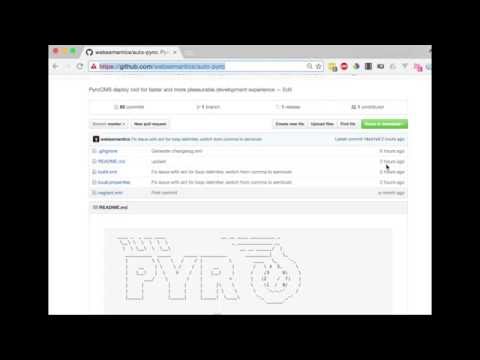
And, the following steps sum-up what was achieved in the video,
1- Install Apache Ant,
brew install antApache Ant is an awesome build tool and despite its seemingly dated xml format, it can achieve great feats. Tutsplus has a great article called, Automate your Projects with Apache Ant to introduce the tool to new comers.
2- Clone this repository into my-app,
git clone https://github.com/websemantics/auto-pyro my-app3- Add other project files, for example, README.md, CONTRIBUTING.md and LICENSE.md etc,
4- Configure the properties file,./local.properties with database settings (see Environment Variables for more details). The script will create a fresh database every time it runs,
5- Deploy the app by executing the command ant in the project folder,
cd my-app
ant
Set back until the deploy process is complete. Browse to the project to view, for example, http://my-app.test.
A setup switch setup is available for you to only install Pyro.
ant -Dsetup=falseThe deploy process will skip cloning PyroCMS repo, requiring plugins and composer packages.
This is a simple module that is used to demonstrate features of Auto-pyro and Pyro Builder,
It is achieved as the result of executing a number of artisan commands as follows,
# Start with scaffolding a new module,
php artisan make:addon websemantics.module.todo,
# Make a stream and fields migrations,
php artisan make:stream 'task:tc(name),name,description:t(anomaly.field_type.textarea),completed:t(anomaly.field_type.boolean)' websemantics.module.todo
# Finally, install the module, .. done!
php artisan module:install websemantics.module.todo
Check env.ARTISAN in the properties files ./local.properties for details. Also, make sure to remove this line if you're using Auto-pyro in your own project.
Here's a list of why this project can be of help when working with PyroCMS 3, mainly nice to have features that reduce the workload required when starting new projects,
We don't always need to install, migrate or seed all PyroCMS core addons. For example, not seeding the
Pagesmodule will allow us to use the project Twig views instead.When building an app or a website with PyroCMS most of the project code commonly located in the well-recognized
./addonsfolder. However, we often end-up tracking app boilerplate code from Laravel and PyroCMS core modules (located at./core) plus many other files in the project Github repository.To gain the ability to have project own
README.md,CONTRIBUTING.mdandLICENSE.mdfiles instead of the framework defaults.Oftentimes we need to install third-party modules, themes and other addons from Github but end-up installing them manually and track them in the project Github repository.
Find it somewhat inconvenient to install dependencies for third-party/our own addons (Bower, NPM, Composer, etc) or run build tasks (i.e Grunt, Gulp) after every install.
Call it lazy, but, installing and deploying a PyroCMS project completely from the command line would be an absolute pleasure.
Building Admin interfaces for new project modules / extensions can be time consuming. Having a build process that can take migration files and turn them into admin UIs would be nice.
And last but not least, how about the ability to encode your application modules and streams into the DNA of your auto-pyro install so that they are ready after each install?
Quick list of the features and benefits of using Auto-pyro,
- Complete installation and deployment of Pyro projects from the command line,
- Select which modules/addons (including core) to install or exclude,
- Exclusively track the project's code on Github,
- Get fresh Pyro 3 for new installs,
- Install third party plugins directly from Github,
- Automate database migration and seeding,
- Install front-end, node, composer and other dependencies for the app or its dependencies,
- Speed Admin development with the Builder (included),
- Painless removal of the Installer Module and other excluded addons after installation is complete,
- Execute artisan commands after install,
- Install the Streams platform and PyroCMS core modules directly on Laravel (experimental),
- Optionally, setup a Vagrant environment,
To configure the deploy process, change properties values in ./local.properties, located at the root folder,
Here's a quick list of the PyroCOM Environment properties,
| Property | Value | Description |
|---|---|---|
| APPLICATION_NAME | default | Set to Default by default |
| APPLICATION_DOMAIN | localhost | Change as appropriate |
| APPLICATION_REFERENCE | default | Set to default by default |
| APP_URL | default.test | Set to {APPLICATION_NAME}.test by default |
| ADMIN_USERNAME | admin | Set to admin by default |
| ADMIN_EMAIL | admin@admin.com | Set to admin@admin.com by default |
| ADMIN_PASSWORD | secret | Set to secret by default |
| DB_DATABASE | pyro | Set to pyro by default |
| DB_USERNAME | root | Change as appropriate |
| DB_PASSWORD | root | Change as appropriate |
| DB_CONNECTION | mysql | Set to mysql by default |
| DB_HOST | localhost | Set to localhost by default |
| APP_KEY | r!a#n^d*o?m | Auto generated |
| APP_ENV | local | Change as appropriate |
| DEFAULT_LOCALE | en | Change as appropriate |
| APP_TIMEZONE | UTC | Change as appropriate |
| APP_DEBUG | false | Change as appropriate |
| ADMIN_THEME | pyrocms.theme.pyrocms | Optional |
| STANDARD_THEME | pyrocms.theme.starter | Change as appropriate |
Configuration of core addons
| Property | Example | Description |
|---|---|---|
| SEED_EXCLUDES | pages,variables | Comma-separated list of modules or extensions to be excluded from seeding |
| MODULE_EXCLUDES | pages,post | Don't install modules (comma-separated list) |
| EXTENSION_EXCLUDES | default_page_handler,page_link_type | Don't install extensions (comma-separated list) |
The deploy script is written for Apache Ant and can be found at ./build.xml.
Targets are equivalent to methods in PHP. When the ant command is invoked, it looks for ./build.xml at the current folder and runs the default target.
To get a list of targets,
ant -projecthelpTo better understand the deploy script in build.xml, here's a list of all the targets included, their dependencies and order of execution,
| Order | Target | Description | Dependencies |
|---|---|---|---|
| 10 | default | The default target to start project deploy | install |
| 9 | install | Deploys this project and runs post deploy tasks | run-artisan-commands |
| 8 | run-artisan-commands | Run artisan commands | require-install-addons |
| 7 | require-install-addons | Requires and installs project addons and all the front-end, css, npm, grunt libraries | install-pyro |
| 6 | install-pyro | Installs PyroCMS by running migrations, installing/seeding core modules/addons and creating the project .env file | create-database |
| 5 | create-database | Create database | require-composer |
| 4 | require-composer | Requires all composer dependencies | require-pyro |
| 3 | require-pyro | Clones PyroCMS and copy its files to project folder | clean |
| 2 | clean | Delete temp folders and the project .env file | init |
| 1 | init | Loads project properties, task definitions and other environment settings | * |
There are few empty targets with examples to use with common tasks, for example, install, uninstall or reinstall the project addons when in development mode,
| Target | Description | Dependencies |
|---|---|---|
install-addons | Install project addons | init |
uninstall-addons | Uninstall project addons | init |
reinstall-addons | Reinstall project addons | init |
The remaining tasks are experiential and still work in progress,
| Target | Description | Dependencies |
|---|---|---|
install-laravel | Install PyroCMS on top of Laravel | require-laravel |
require-laravel | Clones Laravel and copy all files to project folder | init,clean |
update-database | Update database with liquibase schema | init |
1.5.0 date: 2019-09-07 changes:
- Upgraded to PyroCMS 3.7
- Switched to Maven Repository for Java jar files
- Upgraded Java MySQL Connector to v8.0.17 1.0.0 date: 2016-09-18 changes:
- Start Changelog,
- Update for PyroCMS 3.1 and Laravel 5.3,
- Install and deploy Pyro from the command line with a single command,
ant - Include / exclude core Pyro addons,
- Require Pyro Addons directly from Github,
- Opt-out core Addons from seeding,
- Run
artisancommands after install - Install Pyro Builder by default,
- Scaffolds and installs a
todomodule by default,
Need help or have a question? post a questions at StackOverflow
Please don't use the issue trackers for support/questions.
We are more than happy to accept external contributions to the project in the form of feedback, bug reports and even better - pull requests :)
MIT license Copyright (c) Web Semantics, Inc.