A desktop window showing every avatar you use, and where you use it — so they stay consistent across the web.


Status • Key Features • Installation • Usage • Documentation • Support • Contributing • Credits • License
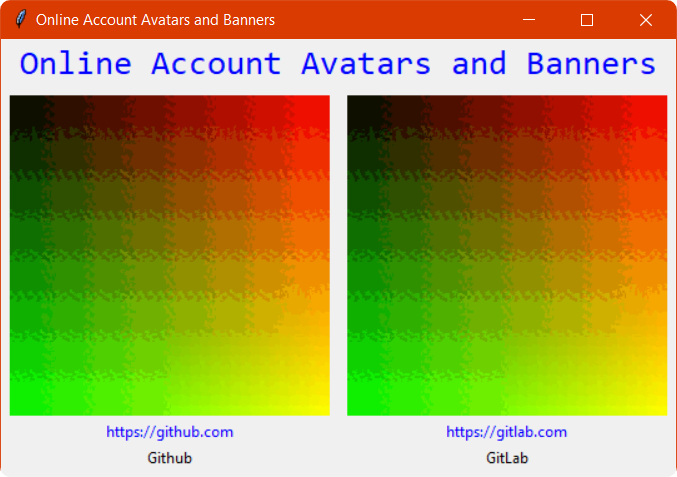
Pre-release, and incomplete on purpose. The window, the grid layout, and the clickable links all work. The avatars themselves do not exist yet: PyAvatar/images.py and PyAvatar/links.py are empty, two placeholder accounts are hardcoded in main.py, and both share one placeholder image.
PLANNING.md tracks what remains — adding the images (0.2.0) and the links (0.3.0) before a 1.0.
Everything below describes what runs today. See docs/roadmap.md for what does not.
- A Tkinter window listing accounts in a five-column grid, wrapping as it fills.
- Each account shows an image, a name, and a link that opens in your browser.
- Pure standard library — Tkinter only, nothing to install beyond Python.
- Cross-platform: Windows, macOS, Linux.
git clone https://github.com/willtheorangeguy/PyAvatar
cd PyAvatar
python main.py
Running from the repository root matters — see docs/installation.md.
Launch it and the window lists your accounts. Click a link to open that site.
Adding your own accounts means editing main.py today; see docs/configuration.md.
Full documentation lives in docs/:
Quickstart · Installation · Configuration · Architecture · Development · Testing · FAQ · Troubleshooting · Roadmap
Open a GitHub Discussion, file an issue, or join the Discord.
Please contribute using GitHub Flow. Create a branch, add commits, and open a pull request.
See the org-wide Contributing Guide and Code of Conduct.
This software uses the following open source packages, projects, services or websites:
 |  | |
|---|---|---|
| GitHub | Python Software Foundation | PyInstaller |
| Web - Plans | Web - Donate | Web - Donate |
Sponsor @willtheorangeguy on PayPal.
MIT — see LICENSE.md.