A fast, minimal, responsive Hugo theme for blogs.
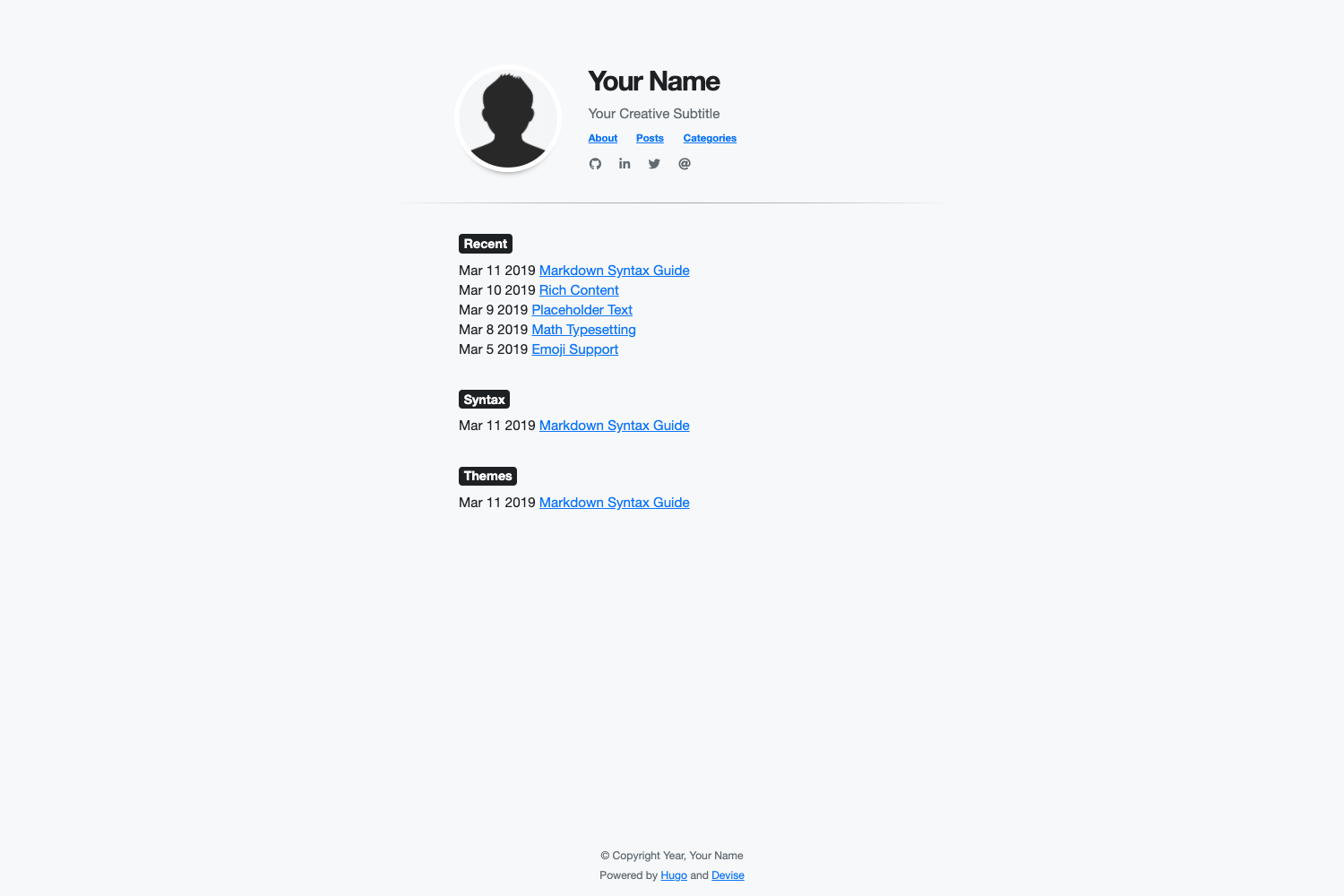
For a live demo of the theme, see at:
- All of Hugo's builtin Content Management
- Easy installation of Google Analytics via Hugo configuration file
- Fast loading with a 95-100 score on Google PageSpeed
- Ability to use Bootstrap 4 CSS classes via HTML/CSS in Markdown
- Ability to use Font Awesome icons
- Ability to customize the theme styles via Sass
- Ability to customize the following items via Hugo configuration file
- Meta description
- Title
- Subtitle
- Image
- Image border color
- Navigation menu
- Social icons
- Last 'n' recent posts
- Background color
- Font family
- Font color
This following guides installation, configuration, and updating of the Devise Hugo theme.
Before installing this theme, be sure to install Hugo and create a new site.
To install the theme, run the following from the root directory of your Hugo site:
$ git submodule add https://github.com/austingebauer/devise.git themes/deviseNext, open the config.toml file in the root of your Hugo site and set the theme:
theme = "devise"Example config.toml file with all configuration features filled out:
baseURL = "https://example.com"title = "Your Website Title"languageCode = "en-us"theme = "devise"relativeURLs = trueenableEmoji = truegoogleAnalytics = ""enableRobotsTXT = truecopyright = "© Copyright Year, Your Name"# Main menu items
[menu]
[[menu.main]]
identifier = "about"name = "About"title = "About"url = "/about/"weight = -110
[[menu.main]]
identifier = "posts"name = "Posts"title = "Posts"url = "/post/"weight = -100
[[menu.main]]
identifier = "categories"name = "Categories"title = "Categories"url = "/categories/"weight = -90# Configuration Features
[params]
description = "Your meta description"# Your meta description of the siteheader_title = "Your Name"# Your header titleheader_subtitle = "Your Creative Subtitle"# Your header subtitlehome_image = "/images/avatar.png"# Path to header image starting from the static directory (optional)recent_posts = 5# Max amount of recent posts to showmainSections = ["posts", "post", "blog"] # Main sections to include in recent posts
[params.style] # CSS style overridesbackgroundColor = "#f8f9fa"homeImageBorderColor = "#ffffff"fontFamilyBase = "Helvetica Neue"# First-choice fontfontColor = "#212529"
[[params.social]]
fa_icon = "fab fa-github fa-1x"# Font Awesome icon classhref = "http://github.com/youruser"# Link to associate with icon (http://, https://, mailto:)
[[params.social]]
fa_icon = "fab fa-linkedin-in fa-1x"href = ""
[[params.social]]
fa_icon = "fab fa-twitter fa-1x"href = ""
[[params.social]]
fa_icon = "fas fa-at fa-1x"href = ""To get updates to the theme, run the following from the root directory of your Hugo site:
$ git submodule update --remote themes/devise
Adding custom styles to the devise theme is simple. There are two options available for doing so.
In the config.toml file of your website, you can set the following custom style
parameters:
[params.style]
backgroundColor = "#f8f9fa"homeImageBorderColor = "#ffffff"fontFamilyBase = "Helvetica Neue"fontColor = "#212529"
If you'd like to see other custom styles available as config parameters, please open an issue.
To add custom Sass styles to the devise theme, you'll need to add the following file to the assets directory of your site:
assets/sass/custom.scss
In the file, you can use Sass syntax to declare your custom styles. After doing so, you should see custom styling added to your devise based Hugo site.
To run a live demo of the theme on your laptop, run the following from the exampleSite directory of the
devise theme:
hugo server --themesDir ../.. --watch --verbose --cleanDestinationDir --disableFastRenderFor a live demo of the theme, see at:
If you have an idea for a new feature or found a bug, please feel free to use Github issues to let me know.