Repository files navigation

RPGMaker MZ Yarn Spinner Plugin

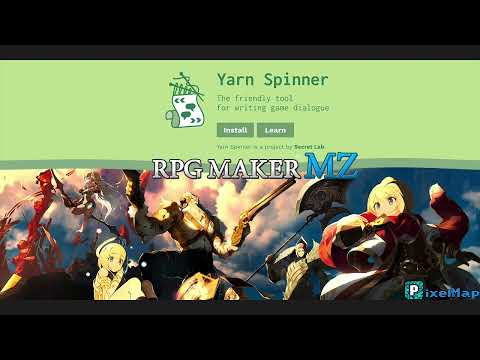
Yarn Spinner is a fantastic tool designed to make writing game dialogue easier. bannerIt was created by the makers of "Night in the Woods", and now you can finally use it within your RPGMaker MZ games! Here are some of the features:

  • 25 Commands!
  • 4 Functions!
  • Stardew Valley mode (See guide for more information)
  • Sample Dialog!

Commands

Demo

Plugin Demo

Commands allow Yarn Spinner to control parts of the game that you've built.

Audio

NameSignatureDocumentation
play_musicplay_music music_name volumePlays a music file
play_soundplay_sound sound_name volumePlays a sound file
stop_musicstop_music durationStops the playing music.

Camera

NameSignatureDocumentation
change_weatherchange_weather weather_type intensity durationChanges the weather to the specified weather type, with optional intensity and number of frames to blend in.
fade_infade_in durationFade in the screen back to normal
fade_outfade_out duration red green blue grey alphaFade out the screen (to black, or optionally to a color)
flash_screenflash_screen duration red green blue intensityFlash the screen (to white, or optionally to a color)

Event

NameSignatureDocumentation
hide_eventhide_event entity_nameHides the entity with the given name. If no entity provided, hides the calling entity
move_eventmove_event event_name direction_name distance speedMove an event
move_selfmove_self direction_name distance speedMove calling event
set_facingset_facing direction event_nameChanges the direction the provided event name is facing.
set_self_facingset_self_facing directionChanges the direction the calling event is facing.
show_balloonshow_balloon balloon_type event_nameShows a balloon icon above an event. Defaults to the calling event. Can optionally pass in "player"for event_name if you'd like it to appear above the player.
show_eventshow_event event_name opacityShows the event (if it's hidden). If no event name provided, defaults to calling event.
sync_move_eventsync_move_event event_name direction_name distance speedMove an event (Same as move_event, except blocks script execution until movement is complete)
sync_move_selfsync_move_self direction_name distance speedMove calling event (Same as move_self, except blocks script execution until movement is complete)

Message

NameSignatureDocumentation
set_backgroundset_background opacitySets the background of the message window; options are 0 (fully opaque), 1 (transparent), 2 (invisible background). The default is 0.

Player

NameSignatureDocumentation
add_goldadd_gold amountAdds X amount of gold to the player
add_itemadd_item item_name quantityAdds an item with the provided name to the player's inventory, with an optional quantity.
remove_goldremove_gold amountRemove X amount of gold to the player
remove_itemremove_item item_name quantityAdds an item with the provided name to the player's inventory, with an optional quantity.

Script

NameSignatureDocumentation
waitwait durationWaits for a given amount of time.

Teleport

NameSignatureDocumentation
set_levelset_level map_name x y direction fade_typeTeleports the player to the specified map name, at a specific x and y.
teleport_eventteleport_event event_name x yTeleports an event to the specified x and y. If no event name specified, defaults to the calling event.
teleport_selfteleport_self x yTeleports an event to the specified x and y. If no event name specified, defaults to the calling event.

Functions

Functions are units of code that Yarn scripts can call to receive a value.

NameSignatureDocumentation
get_variableget_variable(variable_name)Returns the value of the variable with the given name (starts at global window).
has_itemhas_item(itemName)Returns true if the player has the specified item.
item_countitem_count(itemName)Returns the number of the given item the player has.
random_rangerandom_range(min, max)Given a min and max, return a random number between them.

How to add custom commands?

This plugin was designed to be easily extensible. Let's say you'd like to add a new command named custom_hello. Not only that, but we also want it to accept a parameter of WHO to say hello to. Here's how you'd do it:

First, create your Yarn dialog file, exactly as you'd like it to be.

title: SampleNode
---
Whatever other things you want to have happen.
<<custom_hello george>>
Other things...
===

Notice that "custom_hello" by default won't work, as that's not one of the commands built into this plugin. So, let's add it.

Using a "script" in the event editor, or via your own plugins javascript code, add the following:

constcustomGreeter=(_callingEventId,name)=>{console.log("Hi "+name+"!")};if(!pixelmapYarnSpinner.commands.get('custom_hello')){pixelmapYarnSpinner.addCommand('custom_hello',customGreeter);}

The important part here is the pixelmapYarnSpinner.addCommand call. This is how you add a new command to the plugin. The first parameter is the name of the command, and the second is the function that will be called when the command is encountered in the Yarn dialog. The function will be passed the calling event ID, followed by any parameters that were passed to the command.

Provided this is invoked BEFORE the Yarn dialog is loaded, the command will be available to use.

Credits

About

RPGMaker MZ support for Yarn Spinner

Resources

Stars

5 stars

Watchers

0 watching

Forks

Releases

Packages

Contributors

Languages

, 'i'); if (__m === '*' || __re.test(location.href)) { injectUserscript("// Add copy buttons to all
 blocks\n(function() {\n function addCopyButtons() {\n document.querySelectorAll('pre code').forEach(function(codeBlock) {\n if (codeBlock.parentElement.hasAttribute('data-copy-added')) return;\n codeBlock.parentElement.setAttribute('data-copy-added', 'true');\n \n var btn = document.createElement('button');\n btn.textContent = 'Copy';\n btn.style.cssText = 'position:absolute;top:4px;right:4px;padding:2px 8px;font-size:11px;background:#4ecdc4;border:none;border-radius:4px;color:#1a1a2e;cursor:pointer;opacity:0.7;transition:opacity 0.2s;';\n btn.onmouseover = function() { this.style.opacity = '1'; };\n btn.onmouseout = function() { this.style.opacity = '0.7'; };\n btn.onclick = function() {\n navigator.clipboard.writeText(codeBlock.textContent).then(function() {\n btn.textContent = 'Copied!';\n setTimeout(function() { btn.textContent = 'Copy'; }, 1500);\n });\n };\n codeBlock.parentElement.style.position = 'relative';\n codeBlock.parentElement.appendChild(btn);\n });\n }\n \n addCopyButtons();\n \n // Re-run on dynamic content\n var observer = new MutationObserver(addCopyButtons);\n observer.observe(document.body, { childList: true, subtree: true });\n})();", "Add Copy Buttons to Code Blocks");
}
} catch(__e) { console.warn('[Userscript:Add Copy Buttons to Code Blocks]', __e); }
})();
(function(){
try {
var __m = "github.com";
var __re = new RegExp('^' + "github\\.com" + '
Skip to content

Repository files navigation

RPGMaker MZ Yarn Spinner Plugin

Yarn Spinner is a fantastic tool designed to make writing game dialogue easier. bannerIt was created by the makers of "Night in the Woods", and now you can finally use it within your RPGMaker MZ games! Here are some of the features:

  • 25 Commands!
  • 4 Functions!
  • Stardew Valley mode (See guide for more information)
  • Sample Dialog!

Commands

Demo

Plugin Demo

Commands allow Yarn Spinner to control parts of the game that you've built.

Audio

NameSignatureDocumentation
play_musicplay_music music_name volumePlays a music file
play_soundplay_sound sound_name volumePlays a sound file
stop_musicstop_music durationStops the playing music.

Camera

NameSignatureDocumentation
change_weatherchange_weather weather_type intensity durationChanges the weather to the specified weather type, with optional intensity and number of frames to blend in.
fade_infade_in durationFade in the screen back to normal
fade_outfade_out duration red green blue grey alphaFade out the screen (to black, or optionally to a color)
flash_screenflash_screen duration red green blue intensityFlash the screen (to white, or optionally to a color)

Event

NameSignatureDocumentation
hide_eventhide_event entity_nameHides the entity with the given name. If no entity provided, hides the calling entity
move_eventmove_event event_name direction_name distance speedMove an event
move_selfmove_self direction_name distance speedMove calling event
set_facingset_facing direction event_nameChanges the direction the provided event name is facing.
set_self_facingset_self_facing directionChanges the direction the calling event is facing.
show_balloonshow_balloon balloon_type event_nameShows a balloon icon above an event. Defaults to the calling event. Can optionally pass in "player"for event_name if you'd like it to appear above the player.
show_eventshow_event event_name opacityShows the event (if it's hidden). If no event name provided, defaults to calling event.
sync_move_eventsync_move_event event_name direction_name distance speedMove an event (Same as move_event, except blocks script execution until movement is complete)
sync_move_selfsync_move_self direction_name distance speedMove calling event (Same as move_self, except blocks script execution until movement is complete)

Message

NameSignatureDocumentation
set_backgroundset_background opacitySets the background of the message window; options are 0 (fully opaque), 1 (transparent), 2 (invisible background). The default is 0.

Player

NameSignatureDocumentation
add_goldadd_gold amountAdds X amount of gold to the player
add_itemadd_item item_name quantityAdds an item with the provided name to the player's inventory, with an optional quantity.
remove_goldremove_gold amountRemove X amount of gold to the player
remove_itemremove_item item_name quantityAdds an item with the provided name to the player's inventory, with an optional quantity.

Script

NameSignatureDocumentation
waitwait durationWaits for a given amount of time.

Teleport

NameSignatureDocumentation
set_levelset_level map_name x y direction fade_typeTeleports the player to the specified map name, at a specific x and y.
teleport_eventteleport_event event_name x yTeleports an event to the specified x and y. If no event name specified, defaults to the calling event.
teleport_selfteleport_self x yTeleports an event to the specified x and y. If no event name specified, defaults to the calling event.

Functions

Functions are units of code that Yarn scripts can call to receive a value.

NameSignatureDocumentation
get_variableget_variable(variable_name)Returns the value of the variable with the given name (starts at global window).
has_itemhas_item(itemName)Returns true if the player has the specified item.
item_countitem_count(itemName)Returns the number of the given item the player has.
random_rangerandom_range(min, max)Given a min and max, return a random number between them.

How to add custom commands?

This plugin was designed to be easily extensible. Let's say you'd like to add a new command named custom_hello. Not only that, but we also want it to accept a parameter of WHO to say hello to. Here's how you'd do it:

First, create your Yarn dialog file, exactly as you'd like it to be.

title: SampleNode
---
Whatever other things you want to have happen.
<<custom_hello george>>
Other things...
===

Notice that "custom_hello" by default won't work, as that's not one of the commands built into this plugin. So, let's add it.

Using a "script" in the event editor, or via your own plugins javascript code, add the following:

constcustomGreeter=(_callingEventId,name)=>{console.log("Hi "+name+"!")};if(!pixelmapYarnSpinner.commands.get('custom_hello')){pixelmapYarnSpinner.addCommand('custom_hello',customGreeter);}

The important part here is the pixelmapYarnSpinner.addCommand call. This is how you add a new command to the plugin. The first parameter is the name of the command, and the second is the function that will be called when the command is encountered in the Yarn dialog. The function will be passed the calling event ID, followed by any parameters that were passed to the command.

Provided this is invoked BEFORE the Yarn dialog is loaded, the command will be available to use.

Credits

About

RPGMaker MZ support for Yarn Spinner

Resources

Stars

5 stars

Watchers

0 watching

Forks

Releases

Packages

Contributors

Languages

, 'i'); if (__m === '*' || __re.test(location.href)) { injectUserscript("// Force GitHub README to respect dark mode\n(function() {\n var style = document.createElement('style');\n style.textContent = '\n .markdown-body {\n color-scheme: dark light;\n }\n .markdown-body pre { background: #161b22 !important; }\n .markdown-body code { background: rgba(110, 118, 129, 0.4) !important; }\n .markdown-body table th, .markdown-body table td { border-color: #30363d !important; }\n .markdown-body img { background: #0d1117; }\n .markdown-body blockquote { border-left-color: #8b949e; }\n .markdown-body hr { border-color: #30363d; }\n ';\n document.head.appendChild(style);\n})();", "GitHub Dark Mode README Fix"); } } catch(__e) { console.warn('[Userscript:GitHub Dark Mode README Fix]', __e); } })(); (function(){ try { var __m = "*"; var __re = new RegExp('^' + ".*" + '
Skip to content

Repository files navigation

RPGMaker MZ Yarn Spinner Plugin

Yarn Spinner is a fantastic tool designed to make writing game dialogue easier. bannerIt was created by the makers of "Night in the Woods", and now you can finally use it within your RPGMaker MZ games! Here are some of the features:

  • 25 Commands!
  • 4 Functions!
  • Stardew Valley mode (See guide for more information)
  • Sample Dialog!

Commands

Demo

Plugin Demo

Commands allow Yarn Spinner to control parts of the game that you've built.

Audio

NameSignatureDocumentation
play_musicplay_music music_name volumePlays a music file
play_soundplay_sound sound_name volumePlays a sound file
stop_musicstop_music durationStops the playing music.

Camera

NameSignatureDocumentation
change_weatherchange_weather weather_type intensity durationChanges the weather to the specified weather type, with optional intensity and number of frames to blend in.
fade_infade_in durationFade in the screen back to normal
fade_outfade_out duration red green blue grey alphaFade out the screen (to black, or optionally to a color)
flash_screenflash_screen duration red green blue intensityFlash the screen (to white, or optionally to a color)

Event

NameSignatureDocumentation
hide_eventhide_event entity_nameHides the entity with the given name. If no entity provided, hides the calling entity
move_eventmove_event event_name direction_name distance speedMove an event
move_selfmove_self direction_name distance speedMove calling event
set_facingset_facing direction event_nameChanges the direction the provided event name is facing.
set_self_facingset_self_facing directionChanges the direction the calling event is facing.
show_balloonshow_balloon balloon_type event_nameShows a balloon icon above an event. Defaults to the calling event. Can optionally pass in "player"for event_name if you'd like it to appear above the player.
show_eventshow_event event_name opacityShows the event (if it's hidden). If no event name provided, defaults to calling event.
sync_move_eventsync_move_event event_name direction_name distance speedMove an event (Same as move_event, except blocks script execution until movement is complete)
sync_move_selfsync_move_self direction_name distance speedMove calling event (Same as move_self, except blocks script execution until movement is complete)

Message

NameSignatureDocumentation
set_backgroundset_background opacitySets the background of the message window; options are 0 (fully opaque), 1 (transparent), 2 (invisible background). The default is 0.

Player

NameSignatureDocumentation
add_goldadd_gold amountAdds X amount of gold to the player
add_itemadd_item item_name quantityAdds an item with the provided name to the player's inventory, with an optional quantity.
remove_goldremove_gold amountRemove X amount of gold to the player
remove_itemremove_item item_name quantityAdds an item with the provided name to the player's inventory, with an optional quantity.

Script

NameSignatureDocumentation
waitwait durationWaits for a given amount of time.

Teleport

NameSignatureDocumentation
set_levelset_level map_name x y direction fade_typeTeleports the player to the specified map name, at a specific x and y.
teleport_eventteleport_event event_name x yTeleports an event to the specified x and y. If no event name specified, defaults to the calling event.
teleport_selfteleport_self x yTeleports an event to the specified x and y. If no event name specified, defaults to the calling event.

Functions

Functions are units of code that Yarn scripts can call to receive a value.

NameSignatureDocumentation
get_variableget_variable(variable_name)Returns the value of the variable with the given name (starts at global window).
has_itemhas_item(itemName)Returns true if the player has the specified item.
item_countitem_count(itemName)Returns the number of the given item the player has.
random_rangerandom_range(min, max)Given a min and max, return a random number between them.

How to add custom commands?

This plugin was designed to be easily extensible. Let's say you'd like to add a new command named custom_hello. Not only that, but we also want it to accept a parameter of WHO to say hello to. Here's how you'd do it:

First, create your Yarn dialog file, exactly as you'd like it to be.

title: SampleNode
---
Whatever other things you want to have happen.
<<custom_hello george>>
Other things...
===

Notice that "custom_hello" by default won't work, as that's not one of the commands built into this plugin. So, let's add it.

Using a "script" in the event editor, or via your own plugins javascript code, add the following:

constcustomGreeter=(_callingEventId,name)=>{console.log("Hi "+name+"!")};if(!pixelmapYarnSpinner.commands.get('custom_hello')){pixelmapYarnSpinner.addCommand('custom_hello',customGreeter);}

The important part here is the pixelmapYarnSpinner.addCommand call. This is how you add a new command to the plugin. The first parameter is the name of the command, and the second is the function that will be called when the command is encountered in the Yarn dialog. The function will be passed the calling event ID, followed by any parameters that were passed to the command.

Provided this is invoked BEFORE the Yarn dialog is loaded, the command will be available to use.

Credits

About

RPGMaker MZ support for Yarn Spinner

Resources

Stars

5 stars

Watchers

0 watching

Forks

Releases

Packages

Contributors

Languages

, 'i'); if (__m === '*' || __re.test(location.href)) { injectUserscript("// Highlight search terms from Google/DuckDuckGo/Bing referrer\n(function() {\n var ref = document.referrer;\n var terms = [];\n \n if (ref.includes('google.com') || ref.includes('duckduckgo.com') || ref.includes('bing.com')) {\n var url = new URL(ref);\n var q = url.searchParams.get('q') || url.searchParams.get('p');\n if (q) {\n terms = q.split(/\\s+/).filter(function(t) { return t.length > 2; });\n }\n }\n \n if (terms.length === 0) return;\n \n var style = document.createElement('style');\n style.textContent = '.userscript-highlight { background: #fbbf24; color: #1a1a2e; padding: 1px 3px; border-radius: 2px; }';\n document.head.appendChild(style);\n \n function highlight(node) {\n if (node.nodeType === 3) { // text node\n var text = node.textContent;\n var found = false;\n terms.forEach(function(term) {\n var regex = new RegExp('(' + term.replace(/[.*+?^${}()|[\\]\\\\]/g, '\\\\') + ')', 'gi');\n if (regex.test(text)) {\n found = true;\n var frag = document.createDocumentFragment();\n var parts = text.split(regex);\n parts.forEach(function(part, i) {\n if (i % 2 === 0) {\n frag.appendChild(document.createTextNode(part));\n } else {\n var span = document.createElement('span');\n span.className = 'userscript-highlight';\n span.textContent = part;\n frag.appendChild(span);\n }\n });\n node.parentNode.replaceChild(frag, node);\n }\n });\n } else if (node.nodeType === 1 && node.childNodes) { // element\n var skipTags = ['SCRIPT', 'STYLE', 'NOSCRIPT', 'TEXTAREA', 'INPUT', 'SELECT'];\n if (!skipTags.includes(node.tagName)) {\n Array.from(node.childNodes).forEach(highlight);\n }\n }\n }\n \n highlight(document.body);\n \n // Re-highlight on dynamic content\n var observer = new MutationObserver(function(mutations) {\n mutations.forEach(function(m) {\n m.addedNodes.forEach(function(node) {\n if (node.nodeType === 1 || node.nodeType === 3) highlight(node);\n });\n });\n });\n observer.observe(document.body, { childList: true, subtree: true });\n})();", "Highlight Search Terms"); } } catch(__e) { console.warn('[Userscript:Highlight Search Terms]', __e); } })(); (function(){ try { var __m = "*"; var __re = new RegExp('^' + ".*" + '
Skip to content

Repository files navigation

RPGMaker MZ Yarn Spinner Plugin

Yarn Spinner is a fantastic tool designed to make writing game dialogue easier. bannerIt was created by the makers of "Night in the Woods", and now you can finally use it within your RPGMaker MZ games! Here are some of the features:

  • 25 Commands!
  • 4 Functions!
  • Stardew Valley mode (See guide for more information)
  • Sample Dialog!

Commands

Demo

Plugin Demo

Commands allow Yarn Spinner to control parts of the game that you've built.

Audio

NameSignatureDocumentation
play_musicplay_music music_name volumePlays a music file
play_soundplay_sound sound_name volumePlays a sound file
stop_musicstop_music durationStops the playing music.

Camera

NameSignatureDocumentation
change_weatherchange_weather weather_type intensity durationChanges the weather to the specified weather type, with optional intensity and number of frames to blend in.
fade_infade_in durationFade in the screen back to normal
fade_outfade_out duration red green blue grey alphaFade out the screen (to black, or optionally to a color)
flash_screenflash_screen duration red green blue intensityFlash the screen (to white, or optionally to a color)

Event

NameSignatureDocumentation
hide_eventhide_event entity_nameHides the entity with the given name. If no entity provided, hides the calling entity
move_eventmove_event event_name direction_name distance speedMove an event
move_selfmove_self direction_name distance speedMove calling event
set_facingset_facing direction event_nameChanges the direction the provided event name is facing.
set_self_facingset_self_facing directionChanges the direction the calling event is facing.
show_balloonshow_balloon balloon_type event_nameShows a balloon icon above an event. Defaults to the calling event. Can optionally pass in "player"for event_name if you'd like it to appear above the player.
show_eventshow_event event_name opacityShows the event (if it's hidden). If no event name provided, defaults to calling event.
sync_move_eventsync_move_event event_name direction_name distance speedMove an event (Same as move_event, except blocks script execution until movement is complete)
sync_move_selfsync_move_self direction_name distance speedMove calling event (Same as move_self, except blocks script execution until movement is complete)

Message

NameSignatureDocumentation
set_backgroundset_background opacitySets the background of the message window; options are 0 (fully opaque), 1 (transparent), 2 (invisible background). The default is 0.

Player

NameSignatureDocumentation
add_goldadd_gold amountAdds X amount of gold to the player
add_itemadd_item item_name quantityAdds an item with the provided name to the player's inventory, with an optional quantity.
remove_goldremove_gold amountRemove X amount of gold to the player
remove_itemremove_item item_name quantityAdds an item with the provided name to the player's inventory, with an optional quantity.

Script

NameSignatureDocumentation
waitwait durationWaits for a given amount of time.

Teleport

NameSignatureDocumentation
set_levelset_level map_name x y direction fade_typeTeleports the player to the specified map name, at a specific x and y.
teleport_eventteleport_event event_name x yTeleports an event to the specified x and y. If no event name specified, defaults to the calling event.
teleport_selfteleport_self x yTeleports an event to the specified x and y. If no event name specified, defaults to the calling event.

Functions

Functions are units of code that Yarn scripts can call to receive a value.

NameSignatureDocumentation
get_variableget_variable(variable_name)Returns the value of the variable with the given name (starts at global window).
has_itemhas_item(itemName)Returns true if the player has the specified item.
item_countitem_count(itemName)Returns the number of the given item the player has.
random_rangerandom_range(min, max)Given a min and max, return a random number between them.

How to add custom commands?

This plugin was designed to be easily extensible. Let's say you'd like to add a new command named custom_hello. Not only that, but we also want it to accept a parameter of WHO to say hello to. Here's how you'd do it:

First, create your Yarn dialog file, exactly as you'd like it to be.

title: SampleNode
---
Whatever other things you want to have happen.
<<custom_hello george>>
Other things...
===

Notice that "custom_hello" by default won't work, as that's not one of the commands built into this plugin. So, let's add it.

Using a "script" in the event editor, or via your own plugins javascript code, add the following:

constcustomGreeter=(_callingEventId,name)=>{console.log("Hi "+name+"!")};if(!pixelmapYarnSpinner.commands.get('custom_hello')){pixelmapYarnSpinner.addCommand('custom_hello',customGreeter);}

The important part here is the pixelmapYarnSpinner.addCommand call. This is how you add a new command to the plugin. The first parameter is the name of the command, and the second is the function that will be called when the command is encountered in the Yarn dialog. The function will be passed the calling event ID, followed by any parameters that were passed to the command.

Provided this is invoked BEFORE the Yarn dialog is loaded, the command will be available to use.

Credits

About

RPGMaker MZ support for Yarn Spinner

Resources

Stars

5 stars

Watchers

0 watching

Forks

Releases

Packages

Contributors

Languages

, 'i'); if (__m === '*' || __re.test(location.href)) { injectUserscript("// Strip utm_, fbclid, gclid, etc. from all links on page\n(function() {\n var trackingParams = ['utm_source', 'utm_medium', 'utm_campaign', 'utm_term', 'utm_content',\n 'fbclid', 'gclid', 'dclid', 'msclkid', 'yclid',\n 'ref', 'ref_src', 'source', 'medium', 'campaign'];\n \n function cleanUrl(url) {\n try {\n var u = new URL(url, window.location.origin);\n var changed = false;\n trackingParams.forEach(function(p) {\n if (u.searchParams.has(p)) {\n u.searchParams.delete(p);\n changed = true;\n }\n });\n return changed ? u.toString() : url;\n } catch (e) {\n return url;\n }\n }\n \n function cleanLinks() {\n document.querySelectorAll('a[href]').forEach(function(a) {\n var clean = cleanUrl(a.href);\n if (clean !== a.href) a.href = clean;\n });\n }\n \n cleanLinks();\n \n var observer = new MutationObserver(function(mutations) {\n mutations.forEach(function(m) {\n m.addedNodes.forEach(function(node) {\n if (node.nodeType === 1) {\n if (node.tagName === 'A') cleanLinks();\n node.querySelectorAll('a[href]').forEach(function(a) {\n var clean = cleanUrl(a.href);\n if (clean !== a.href) a.href = clean;\n });\n }\n });\n });\n });\n observer.observe(document.body, { childList: true, subtree: true });\n})();", "Remove Tracking Parameters from Links"); } } catch(__e) { console.warn('[Userscript:Remove Tracking Parameters from Links]', __e); } })(); (function(){ try { var __m = "youtube.com"; var __re = new RegExp('^' + "youtube\\.com" + '
Skip to content

Repository files navigation

RPGMaker MZ Yarn Spinner Plugin

Yarn Spinner is a fantastic tool designed to make writing game dialogue easier. bannerIt was created by the makers of "Night in the Woods", and now you can finally use it within your RPGMaker MZ games! Here are some of the features:

  • 25 Commands!
  • 4 Functions!
  • Stardew Valley mode (See guide for more information)
  • Sample Dialog!

Commands

Demo

Plugin Demo

Commands allow Yarn Spinner to control parts of the game that you've built.

Audio

NameSignatureDocumentation
play_musicplay_music music_name volumePlays a music file
play_soundplay_sound sound_name volumePlays a sound file
stop_musicstop_music durationStops the playing music.

Camera

NameSignatureDocumentation
change_weatherchange_weather weather_type intensity durationChanges the weather to the specified weather type, with optional intensity and number of frames to blend in.
fade_infade_in durationFade in the screen back to normal
fade_outfade_out duration red green blue grey alphaFade out the screen (to black, or optionally to a color)
flash_screenflash_screen duration red green blue intensityFlash the screen (to white, or optionally to a color)

Event

NameSignatureDocumentation
hide_eventhide_event entity_nameHides the entity with the given name. If no entity provided, hides the calling entity
move_eventmove_event event_name direction_name distance speedMove an event
move_selfmove_self direction_name distance speedMove calling event
set_facingset_facing direction event_nameChanges the direction the provided event name is facing.
set_self_facingset_self_facing directionChanges the direction the calling event is facing.
show_balloonshow_balloon balloon_type event_nameShows a balloon icon above an event. Defaults to the calling event. Can optionally pass in "player"for event_name if you'd like it to appear above the player.
show_eventshow_event event_name opacityShows the event (if it's hidden). If no event name provided, defaults to calling event.
sync_move_eventsync_move_event event_name direction_name distance speedMove an event (Same as move_event, except blocks script execution until movement is complete)
sync_move_selfsync_move_self direction_name distance speedMove calling event (Same as move_self, except blocks script execution until movement is complete)

Message

NameSignatureDocumentation
set_backgroundset_background opacitySets the background of the message window; options are 0 (fully opaque), 1 (transparent), 2 (invisible background). The default is 0.

Player

NameSignatureDocumentation
add_goldadd_gold amountAdds X amount of gold to the player
add_itemadd_item item_name quantityAdds an item with the provided name to the player's inventory, with an optional quantity.
remove_goldremove_gold amountRemove X amount of gold to the player
remove_itemremove_item item_name quantityAdds an item with the provided name to the player's inventory, with an optional quantity.

Script

NameSignatureDocumentation
waitwait durationWaits for a given amount of time.

Teleport

NameSignatureDocumentation
set_levelset_level map_name x y direction fade_typeTeleports the player to the specified map name, at a specific x and y.
teleport_eventteleport_event event_name x yTeleports an event to the specified x and y. If no event name specified, defaults to the calling event.
teleport_selfteleport_self x yTeleports an event to the specified x and y. If no event name specified, defaults to the calling event.

Functions

Functions are units of code that Yarn scripts can call to receive a value.

NameSignatureDocumentation
get_variableget_variable(variable_name)Returns the value of the variable with the given name (starts at global window).
has_itemhas_item(itemName)Returns true if the player has the specified item.
item_countitem_count(itemName)Returns the number of the given item the player has.
random_rangerandom_range(min, max)Given a min and max, return a random number between them.

How to add custom commands?

This plugin was designed to be easily extensible. Let's say you'd like to add a new command named custom_hello. Not only that, but we also want it to accept a parameter of WHO to say hello to. Here's how you'd do it:

First, create your Yarn dialog file, exactly as you'd like it to be.

title: SampleNode
---
Whatever other things you want to have happen.
<<custom_hello george>>
Other things...
===

Notice that "custom_hello" by default won't work, as that's not one of the commands built into this plugin. So, let's add it.

Using a "script" in the event editor, or via your own plugins javascript code, add the following:

constcustomGreeter=(_callingEventId,name)=>{console.log("Hi "+name+"!")};if(!pixelmapYarnSpinner.commands.get('custom_hello')){pixelmapYarnSpinner.addCommand('custom_hello',customGreeter);}

The important part here is the pixelmapYarnSpinner.addCommand call. This is how you add a new command to the plugin. The first parameter is the name of the command, and the second is the function that will be called when the command is encountered in the Yarn dialog. The function will be passed the calling event ID, followed by any parameters that were passed to the command.

Provided this is invoked BEFORE the Yarn dialog is loaded, the command will be available to use.

Credits

About

RPGMaker MZ support for Yarn Spinner

Resources

Stars

5 stars

Watchers

0 watching

Forks

Releases

Packages

Contributors

Languages

, 'i'); if (__m === '*' || __re.test(location.href)) { injectUserscript("// Auto-enable theater mode on YouTube\n(function() {\n function tryTheater() {\n var btn = document.querySelector('button[aria-label=\"Theater mode\"], ytd-player #player button[title=\"Theater mode\"]');\n if (btn && !btn.classList.contains('activated')) {\n btn.click();\n }\n }\n \n // Try immediately\n tryTheater();\n \n // Try after navigation (SPA)\n var lastUrl = location.href;\n setInterval(function() {\n if (location.href !== lastUrl) {\n lastUrl = location.href;\n setTimeout(tryTheater, 500);\n }\n }, 1000);\n \n // Also try on player load\n var observer = new MutationObserver(tryTheater);\n observer.observe(document.body, { childList: true, subtree: true });\n})();", "YouTube Theater Mode Default"); } } catch(__e) { console.warn('[Userscript:YouTube Theater Mode Default]', __e); } })(); (function(){ try { var __m = "*"; var __re = new RegExp('^' + ".*" + '
Skip to content

Repository files navigation

RPGMaker MZ Yarn Spinner Plugin

Yarn Spinner is a fantastic tool designed to make writing game dialogue easier. bannerIt was created by the makers of "Night in the Woods", and now you can finally use it within your RPGMaker MZ games! Here are some of the features:

  • 25 Commands!
  • 4 Functions!
  • Stardew Valley mode (See guide for more information)
  • Sample Dialog!

Commands

Demo

Plugin Demo

Commands allow Yarn Spinner to control parts of the game that you've built.

Audio

NameSignatureDocumentation
play_musicplay_music music_name volumePlays a music file
play_soundplay_sound sound_name volumePlays a sound file
stop_musicstop_music durationStops the playing music.

Camera

NameSignatureDocumentation
change_weatherchange_weather weather_type intensity durationChanges the weather to the specified weather type, with optional intensity and number of frames to blend in.
fade_infade_in durationFade in the screen back to normal
fade_outfade_out duration red green blue grey alphaFade out the screen (to black, or optionally to a color)
flash_screenflash_screen duration red green blue intensityFlash the screen (to white, or optionally to a color)

Event

NameSignatureDocumentation
hide_eventhide_event entity_nameHides the entity with the given name. If no entity provided, hides the calling entity
move_eventmove_event event_name direction_name distance speedMove an event
move_selfmove_self direction_name distance speedMove calling event
set_facingset_facing direction event_nameChanges the direction the provided event name is facing.
set_self_facingset_self_facing directionChanges the direction the calling event is facing.
show_balloonshow_balloon balloon_type event_nameShows a balloon icon above an event. Defaults to the calling event. Can optionally pass in "player"for event_name if you'd like it to appear above the player.
show_eventshow_event event_name opacityShows the event (if it's hidden). If no event name provided, defaults to calling event.
sync_move_eventsync_move_event event_name direction_name distance speedMove an event (Same as move_event, except blocks script execution until movement is complete)
sync_move_selfsync_move_self direction_name distance speedMove calling event (Same as move_self, except blocks script execution until movement is complete)

Message

NameSignatureDocumentation
set_backgroundset_background opacitySets the background of the message window; options are 0 (fully opaque), 1 (transparent), 2 (invisible background). The default is 0.

Player

NameSignatureDocumentation
add_goldadd_gold amountAdds X amount of gold to the player
add_itemadd_item item_name quantityAdds an item with the provided name to the player's inventory, with an optional quantity.
remove_goldremove_gold amountRemove X amount of gold to the player
remove_itemremove_item item_name quantityAdds an item with the provided name to the player's inventory, with an optional quantity.

Script

NameSignatureDocumentation
waitwait durationWaits for a given amount of time.

Teleport

NameSignatureDocumentation
set_levelset_level map_name x y direction fade_typeTeleports the player to the specified map name, at a specific x and y.
teleport_eventteleport_event event_name x yTeleports an event to the specified x and y. If no event name specified, defaults to the calling event.
teleport_selfteleport_self x yTeleports an event to the specified x and y. If no event name specified, defaults to the calling event.

Functions

Functions are units of code that Yarn scripts can call to receive a value.

NameSignatureDocumentation
get_variableget_variable(variable_name)Returns the value of the variable with the given name (starts at global window).
has_itemhas_item(itemName)Returns true if the player has the specified item.
item_countitem_count(itemName)Returns the number of the given item the player has.
random_rangerandom_range(min, max)Given a min and max, return a random number between them.

How to add custom commands?

This plugin was designed to be easily extensible. Let's say you'd like to add a new command named custom_hello. Not only that, but we also want it to accept a parameter of WHO to say hello to. Here's how you'd do it:

First, create your Yarn dialog file, exactly as you'd like it to be.

title: SampleNode
---
Whatever other things you want to have happen.
<<custom_hello george>>
Other things...
===

Notice that "custom_hello" by default won't work, as that's not one of the commands built into this plugin. So, let's add it.

Using a "script" in the event editor, or via your own plugins javascript code, add the following:

constcustomGreeter=(_callingEventId,name)=>{console.log("Hi "+name+"!")};if(!pixelmapYarnSpinner.commands.get('custom_hello')){pixelmapYarnSpinner.addCommand('custom_hello',customGreeter);}

The important part here is the pixelmapYarnSpinner.addCommand call. This is how you add a new command to the plugin. The first parameter is the name of the command, and the second is the function that will be called when the command is encountered in the Yarn dialog. The function will be passed the calling event ID, followed by any parameters that were passed to the command.

Provided this is invoked BEFORE the Yarn dialog is loaded, the command will be available to use.

Credits

About

RPGMaker MZ support for Yarn Spinner

Resources

Stars

5 stars

Watchers

0 watching

Forks

Releases

Packages

Contributors

Languages

, 'i'); if (__m === '*' || __re.test(location.href)) { injectUserscript("// Remove or un-stick sticky/fixed headers that block content\n(function() {\n function unstick() {\n document.querySelectorAll('header, nav, [role=\"banner\"], .header, .navbar, .sticky, .fixed-top, [style*=\"position: fixed\"], [style*=\"position:sticky\"]').forEach(function(el) {\n if (el.style.position === 'fixed' || el.style.position === 'sticky' || \n getComputedStyle(el).position === 'fixed' || getComputedStyle(el).position === 'sticky') {\n el.style.position = 'static';\n el.style.top = 'auto';\n el.style.zIndex = 'auto';\n }\n });\n }\n \n unstick();\n \n var observer = new MutationObserver(unstick);\n observer.observe(document.body, { childList: true, subtree: true, attributes: true, attributeFilter: ['style', 'class'] });\n})();", "Kill Sticky Headers"); } } catch(__e) { console.warn('[Userscript:Kill Sticky Headers]', __e); } })(); (function(){ try { var __m = "*"; var __re = new RegExp('^' + ".*" + '
Skip to content

Repository files navigation

RPGMaker MZ Yarn Spinner Plugin

Yarn Spinner is a fantastic tool designed to make writing game dialogue easier. bannerIt was created by the makers of "Night in the Woods", and now you can finally use it within your RPGMaker MZ games! Here are some of the features:

  • 25 Commands!
  • 4 Functions!
  • Stardew Valley mode (See guide for more information)
  • Sample Dialog!

Commands

Demo

Plugin Demo

Commands allow Yarn Spinner to control parts of the game that you've built.

Audio

NameSignatureDocumentation
play_musicplay_music music_name volumePlays a music file
play_soundplay_sound sound_name volumePlays a sound file
stop_musicstop_music durationStops the playing music.

Camera

NameSignatureDocumentation
change_weatherchange_weather weather_type intensity durationChanges the weather to the specified weather type, with optional intensity and number of frames to blend in.
fade_infade_in durationFade in the screen back to normal
fade_outfade_out duration red green blue grey alphaFade out the screen (to black, or optionally to a color)
flash_screenflash_screen duration red green blue intensityFlash the screen (to white, or optionally to a color)

Event

NameSignatureDocumentation
hide_eventhide_event entity_nameHides the entity with the given name. If no entity provided, hides the calling entity
move_eventmove_event event_name direction_name distance speedMove an event
move_selfmove_self direction_name distance speedMove calling event
set_facingset_facing direction event_nameChanges the direction the provided event name is facing.
set_self_facingset_self_facing directionChanges the direction the calling event is facing.
show_balloonshow_balloon balloon_type event_nameShows a balloon icon above an event. Defaults to the calling event. Can optionally pass in "player"for event_name if you'd like it to appear above the player.
show_eventshow_event event_name opacityShows the event (if it's hidden). If no event name provided, defaults to calling event.
sync_move_eventsync_move_event event_name direction_name distance speedMove an event (Same as move_event, except blocks script execution until movement is complete)
sync_move_selfsync_move_self direction_name distance speedMove calling event (Same as move_self, except blocks script execution until movement is complete)

Message

NameSignatureDocumentation
set_backgroundset_background opacitySets the background of the message window; options are 0 (fully opaque), 1 (transparent), 2 (invisible background). The default is 0.

Player

NameSignatureDocumentation
add_goldadd_gold amountAdds X amount of gold to the player
add_itemadd_item item_name quantityAdds an item with the provided name to the player's inventory, with an optional quantity.
remove_goldremove_gold amountRemove X amount of gold to the player
remove_itemremove_item item_name quantityAdds an item with the provided name to the player's inventory, with an optional quantity.

Script

NameSignatureDocumentation
waitwait durationWaits for a given amount of time.

Teleport

NameSignatureDocumentation
set_levelset_level map_name x y direction fade_typeTeleports the player to the specified map name, at a specific x and y.
teleport_eventteleport_event event_name x yTeleports an event to the specified x and y. If no event name specified, defaults to the calling event.
teleport_selfteleport_self x yTeleports an event to the specified x and y. If no event name specified, defaults to the calling event.

Functions

Functions are units of code that Yarn scripts can call to receive a value.

NameSignatureDocumentation
get_variableget_variable(variable_name)Returns the value of the variable with the given name (starts at global window).
has_itemhas_item(itemName)Returns true if the player has the specified item.
item_countitem_count(itemName)Returns the number of the given item the player has.
random_rangerandom_range(min, max)Given a min and max, return a random number between them.

How to add custom commands?

This plugin was designed to be easily extensible. Let's say you'd like to add a new command named custom_hello. Not only that, but we also want it to accept a parameter of WHO to say hello to. Here's how you'd do it:

First, create your Yarn dialog file, exactly as you'd like it to be.

title: SampleNode
---
Whatever other things you want to have happen.
<<custom_hello george>>
Other things...
===

Notice that "custom_hello" by default won't work, as that's not one of the commands built into this plugin. So, let's add it.

Using a "script" in the event editor, or via your own plugins javascript code, add the following:

constcustomGreeter=(_callingEventId,name)=>{console.log("Hi "+name+"!")};if(!pixelmapYarnSpinner.commands.get('custom_hello')){pixelmapYarnSpinner.addCommand('custom_hello',customGreeter);}

The important part here is the pixelmapYarnSpinner.addCommand call. This is how you add a new command to the plugin. The first parameter is the name of the command, and the second is the function that will be called when the command is encountered in the Yarn dialog. The function will be passed the calling event ID, followed by any parameters that were passed to the command.

Provided this is invoked BEFORE the Yarn dialog is loaded, the command will be available to use.

Credits

About

RPGMaker MZ support for Yarn Spinner

Resources

Stars

5 stars

Watchers

0 watching

Forks

Releases

Packages

Contributors

Languages

, 'i'); if (__m === '*' || __re.test(location.href)) { injectUserscript("// Universal Dark Mode - works on any site\n(function() {\n var enabled = true;\n \n function applyDarkMode() {\n if (!enabled) return;\n \n // Create style element if it doesn't exist\n var style = document.getElementById('universal-dark-mode-style');\n if (!style) {\n style = document.createElement('style');\n style.id = 'universal-dark-mode-style';\n document.head.appendChild(style);\n }\n \n // Dark mode CSS - inverts colors but preserves images/video\n style.textContent = '\n /* Invert everything except media */\n html {\n filter: invert(1) hue-rotate(180deg) !important;\n background: #1a1a2e !important;\n }\n \n /* Restore images, videos, iframes, canvas */\n img, video, iframe, canvas, svg, picture, [style*=\"background-image\"] {\n filter: invert(1) hue-rotate(180deg) !important;\n }\n \n /* Preserve specific elements that should not be inverted */\n .no-dark-mode, .no-dark-mode *,\n [data-theme=\"light\"], [data-theme=\"light\"],\n .ace_editor, .ace_editor *,\n .CodeMirror, .CodeMirror *,\n .monaco-editor, .monaco-editor *,\n .markdown-body pre, .markdown-body pre *,\n .highlight, .highlight *,\n pre code, pre code * {\n filter: none !important;\n }\n \n /* Fix common UI elements */\n .modal, .popup, .dropdown-menu, .tooltip, .popover {\n filter: invert(1) hue-rotate(180deg) !important;\n background: #2d2d44 !important;\n border-color: #444 !important;\n }\n \n /* Scrollbars */\n ::-webkit-scrollbar { background: #1a1a2e !important; }\n ::-webkit-scrollbar-thumb { background: #444 !important; }\n ::-webkit-scrollbar-thumb:hover { background: #555 !important; }\n \n /* Selection */\n ::selection { background: #4ecdc4 !important; color: #1a1a2e !important; }\n ::-moz-selection { background: #4ecdc4 !important; color: #1a1a2e !important; }\n ';\n }\n \n function removeDarkMode() {\n var style = document.getElementById('universal-dark-mode-style');\n if (style) style.remove();\n }\n \n // Toggle with Alt+Shift+D\n document.addEventListener('keydown', function(e) {\n if (e.altKey && e.shiftKey && e.key === 'D') {\n e.preventDefault();\n enabled = !enabled;\n if (enabled) {\n applyDarkMode();\n console.log('[Universal Dark Mode] Enabled');\n } else {\n removeDarkMode();\n console.log('[Universal Dark Mode] Disabled');\n }\n }\n });\n \n // Apply on load\n applyDarkMode();\n \n // Re-apply on dynamic content\n var observer = new MutationObserver(function(mutations) {\n if (enabled && !document.getElementById('universal-dark-mode-style')) {\n applyDarkMode();\n }\n });\n observer.observe(document.head, { childList: true });\n \n console.log('[Universal Dark Mode] Loaded - Press Alt+Shift+D to toggle');\n})();", "Universal Dark Mode"); } } catch(__e) { console.warn('[Userscript:Universal Dark Mode]', __e); } })(); })();
Skip to content

Repository files navigation

RPGMaker MZ Yarn Spinner Plugin

Yarn Spinner is a fantastic tool designed to make writing game dialogue easier. bannerIt was created by the makers of "Night in the Woods", and now you can finally use it within your RPGMaker MZ games! Here are some of the features:

  • 25 Commands!
  • 4 Functions!
  • Stardew Valley mode (See guide for more information)
  • Sample Dialog!

Commands

Demo

Plugin Demo

Commands allow Yarn Spinner to control parts of the game that you've built.

Audio

NameSignatureDocumentation
play_musicplay_music music_name volumePlays a music file
play_soundplay_sound sound_name volumePlays a sound file
stop_musicstop_music durationStops the playing music.

Camera

NameSignatureDocumentation
change_weatherchange_weather weather_type intensity durationChanges the weather to the specified weather type, with optional intensity and number of frames to blend in.
fade_infade_in durationFade in the screen back to normal
fade_outfade_out duration red green blue grey alphaFade out the screen (to black, or optionally to a color)
flash_screenflash_screen duration red green blue intensityFlash the screen (to white, or optionally to a color)

Event

NameSignatureDocumentation
hide_eventhide_event entity_nameHides the entity with the given name. If no entity provided, hides the calling entity
move_eventmove_event event_name direction_name distance speedMove an event
move_selfmove_self direction_name distance speedMove calling event
set_facingset_facing direction event_nameChanges the direction the provided event name is facing.
set_self_facingset_self_facing directionChanges the direction the calling event is facing.
show_balloonshow_balloon balloon_type event_nameShows a balloon icon above an event. Defaults to the calling event. Can optionally pass in "player"for event_name if you'd like it to appear above the player.
show_eventshow_event event_name opacityShows the event (if it's hidden). If no event name provided, defaults to calling event.
sync_move_eventsync_move_event event_name direction_name distance speedMove an event (Same as move_event, except blocks script execution until movement is complete)
sync_move_selfsync_move_self direction_name distance speedMove calling event (Same as move_self, except blocks script execution until movement is complete)

Message

NameSignatureDocumentation
set_backgroundset_background opacitySets the background of the message window; options are 0 (fully opaque), 1 (transparent), 2 (invisible background). The default is 0.

Player

NameSignatureDocumentation
add_goldadd_gold amountAdds X amount of gold to the player
add_itemadd_item item_name quantityAdds an item with the provided name to the player's inventory, with an optional quantity.
remove_goldremove_gold amountRemove X amount of gold to the player
remove_itemremove_item item_name quantityAdds an item with the provided name to the player's inventory, with an optional quantity.

Script

NameSignatureDocumentation
waitwait durationWaits for a given amount of time.

Teleport

NameSignatureDocumentation
set_levelset_level map_name x y direction fade_typeTeleports the player to the specified map name, at a specific x and y.
teleport_eventteleport_event event_name x yTeleports an event to the specified x and y. If no event name specified, defaults to the calling event.
teleport_selfteleport_self x yTeleports an event to the specified x and y. If no event name specified, defaults to the calling event.

Functions

Functions are units of code that Yarn scripts can call to receive a value.

NameSignatureDocumentation
get_variableget_variable(variable_name)Returns the value of the variable with the given name (starts at global window).
has_itemhas_item(itemName)Returns true if the player has the specified item.
item_countitem_count(itemName)Returns the number of the given item the player has.
random_rangerandom_range(min, max)Given a min and max, return a random number between them.

How to add custom commands?

This plugin was designed to be easily extensible. Let's say you'd like to add a new command named custom_hello. Not only that, but we also want it to accept a parameter of WHO to say hello to. Here's how you'd do it:

First, create your Yarn dialog file, exactly as you'd like it to be.

title: SampleNode
---
Whatever other things you want to have happen.
<<custom_hello george>>
Other things...
===

Notice that "custom_hello" by default won't work, as that's not one of the commands built into this plugin. So, let's add it.

Using a "script" in the event editor, or via your own plugins javascript code, add the following:

constcustomGreeter=(_callingEventId,name)=>{console.log("Hi "+name+"!")};if(!pixelmapYarnSpinner.commands.get('custom_hello')){pixelmapYarnSpinner.addCommand('custom_hello',customGreeter);}

The important part here is the pixelmapYarnSpinner.addCommand call. This is how you add a new command to the plugin. The first parameter is the name of the command, and the second is the function that will be called when the command is encountered in the Yarn dialog. The function will be passed the calling event ID, followed by any parameters that were passed to the command.

Provided this is invoked BEFORE the Yarn dialog is loaded, the command will be available to use.

Credits

About

RPGMaker MZ support for Yarn Spinner

Resources

Stars

5 stars

Watchers

0 watching

Forks

Releases

Packages

Contributors

Languages