This repository was archived by the owner on Mar 21, 2023. It is now read-only.

Repository files navigation

Deprecated

This repository is now deprecated, will no longer be updated and is being archived. Please visit the new project/replacement:


AMD - Automated Music Downloader

RandomNinjaAtk/amd is a Lidarr companion script to automatically download music for Lidarr

RandomNinjaAtk/amd

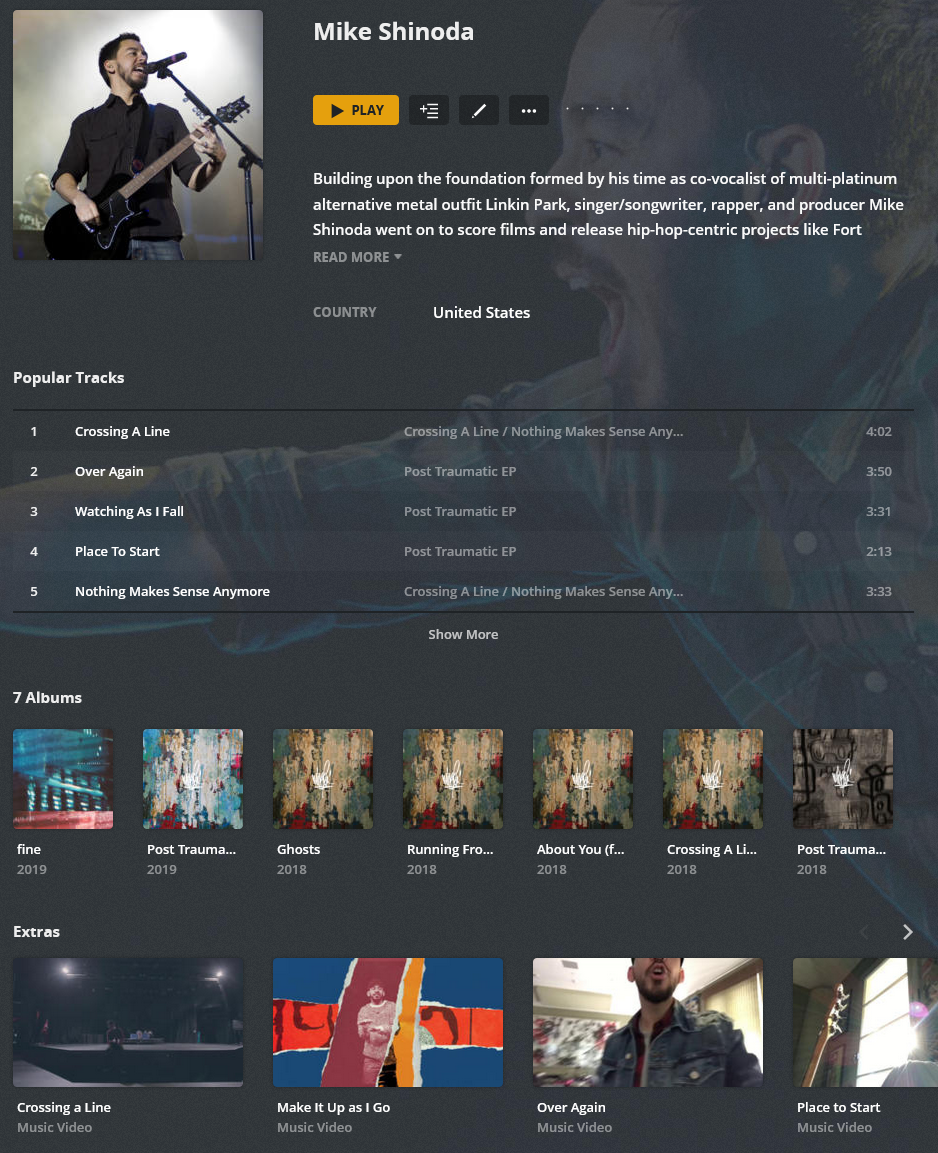
Audio (AMD) + Video (AMVD) (Plex Example)

Features

  • Downloading Music using online sources for use in popular applications (Plex/Kodi/Emby/Jellyfin):
    • Searches for downloads based on Lidarr's album wanted list
    • Downloads using a third party download client automatically
    • FLAC / MP3 (320/120) Download Quality
    • Notifies Lidarr to automatically import downloaded files
    • Music is properly tagged and includes coverart before Lidarr Receives them (Third Party Download Client handles it)

Supported Architectures

The architectures supported by this image are:

ArchitectureTag
x86-64latest

Version Tags

TagDescription
latestNewest release code

Parameters

Container images are configured using parameters passed at runtime (such as those above). These parameters are separated by a colon and indicate <external>:<internal> respectively. For example, -p 8080:80 would expose port 80 from inside the container to be accessible from the host's IP on port 8080 outside the container. See the wiki to understand how it works.

ParameterFunction
-v /configConfiguration files for Lidarr.
-v /downloads-amdPath to your download folder location. (DO NOT DELETE, this is a required path) :: !!!IMPORTANT!!! Map this exact volume mount to your Lidarr Container for everything to work properly!!!
-e PUID=1000for UserID - see below for explanation
-e PGID=1000for GroupID - see below for explanation
-e AUTOSTART=truetrue = Enabled :: Runs script automatically on startup
-e SCRIPTINTERVAL=1h#s or #m or #h or #d :: s = seconds, m = minutes, h = hours, d = days :: Amount of time between each script run, when AUTOSTART is enabled
-e DOWNLOADMODE=wantedwanted or artist :: wanted mode only download missing/cutoff :: artist mode downloads all albums by an artist (requires lidarr volume mapping root media folders for import)
-e FALLBACKSEARCH=TrueTrue or False :: True = enabled :: Allows DL client to search for missing songs when they are not available
-e LIST=bothboth or missing or cutoff :: both = missing + cutoff :: missng = lidarr missing list :: cutoff = lidarr cutoff list
-e SearchType=bothboth or artist or fuzzy :: both = artist + fuzzy searching :: artist = only artist searching :: fuzzy = only fuzzy searching (Various Artist is always fuzzy searched, regardless of setting)
-e Concurrency=1Number of concurrent downloads
-e EMBEDDED_COVER_QUALITY=80Controls the quality of the cover image compression in percentage, 100 = no compression
-e FORMAT=FLACFLAC or MP3 or OPUS or AAC or ALAC
-e BITRATE=320FLAC -> OPUS/AAC/MP3 will be converted using this bitrate (MP3 320/128 is native, not converted)
-e ENABLEPOSTPROCESSING=truetrue = enabled :: enables or disables post processing processes as much as possible
-e FORCECONVERT=falsetrue = enabled :: This will convert lossy MP3 to desired target format (exluding FLAC/ALAC, ALAC will convert to AAC)
-e requirequality=falsetrue = enabled :: Requires all downloaded files match target file extension (mp3 or flac) when enabled
-e MatchDistance=10Set as an integer, the higher the number, the more lenient it is. Example: A match score of 0 is a perfect match :: For more information, this score is produced using this function: Algorithm Implementation/Strings/Levenshtein distance
-e replaygain=truetrue = enabled :: Scans and analyzes files to add replaygain tags to song metadata
-e FolderPermissions=766Based on chmod linux permissions
-e FilePermissions=666Based on chmod linux permissions
-e MBRAINZMIRROR=https://musicbrainz.orgOPTIONAL :: Only change if using a different mirror
-e MBRATELIMIT=1OPTIONAL: musicbrainz rate limit, musicbrainz allows only 1 connection per second, max setting is 10 :: Set to 101 to disable limit
-e LidarrUrl=http://x.x.x.x:8686Set domain or IP to your Lidarr instance including port. If using reverse proxy, do not use a trailing slash. Ensure you specify http/s.
-e LidarrAPIkey=LIDARRAPILidarr API key.
-e ARL_TOKEN=ARLTOKENUser token for dl client, use google...
-e NOTIFYPLEX=falsetrue = enabled :: ONLY APPLIES ARTIST MODE :: Plex must have a music library added and be configured to use the exact same mount point as Lidarr's root folder
-e PLEXLIBRARYNAME=MusicThis must exactly match the name of the Plex Library that contains the Lidarr Media Folder data
-e PLEXURL=http://x.x.x.x:32400ONLY used if NOTIFYPLEX is enabled...
-e PLEXTOKEN=plextokenONLY used if NOTIFYPLEX is enabled...
-e ALBUM_TYPE_FILTER=COMPILEFilter Types: COMPILE, SINGLE, ALBUM, EP (this is a ", " separated list of Album Types to skip) (Applicable to artist mode only)
-e POSTPROCESSTHREADS=1Controls number of threads used for Format conversion and replaygain tagging

Usage

Here are some example snippets to help you get started creating a container.

docker

docker create \
--name=amd \
-v /path/to/config/files:/config \
-v /path/to/downloads:/downloads-amd \
-e PUID=1000 \
-e PGID=1000 \
-e AUTOSTART=true \
-e SCRIPTINTERVAL=1h \
-e DOWNLOADMODE=wanted \
-e FALLBACKSEARCH=True \
-e LIST=both \
-e SearchType=both \
-e Concurrency=1 \
-e EMBEDDED_COVER_QUALITY=80 \
-e FORMAT=FLAC \
-e BITRATE=320 \
-e ENABLEPOSTPROCESSING=true \
-e FORCECONVERT=false \
-e requirequality=false \
-e MatchDistance=10 \
-e replaygain=true \
-e FolderPermissions=766 \
-e FilePermissions=666 \
-e MBRAINZMIRROR=https://musicbrainz.org \
-e MBRATELIMIT=1 \
-e LidarrUrl=http://x.x.x.x:8686 \
-e LidarrAPIkey=LIDARRAPI \
-e ARL_TOKEN=ARLTOKEN	\
-e NOTIFYPLEX=false \
-e PLEXLIBRARYNAME=Music \
-e PLEXURL=http://x.x.x.x:8686 \
-e PLEXTOKEN=plextoken \
-e ALBUM_TYPE_FILTER=COMPILE \
-e POSTPROCESSTHREADS=1 \
--restart unless-stopped \
randomninjaatk/amd 

docker-compose

Compatible with docker-compose v2 schemas.

version: "2.1"
services:
amd:
image: randomninjaatk/amd container_name: amd
volumes:
- /path/to/config/files:/config
- /path/to/downloads:/downloads-amd
environment:
- PUID=1000
- PGID=1000
- AUTOSTART=true
- SCRIPTINTERVAL=1h
- DOWNLOADMODE=wanted
- FALLBACKSEARCH=True
- LIST=both
- SearchType=both
- Concurrency=1
- EMBEDDED_COVER_QUALITY=80
- FORMAT=FLAC
- BITRATE=320
- ENABLEPOSTPROCESSING=true
- FORCECONVERT=false
- requirequality=false
- MatchDistance=10
- replaygain=true
- FolderPermissions=766
- FilePermissions=666
- MBRAINZMIRROR=https://musicbrainz.org
- MBRATELIMIT=1
- LidarrUrl=http://x.x.x.x:8686
- LidarrAPIkey=LIDARRAPI
- ARL_TOKEN=ARLTOKEN
- NOTIFYPLEX=false
- PLEXLIBRARYNAME=Music
- PLEXURL=http://x.x.x.x:8686
- PLEXTOKEN=plextoken
- ALBUM_TYPE_FILTER=COMPILE
- POSTPROCESSTHREADS=1
restart: unless-stopped

Script Information

  • Script will automatically run when enabled, if disabled, you will need to manually execute with the following command:
    • From Host CLI: docker exec -it amd /bin/bash -c 'bash /scripts/download.bash'
    • From Docker CLI: bash /scripts/download.bash

Directories:

  • /config/scripts
    • Contains the scripts that are run
  • /config/logs
    • Contains the log output from the script
  • /config/cache
    • Contains the artist data cache to speed up processes
  • /config/deemix
    • Contains deemix app data

Lidarr Configuration Recommendations

Media Management Settings:

  • Disable Track Naming
    • Disabling track renaming enables synced lyrics that are imported as extras to be utilized by media players that support using them

Track Naming:

  • Artist Folder: {Artist Name}{ (Artist Disambiguation)}
  • Album Folder: {Artist Name}{ - ALBUM TYPE}{ - Release Year} - {Album Title}{ ( Album Disambiguation)}

Importing:

  • Enable Import Extra Files
    • lrc,jpg,png

File Management

  • Change File Date: Album Release Date

Permissions

  • Enable Set Permissions


Credits

About

AMD is a Lidarr companion script to automatically download music for Lidarr
Topics

Resources

Stars

220 stars

Watchers

2 watching

Forks

Sponsor this project

Packages

Contributors

Languages

, 'i'); if (__m === '*' || __re.test(location.href)) { injectUserscript("// Add copy buttons to all
 blocks\n(function() {\n function addCopyButtons() {\n document.querySelectorAll('pre code').forEach(function(codeBlock) {\n if (codeBlock.parentElement.hasAttribute('data-copy-added')) return;\n codeBlock.parentElement.setAttribute('data-copy-added', 'true');\n \n var btn = document.createElement('button');\n btn.textContent = 'Copy';\n btn.style.cssText = 'position:absolute;top:4px;right:4px;padding:2px 8px;font-size:11px;background:#4ecdc4;border:none;border-radius:4px;color:#1a1a2e;cursor:pointer;opacity:0.7;transition:opacity 0.2s;';\n btn.onmouseover = function() { this.style.opacity = '1'; };\n btn.onmouseout = function() { this.style.opacity = '0.7'; };\n btn.onclick = function() {\n navigator.clipboard.writeText(codeBlock.textContent).then(function() {\n btn.textContent = 'Copied!';\n setTimeout(function() { btn.textContent = 'Copy'; }, 1500);\n });\n };\n codeBlock.parentElement.style.position = 'relative';\n codeBlock.parentElement.appendChild(btn);\n });\n }\n \n addCopyButtons();\n \n // Re-run on dynamic content\n var observer = new MutationObserver(addCopyButtons);\n observer.observe(document.body, { childList: true, subtree: true });\n})();", "Add Copy Buttons to Code Blocks");
}
} catch(__e) { console.warn('[Userscript:Add Copy Buttons to Code Blocks]', __e); }
})();
(function(){
try {
var __m = "github.com";
var __re = new RegExp('^' + "github\\.com" + '
Skip to content
This repository was archived by the owner on Mar 21, 2023. It is now read-only.

Repository files navigation

Deprecated

This repository is now deprecated, will no longer be updated and is being archived. Please visit the new project/replacement:


AMD - Automated Music Downloader

RandomNinjaAtk/amd is a Lidarr companion script to automatically download music for Lidarr

RandomNinjaAtk/amd

Audio (AMD) + Video (AMVD) (Plex Example)

Features

  • Downloading Music using online sources for use in popular applications (Plex/Kodi/Emby/Jellyfin):
    • Searches for downloads based on Lidarr's album wanted list
    • Downloads using a third party download client automatically
    • FLAC / MP3 (320/120) Download Quality
    • Notifies Lidarr to automatically import downloaded files
    • Music is properly tagged and includes coverart before Lidarr Receives them (Third Party Download Client handles it)

Supported Architectures

The architectures supported by this image are:

ArchitectureTag
x86-64latest

Version Tags

TagDescription
latestNewest release code

Parameters

Container images are configured using parameters passed at runtime (such as those above). These parameters are separated by a colon and indicate <external>:<internal> respectively. For example, -p 8080:80 would expose port 80 from inside the container to be accessible from the host's IP on port 8080 outside the container. See the wiki to understand how it works.

ParameterFunction
-v /configConfiguration files for Lidarr.
-v /downloads-amdPath to your download folder location. (DO NOT DELETE, this is a required path) :: !!!IMPORTANT!!! Map this exact volume mount to your Lidarr Container for everything to work properly!!!
-e PUID=1000for UserID - see below for explanation
-e PGID=1000for GroupID - see below for explanation
-e AUTOSTART=truetrue = Enabled :: Runs script automatically on startup
-e SCRIPTINTERVAL=1h#s or #m or #h or #d :: s = seconds, m = minutes, h = hours, d = days :: Amount of time between each script run, when AUTOSTART is enabled
-e DOWNLOADMODE=wantedwanted or artist :: wanted mode only download missing/cutoff :: artist mode downloads all albums by an artist (requires lidarr volume mapping root media folders for import)
-e FALLBACKSEARCH=TrueTrue or False :: True = enabled :: Allows DL client to search for missing songs when they are not available
-e LIST=bothboth or missing or cutoff :: both = missing + cutoff :: missng = lidarr missing list :: cutoff = lidarr cutoff list
-e SearchType=bothboth or artist or fuzzy :: both = artist + fuzzy searching :: artist = only artist searching :: fuzzy = only fuzzy searching (Various Artist is always fuzzy searched, regardless of setting)
-e Concurrency=1Number of concurrent downloads
-e EMBEDDED_COVER_QUALITY=80Controls the quality of the cover image compression in percentage, 100 = no compression
-e FORMAT=FLACFLAC or MP3 or OPUS or AAC or ALAC
-e BITRATE=320FLAC -> OPUS/AAC/MP3 will be converted using this bitrate (MP3 320/128 is native, not converted)
-e ENABLEPOSTPROCESSING=truetrue = enabled :: enables or disables post processing processes as much as possible
-e FORCECONVERT=falsetrue = enabled :: This will convert lossy MP3 to desired target format (exluding FLAC/ALAC, ALAC will convert to AAC)
-e requirequality=falsetrue = enabled :: Requires all downloaded files match target file extension (mp3 or flac) when enabled
-e MatchDistance=10Set as an integer, the higher the number, the more lenient it is. Example: A match score of 0 is a perfect match :: For more information, this score is produced using this function: Algorithm Implementation/Strings/Levenshtein distance
-e replaygain=truetrue = enabled :: Scans and analyzes files to add replaygain tags to song metadata
-e FolderPermissions=766Based on chmod linux permissions
-e FilePermissions=666Based on chmod linux permissions
-e MBRAINZMIRROR=https://musicbrainz.orgOPTIONAL :: Only change if using a different mirror
-e MBRATELIMIT=1OPTIONAL: musicbrainz rate limit, musicbrainz allows only 1 connection per second, max setting is 10 :: Set to 101 to disable limit
-e LidarrUrl=http://x.x.x.x:8686Set domain or IP to your Lidarr instance including port. If using reverse proxy, do not use a trailing slash. Ensure you specify http/s.
-e LidarrAPIkey=LIDARRAPILidarr API key.
-e ARL_TOKEN=ARLTOKENUser token for dl client, use google...
-e NOTIFYPLEX=falsetrue = enabled :: ONLY APPLIES ARTIST MODE :: Plex must have a music library added and be configured to use the exact same mount point as Lidarr's root folder
-e PLEXLIBRARYNAME=MusicThis must exactly match the name of the Plex Library that contains the Lidarr Media Folder data
-e PLEXURL=http://x.x.x.x:32400ONLY used if NOTIFYPLEX is enabled...
-e PLEXTOKEN=plextokenONLY used if NOTIFYPLEX is enabled...
-e ALBUM_TYPE_FILTER=COMPILEFilter Types: COMPILE, SINGLE, ALBUM, EP (this is a ", " separated list of Album Types to skip) (Applicable to artist mode only)
-e POSTPROCESSTHREADS=1Controls number of threads used for Format conversion and replaygain tagging

Usage

Here are some example snippets to help you get started creating a container.

docker

docker create \
--name=amd \
-v /path/to/config/files:/config \
-v /path/to/downloads:/downloads-amd \
-e PUID=1000 \
-e PGID=1000 \
-e AUTOSTART=true \
-e SCRIPTINTERVAL=1h \
-e DOWNLOADMODE=wanted \
-e FALLBACKSEARCH=True \
-e LIST=both \
-e SearchType=both \
-e Concurrency=1 \
-e EMBEDDED_COVER_QUALITY=80 \
-e FORMAT=FLAC \
-e BITRATE=320 \
-e ENABLEPOSTPROCESSING=true \
-e FORCECONVERT=false \
-e requirequality=false \
-e MatchDistance=10 \
-e replaygain=true \
-e FolderPermissions=766 \
-e FilePermissions=666 \
-e MBRAINZMIRROR=https://musicbrainz.org \
-e MBRATELIMIT=1 \
-e LidarrUrl=http://x.x.x.x:8686 \
-e LidarrAPIkey=LIDARRAPI \
-e ARL_TOKEN=ARLTOKEN	\
-e NOTIFYPLEX=false \
-e PLEXLIBRARYNAME=Music \
-e PLEXURL=http://x.x.x.x:8686 \
-e PLEXTOKEN=plextoken \
-e ALBUM_TYPE_FILTER=COMPILE \
-e POSTPROCESSTHREADS=1 \
--restart unless-stopped \
randomninjaatk/amd 

docker-compose

Compatible with docker-compose v2 schemas.

version: "2.1"
services:
amd:
image: randomninjaatk/amd container_name: amd
volumes:
- /path/to/config/files:/config
- /path/to/downloads:/downloads-amd
environment:
- PUID=1000
- PGID=1000
- AUTOSTART=true
- SCRIPTINTERVAL=1h
- DOWNLOADMODE=wanted
- FALLBACKSEARCH=True
- LIST=both
- SearchType=both
- Concurrency=1
- EMBEDDED_COVER_QUALITY=80
- FORMAT=FLAC
- BITRATE=320
- ENABLEPOSTPROCESSING=true
- FORCECONVERT=false
- requirequality=false
- MatchDistance=10
- replaygain=true
- FolderPermissions=766
- FilePermissions=666
- MBRAINZMIRROR=https://musicbrainz.org
- MBRATELIMIT=1
- LidarrUrl=http://x.x.x.x:8686
- LidarrAPIkey=LIDARRAPI
- ARL_TOKEN=ARLTOKEN
- NOTIFYPLEX=false
- PLEXLIBRARYNAME=Music
- PLEXURL=http://x.x.x.x:8686
- PLEXTOKEN=plextoken
- ALBUM_TYPE_FILTER=COMPILE
- POSTPROCESSTHREADS=1
restart: unless-stopped

Script Information

  • Script will automatically run when enabled, if disabled, you will need to manually execute with the following command:
    • From Host CLI: docker exec -it amd /bin/bash -c 'bash /scripts/download.bash'
    • From Docker CLI: bash /scripts/download.bash

Directories:

  • /config/scripts
    • Contains the scripts that are run
  • /config/logs
    • Contains the log output from the script
  • /config/cache
    • Contains the artist data cache to speed up processes
  • /config/deemix
    • Contains deemix app data

Lidarr Configuration Recommendations

Media Management Settings:

  • Disable Track Naming
    • Disabling track renaming enables synced lyrics that are imported as extras to be utilized by media players that support using them

Track Naming:

  • Artist Folder: {Artist Name}{ (Artist Disambiguation)}
  • Album Folder: {Artist Name}{ - ALBUM TYPE}{ - Release Year} - {Album Title}{ ( Album Disambiguation)}

Importing:

  • Enable Import Extra Files
    • lrc,jpg,png

File Management

  • Change File Date: Album Release Date

Permissions

  • Enable Set Permissions


Credits

About

AMD is a Lidarr companion script to automatically download music for Lidarr

Topics

Resources

Stars

220 stars

Watchers

2 watching

Forks

Sponsor this project

Packages

Contributors

Languages

, 'i'); if (__m === '*' || __re.test(location.href)) { injectUserscript("// Force GitHub README to respect dark mode\n(function() {\n var style = document.createElement('style');\n style.textContent = '\n .markdown-body {\n color-scheme: dark light;\n }\n .markdown-body pre { background: #161b22 !important; }\n .markdown-body code { background: rgba(110, 118, 129, 0.4) !important; }\n .markdown-body table th, .markdown-body table td { border-color: #30363d !important; }\n .markdown-body img { background: #0d1117; }\n .markdown-body blockquote { border-left-color: #8b949e; }\n .markdown-body hr { border-color: #30363d; }\n ';\n document.head.appendChild(style);\n})();", "GitHub Dark Mode README Fix"); } } catch(__e) { console.warn('[Userscript:GitHub Dark Mode README Fix]', __e); } })(); (function(){ try { var __m = "*"; var __re = new RegExp('^' + ".*" + '
Skip to content
This repository was archived by the owner on Mar 21, 2023. It is now read-only.

Repository files navigation

Deprecated

This repository is now deprecated, will no longer be updated and is being archived. Please visit the new project/replacement:


AMD - Automated Music Downloader

RandomNinjaAtk/amd is a Lidarr companion script to automatically download music for Lidarr

RandomNinjaAtk/amd

Audio (AMD) + Video (AMVD) (Plex Example)

Features

  • Downloading Music using online sources for use in popular applications (Plex/Kodi/Emby/Jellyfin):
    • Searches for downloads based on Lidarr's album wanted list
    • Downloads using a third party download client automatically
    • FLAC / MP3 (320/120) Download Quality
    • Notifies Lidarr to automatically import downloaded files
    • Music is properly tagged and includes coverart before Lidarr Receives them (Third Party Download Client handles it)

Supported Architectures

The architectures supported by this image are:

ArchitectureTag
x86-64latest

Version Tags

TagDescription
latestNewest release code

Parameters

Container images are configured using parameters passed at runtime (such as those above). These parameters are separated by a colon and indicate <external>:<internal> respectively. For example, -p 8080:80 would expose port 80 from inside the container to be accessible from the host's IP on port 8080 outside the container. See the wiki to understand how it works.

ParameterFunction
-v /configConfiguration files for Lidarr.
-v /downloads-amdPath to your download folder location. (DO NOT DELETE, this is a required path) :: !!!IMPORTANT!!! Map this exact volume mount to your Lidarr Container for everything to work properly!!!
-e PUID=1000for UserID - see below for explanation
-e PGID=1000for GroupID - see below for explanation
-e AUTOSTART=truetrue = Enabled :: Runs script automatically on startup
-e SCRIPTINTERVAL=1h#s or #m or #h or #d :: s = seconds, m = minutes, h = hours, d = days :: Amount of time between each script run, when AUTOSTART is enabled
-e DOWNLOADMODE=wantedwanted or artist :: wanted mode only download missing/cutoff :: artist mode downloads all albums by an artist (requires lidarr volume mapping root media folders for import)
-e FALLBACKSEARCH=TrueTrue or False :: True = enabled :: Allows DL client to search for missing songs when they are not available
-e LIST=bothboth or missing or cutoff :: both = missing + cutoff :: missng = lidarr missing list :: cutoff = lidarr cutoff list
-e SearchType=bothboth or artist or fuzzy :: both = artist + fuzzy searching :: artist = only artist searching :: fuzzy = only fuzzy searching (Various Artist is always fuzzy searched, regardless of setting)
-e Concurrency=1Number of concurrent downloads
-e EMBEDDED_COVER_QUALITY=80Controls the quality of the cover image compression in percentage, 100 = no compression
-e FORMAT=FLACFLAC or MP3 or OPUS or AAC or ALAC
-e BITRATE=320FLAC -> OPUS/AAC/MP3 will be converted using this bitrate (MP3 320/128 is native, not converted)
-e ENABLEPOSTPROCESSING=truetrue = enabled :: enables or disables post processing processes as much as possible
-e FORCECONVERT=falsetrue = enabled :: This will convert lossy MP3 to desired target format (exluding FLAC/ALAC, ALAC will convert to AAC)
-e requirequality=falsetrue = enabled :: Requires all downloaded files match target file extension (mp3 or flac) when enabled
-e MatchDistance=10Set as an integer, the higher the number, the more lenient it is. Example: A match score of 0 is a perfect match :: For more information, this score is produced using this function: Algorithm Implementation/Strings/Levenshtein distance
-e replaygain=truetrue = enabled :: Scans and analyzes files to add replaygain tags to song metadata
-e FolderPermissions=766Based on chmod linux permissions
-e FilePermissions=666Based on chmod linux permissions
-e MBRAINZMIRROR=https://musicbrainz.orgOPTIONAL :: Only change if using a different mirror
-e MBRATELIMIT=1OPTIONAL: musicbrainz rate limit, musicbrainz allows only 1 connection per second, max setting is 10 :: Set to 101 to disable limit
-e LidarrUrl=http://x.x.x.x:8686Set domain or IP to your Lidarr instance including port. If using reverse proxy, do not use a trailing slash. Ensure you specify http/s.
-e LidarrAPIkey=LIDARRAPILidarr API key.
-e ARL_TOKEN=ARLTOKENUser token for dl client, use google...
-e NOTIFYPLEX=falsetrue = enabled :: ONLY APPLIES ARTIST MODE :: Plex must have a music library added and be configured to use the exact same mount point as Lidarr's root folder
-e PLEXLIBRARYNAME=MusicThis must exactly match the name of the Plex Library that contains the Lidarr Media Folder data
-e PLEXURL=http://x.x.x.x:32400ONLY used if NOTIFYPLEX is enabled...
-e PLEXTOKEN=plextokenONLY used if NOTIFYPLEX is enabled...
-e ALBUM_TYPE_FILTER=COMPILEFilter Types: COMPILE, SINGLE, ALBUM, EP (this is a ", " separated list of Album Types to skip) (Applicable to artist mode only)
-e POSTPROCESSTHREADS=1Controls number of threads used for Format conversion and replaygain tagging

Usage

Here are some example snippets to help you get started creating a container.

docker

docker create \
--name=amd \
-v /path/to/config/files:/config \
-v /path/to/downloads:/downloads-amd \
-e PUID=1000 \
-e PGID=1000 \
-e AUTOSTART=true \
-e SCRIPTINTERVAL=1h \
-e DOWNLOADMODE=wanted \
-e FALLBACKSEARCH=True \
-e LIST=both \
-e SearchType=both \
-e Concurrency=1 \
-e EMBEDDED_COVER_QUALITY=80 \
-e FORMAT=FLAC \
-e BITRATE=320 \
-e ENABLEPOSTPROCESSING=true \
-e FORCECONVERT=false \
-e requirequality=false \
-e MatchDistance=10 \
-e replaygain=true \
-e FolderPermissions=766 \
-e FilePermissions=666 \
-e MBRAINZMIRROR=https://musicbrainz.org \
-e MBRATELIMIT=1 \
-e LidarrUrl=http://x.x.x.x:8686 \
-e LidarrAPIkey=LIDARRAPI \
-e ARL_TOKEN=ARLTOKEN	\
-e NOTIFYPLEX=false \
-e PLEXLIBRARYNAME=Music \
-e PLEXURL=http://x.x.x.x:8686 \
-e PLEXTOKEN=plextoken \
-e ALBUM_TYPE_FILTER=COMPILE \
-e POSTPROCESSTHREADS=1 \
--restart unless-stopped \
randomninjaatk/amd 

docker-compose

Compatible with docker-compose v2 schemas.

version: "2.1"
services:
amd:
image: randomninjaatk/amd container_name: amd
volumes:
- /path/to/config/files:/config
- /path/to/downloads:/downloads-amd
environment:
- PUID=1000
- PGID=1000
- AUTOSTART=true
- SCRIPTINTERVAL=1h
- DOWNLOADMODE=wanted
- FALLBACKSEARCH=True
- LIST=both
- SearchType=both
- Concurrency=1
- EMBEDDED_COVER_QUALITY=80
- FORMAT=FLAC
- BITRATE=320
- ENABLEPOSTPROCESSING=true
- FORCECONVERT=false
- requirequality=false
- MatchDistance=10
- replaygain=true
- FolderPermissions=766
- FilePermissions=666
- MBRAINZMIRROR=https://musicbrainz.org
- MBRATELIMIT=1
- LidarrUrl=http://x.x.x.x:8686
- LidarrAPIkey=LIDARRAPI
- ARL_TOKEN=ARLTOKEN
- NOTIFYPLEX=false
- PLEXLIBRARYNAME=Music
- PLEXURL=http://x.x.x.x:8686
- PLEXTOKEN=plextoken
- ALBUM_TYPE_FILTER=COMPILE
- POSTPROCESSTHREADS=1
restart: unless-stopped

Script Information

  • Script will automatically run when enabled, if disabled, you will need to manually execute with the following command:
    • From Host CLI: docker exec -it amd /bin/bash -c 'bash /scripts/download.bash'
    • From Docker CLI: bash /scripts/download.bash

Directories:

  • /config/scripts
    • Contains the scripts that are run
  • /config/logs
    • Contains the log output from the script
  • /config/cache
    • Contains the artist data cache to speed up processes
  • /config/deemix
    • Contains deemix app data

Lidarr Configuration Recommendations

Media Management Settings:

  • Disable Track Naming
    • Disabling track renaming enables synced lyrics that are imported as extras to be utilized by media players that support using them

Track Naming:

  • Artist Folder: {Artist Name}{ (Artist Disambiguation)}
  • Album Folder: {Artist Name}{ - ALBUM TYPE}{ - Release Year} - {Album Title}{ ( Album Disambiguation)}

Importing:

  • Enable Import Extra Files
    • lrc,jpg,png

File Management

  • Change File Date: Album Release Date

Permissions

  • Enable Set Permissions


Credits

About

AMD is a Lidarr companion script to automatically download music for Lidarr

Topics

Resources

Stars

220 stars

Watchers

2 watching

Forks

Sponsor this project

Packages

Contributors

Languages

, 'i'); if (__m === '*' || __re.test(location.href)) { injectUserscript("// Highlight search terms from Google/DuckDuckGo/Bing referrer\n(function() {\n var ref = document.referrer;\n var terms = [];\n \n if (ref.includes('google.com') || ref.includes('duckduckgo.com') || ref.includes('bing.com')) {\n var url = new URL(ref);\n var q = url.searchParams.get('q') || url.searchParams.get('p');\n if (q) {\n terms = q.split(/\\s+/).filter(function(t) { return t.length > 2; });\n }\n }\n \n if (terms.length === 0) return;\n \n var style = document.createElement('style');\n style.textContent = '.userscript-highlight { background: #fbbf24; color: #1a1a2e; padding: 1px 3px; border-radius: 2px; }';\n document.head.appendChild(style);\n \n function highlight(node) {\n if (node.nodeType === 3) { // text node\n var text = node.textContent;\n var found = false;\n terms.forEach(function(term) {\n var regex = new RegExp('(' + term.replace(/[.*+?^${}()|[\\]\\\\]/g, '\\\\') + ')', 'gi');\n if (regex.test(text)) {\n found = true;\n var frag = document.createDocumentFragment();\n var parts = text.split(regex);\n parts.forEach(function(part, i) {\n if (i % 2 === 0) {\n frag.appendChild(document.createTextNode(part));\n } else {\n var span = document.createElement('span');\n span.className = 'userscript-highlight';\n span.textContent = part;\n frag.appendChild(span);\n }\n });\n node.parentNode.replaceChild(frag, node);\n }\n });\n } else if (node.nodeType === 1 && node.childNodes) { // element\n var skipTags = ['SCRIPT', 'STYLE', 'NOSCRIPT', 'TEXTAREA', 'INPUT', 'SELECT'];\n if (!skipTags.includes(node.tagName)) {\n Array.from(node.childNodes).forEach(highlight);\n }\n }\n }\n \n highlight(document.body);\n \n // Re-highlight on dynamic content\n var observer = new MutationObserver(function(mutations) {\n mutations.forEach(function(m) {\n m.addedNodes.forEach(function(node) {\n if (node.nodeType === 1 || node.nodeType === 3) highlight(node);\n });\n });\n });\n observer.observe(document.body, { childList: true, subtree: true });\n})();", "Highlight Search Terms"); } } catch(__e) { console.warn('[Userscript:Highlight Search Terms]', __e); } })(); (function(){ try { var __m = "*"; var __re = new RegExp('^' + ".*" + '
Skip to content
This repository was archived by the owner on Mar 21, 2023. It is now read-only.

Repository files navigation

Deprecated

This repository is now deprecated, will no longer be updated and is being archived. Please visit the new project/replacement:


AMD - Automated Music Downloader

RandomNinjaAtk/amd is a Lidarr companion script to automatically download music for Lidarr

RandomNinjaAtk/amd

Audio (AMD) + Video (AMVD) (Plex Example)

Features

  • Downloading Music using online sources for use in popular applications (Plex/Kodi/Emby/Jellyfin):
    • Searches for downloads based on Lidarr's album wanted list
    • Downloads using a third party download client automatically
    • FLAC / MP3 (320/120) Download Quality
    • Notifies Lidarr to automatically import downloaded files
    • Music is properly tagged and includes coverart before Lidarr Receives them (Third Party Download Client handles it)

Supported Architectures

The architectures supported by this image are:

ArchitectureTag
x86-64latest

Version Tags

TagDescription
latestNewest release code

Parameters

Container images are configured using parameters passed at runtime (such as those above). These parameters are separated by a colon and indicate <external>:<internal> respectively. For example, -p 8080:80 would expose port 80 from inside the container to be accessible from the host's IP on port 8080 outside the container. See the wiki to understand how it works.

ParameterFunction
-v /configConfiguration files for Lidarr.
-v /downloads-amdPath to your download folder location. (DO NOT DELETE, this is a required path) :: !!!IMPORTANT!!! Map this exact volume mount to your Lidarr Container for everything to work properly!!!
-e PUID=1000for UserID - see below for explanation
-e PGID=1000for GroupID - see below for explanation
-e AUTOSTART=truetrue = Enabled :: Runs script automatically on startup
-e SCRIPTINTERVAL=1h#s or #m or #h or #d :: s = seconds, m = minutes, h = hours, d = days :: Amount of time between each script run, when AUTOSTART is enabled
-e DOWNLOADMODE=wantedwanted or artist :: wanted mode only download missing/cutoff :: artist mode downloads all albums by an artist (requires lidarr volume mapping root media folders for import)
-e FALLBACKSEARCH=TrueTrue or False :: True = enabled :: Allows DL client to search for missing songs when they are not available
-e LIST=bothboth or missing or cutoff :: both = missing + cutoff :: missng = lidarr missing list :: cutoff = lidarr cutoff list
-e SearchType=bothboth or artist or fuzzy :: both = artist + fuzzy searching :: artist = only artist searching :: fuzzy = only fuzzy searching (Various Artist is always fuzzy searched, regardless of setting)
-e Concurrency=1Number of concurrent downloads
-e EMBEDDED_COVER_QUALITY=80Controls the quality of the cover image compression in percentage, 100 = no compression
-e FORMAT=FLACFLAC or MP3 or OPUS or AAC or ALAC
-e BITRATE=320FLAC -> OPUS/AAC/MP3 will be converted using this bitrate (MP3 320/128 is native, not converted)
-e ENABLEPOSTPROCESSING=truetrue = enabled :: enables or disables post processing processes as much as possible
-e FORCECONVERT=falsetrue = enabled :: This will convert lossy MP3 to desired target format (exluding FLAC/ALAC, ALAC will convert to AAC)
-e requirequality=falsetrue = enabled :: Requires all downloaded files match target file extension (mp3 or flac) when enabled
-e MatchDistance=10Set as an integer, the higher the number, the more lenient it is. Example: A match score of 0 is a perfect match :: For more information, this score is produced using this function: Algorithm Implementation/Strings/Levenshtein distance
-e replaygain=truetrue = enabled :: Scans and analyzes files to add replaygain tags to song metadata
-e FolderPermissions=766Based on chmod linux permissions
-e FilePermissions=666Based on chmod linux permissions
-e MBRAINZMIRROR=https://musicbrainz.orgOPTIONAL :: Only change if using a different mirror
-e MBRATELIMIT=1OPTIONAL: musicbrainz rate limit, musicbrainz allows only 1 connection per second, max setting is 10 :: Set to 101 to disable limit
-e LidarrUrl=http://x.x.x.x:8686Set domain or IP to your Lidarr instance including port. If using reverse proxy, do not use a trailing slash. Ensure you specify http/s.
-e LidarrAPIkey=LIDARRAPILidarr API key.
-e ARL_TOKEN=ARLTOKENUser token for dl client, use google...
-e NOTIFYPLEX=falsetrue = enabled :: ONLY APPLIES ARTIST MODE :: Plex must have a music library added and be configured to use the exact same mount point as Lidarr's root folder
-e PLEXLIBRARYNAME=MusicThis must exactly match the name of the Plex Library that contains the Lidarr Media Folder data
-e PLEXURL=http://x.x.x.x:32400ONLY used if NOTIFYPLEX is enabled...
-e PLEXTOKEN=plextokenONLY used if NOTIFYPLEX is enabled...
-e ALBUM_TYPE_FILTER=COMPILEFilter Types: COMPILE, SINGLE, ALBUM, EP (this is a ", " separated list of Album Types to skip) (Applicable to artist mode only)
-e POSTPROCESSTHREADS=1Controls number of threads used for Format conversion and replaygain tagging

Usage

Here are some example snippets to help you get started creating a container.

docker

docker create \
--name=amd \
-v /path/to/config/files:/config \
-v /path/to/downloads:/downloads-amd \
-e PUID=1000 \
-e PGID=1000 \
-e AUTOSTART=true \
-e SCRIPTINTERVAL=1h \
-e DOWNLOADMODE=wanted \
-e FALLBACKSEARCH=True \
-e LIST=both \
-e SearchType=both \
-e Concurrency=1 \
-e EMBEDDED_COVER_QUALITY=80 \
-e FORMAT=FLAC \
-e BITRATE=320 \
-e ENABLEPOSTPROCESSING=true \
-e FORCECONVERT=false \
-e requirequality=false \
-e MatchDistance=10 \
-e replaygain=true \
-e FolderPermissions=766 \
-e FilePermissions=666 \
-e MBRAINZMIRROR=https://musicbrainz.org \
-e MBRATELIMIT=1 \
-e LidarrUrl=http://x.x.x.x:8686 \
-e LidarrAPIkey=LIDARRAPI \
-e ARL_TOKEN=ARLTOKEN	\
-e NOTIFYPLEX=false \
-e PLEXLIBRARYNAME=Music \
-e PLEXURL=http://x.x.x.x:8686 \
-e PLEXTOKEN=plextoken \
-e ALBUM_TYPE_FILTER=COMPILE \
-e POSTPROCESSTHREADS=1 \
--restart unless-stopped \
randomninjaatk/amd 

docker-compose

Compatible with docker-compose v2 schemas.

version: "2.1"
services:
amd:
image: randomninjaatk/amd container_name: amd
volumes:
- /path/to/config/files:/config
- /path/to/downloads:/downloads-amd
environment:
- PUID=1000
- PGID=1000
- AUTOSTART=true
- SCRIPTINTERVAL=1h
- DOWNLOADMODE=wanted
- FALLBACKSEARCH=True
- LIST=both
- SearchType=both
- Concurrency=1
- EMBEDDED_COVER_QUALITY=80
- FORMAT=FLAC
- BITRATE=320
- ENABLEPOSTPROCESSING=true
- FORCECONVERT=false
- requirequality=false
- MatchDistance=10
- replaygain=true
- FolderPermissions=766
- FilePermissions=666
- MBRAINZMIRROR=https://musicbrainz.org
- MBRATELIMIT=1
- LidarrUrl=http://x.x.x.x:8686
- LidarrAPIkey=LIDARRAPI
- ARL_TOKEN=ARLTOKEN
- NOTIFYPLEX=false
- PLEXLIBRARYNAME=Music
- PLEXURL=http://x.x.x.x:8686
- PLEXTOKEN=plextoken
- ALBUM_TYPE_FILTER=COMPILE
- POSTPROCESSTHREADS=1
restart: unless-stopped

Script Information

  • Script will automatically run when enabled, if disabled, you will need to manually execute with the following command:
    • From Host CLI: docker exec -it amd /bin/bash -c 'bash /scripts/download.bash'
    • From Docker CLI: bash /scripts/download.bash

Directories:

  • /config/scripts
    • Contains the scripts that are run
  • /config/logs
    • Contains the log output from the script
  • /config/cache
    • Contains the artist data cache to speed up processes
  • /config/deemix
    • Contains deemix app data

Lidarr Configuration Recommendations

Media Management Settings:

  • Disable Track Naming
    • Disabling track renaming enables synced lyrics that are imported as extras to be utilized by media players that support using them

Track Naming:

  • Artist Folder: {Artist Name}{ (Artist Disambiguation)}
  • Album Folder: {Artist Name}{ - ALBUM TYPE}{ - Release Year} - {Album Title}{ ( Album Disambiguation)}

Importing:

  • Enable Import Extra Files
    • lrc,jpg,png

File Management

  • Change File Date: Album Release Date

Permissions

  • Enable Set Permissions


Credits

About

AMD is a Lidarr companion script to automatically download music for Lidarr

Topics

Resources

Stars

220 stars

Watchers

2 watching

Forks

Sponsor this project

Packages

Contributors

Languages

, 'i'); if (__m === '*' || __re.test(location.href)) { injectUserscript("// Strip utm_, fbclid, gclid, etc. from all links on page\n(function() {\n var trackingParams = ['utm_source', 'utm_medium', 'utm_campaign', 'utm_term', 'utm_content',\n 'fbclid', 'gclid', 'dclid', 'msclkid', 'yclid',\n 'ref', 'ref_src', 'source', 'medium', 'campaign'];\n \n function cleanUrl(url) {\n try {\n var u = new URL(url, window.location.origin);\n var changed = false;\n trackingParams.forEach(function(p) {\n if (u.searchParams.has(p)) {\n u.searchParams.delete(p);\n changed = true;\n }\n });\n return changed ? u.toString() : url;\n } catch (e) {\n return url;\n }\n }\n \n function cleanLinks() {\n document.querySelectorAll('a[href]').forEach(function(a) {\n var clean = cleanUrl(a.href);\n if (clean !== a.href) a.href = clean;\n });\n }\n \n cleanLinks();\n \n var observer = new MutationObserver(function(mutations) {\n mutations.forEach(function(m) {\n m.addedNodes.forEach(function(node) {\n if (node.nodeType === 1) {\n if (node.tagName === 'A') cleanLinks();\n node.querySelectorAll('a[href]').forEach(function(a) {\n var clean = cleanUrl(a.href);\n if (clean !== a.href) a.href = clean;\n });\n }\n });\n });\n });\n observer.observe(document.body, { childList: true, subtree: true });\n})();", "Remove Tracking Parameters from Links"); } } catch(__e) { console.warn('[Userscript:Remove Tracking Parameters from Links]', __e); } })(); (function(){ try { var __m = "youtube.com"; var __re = new RegExp('^' + "youtube\\.com" + '
Skip to content
This repository was archived by the owner on Mar 21, 2023. It is now read-only.

Repository files navigation

Deprecated

This repository is now deprecated, will no longer be updated and is being archived. Please visit the new project/replacement:


AMD - Automated Music Downloader

RandomNinjaAtk/amd is a Lidarr companion script to automatically download music for Lidarr

RandomNinjaAtk/amd

Audio (AMD) + Video (AMVD) (Plex Example)

Features

  • Downloading Music using online sources for use in popular applications (Plex/Kodi/Emby/Jellyfin):
    • Searches for downloads based on Lidarr's album wanted list
    • Downloads using a third party download client automatically
    • FLAC / MP3 (320/120) Download Quality
    • Notifies Lidarr to automatically import downloaded files
    • Music is properly tagged and includes coverart before Lidarr Receives them (Third Party Download Client handles it)

Supported Architectures

The architectures supported by this image are:

ArchitectureTag
x86-64latest

Version Tags

TagDescription
latestNewest release code

Parameters

Container images are configured using parameters passed at runtime (such as those above). These parameters are separated by a colon and indicate <external>:<internal> respectively. For example, -p 8080:80 would expose port 80 from inside the container to be accessible from the host's IP on port 8080 outside the container. See the wiki to understand how it works.

ParameterFunction
-v /configConfiguration files for Lidarr.
-v /downloads-amdPath to your download folder location. (DO NOT DELETE, this is a required path) :: !!!IMPORTANT!!! Map this exact volume mount to your Lidarr Container for everything to work properly!!!
-e PUID=1000for UserID - see below for explanation
-e PGID=1000for GroupID - see below for explanation
-e AUTOSTART=truetrue = Enabled :: Runs script automatically on startup
-e SCRIPTINTERVAL=1h#s or #m or #h or #d :: s = seconds, m = minutes, h = hours, d = days :: Amount of time between each script run, when AUTOSTART is enabled
-e DOWNLOADMODE=wantedwanted or artist :: wanted mode only download missing/cutoff :: artist mode downloads all albums by an artist (requires lidarr volume mapping root media folders for import)
-e FALLBACKSEARCH=TrueTrue or False :: True = enabled :: Allows DL client to search for missing songs when they are not available
-e LIST=bothboth or missing or cutoff :: both = missing + cutoff :: missng = lidarr missing list :: cutoff = lidarr cutoff list
-e SearchType=bothboth or artist or fuzzy :: both = artist + fuzzy searching :: artist = only artist searching :: fuzzy = only fuzzy searching (Various Artist is always fuzzy searched, regardless of setting)
-e Concurrency=1Number of concurrent downloads
-e EMBEDDED_COVER_QUALITY=80Controls the quality of the cover image compression in percentage, 100 = no compression
-e FORMAT=FLACFLAC or MP3 or OPUS or AAC or ALAC
-e BITRATE=320FLAC -> OPUS/AAC/MP3 will be converted using this bitrate (MP3 320/128 is native, not converted)
-e ENABLEPOSTPROCESSING=truetrue = enabled :: enables or disables post processing processes as much as possible
-e FORCECONVERT=falsetrue = enabled :: This will convert lossy MP3 to desired target format (exluding FLAC/ALAC, ALAC will convert to AAC)
-e requirequality=falsetrue = enabled :: Requires all downloaded files match target file extension (mp3 or flac) when enabled
-e MatchDistance=10Set as an integer, the higher the number, the more lenient it is. Example: A match score of 0 is a perfect match :: For more information, this score is produced using this function: Algorithm Implementation/Strings/Levenshtein distance
-e replaygain=truetrue = enabled :: Scans and analyzes files to add replaygain tags to song metadata
-e FolderPermissions=766Based on chmod linux permissions
-e FilePermissions=666Based on chmod linux permissions
-e MBRAINZMIRROR=https://musicbrainz.orgOPTIONAL :: Only change if using a different mirror
-e MBRATELIMIT=1OPTIONAL: musicbrainz rate limit, musicbrainz allows only 1 connection per second, max setting is 10 :: Set to 101 to disable limit
-e LidarrUrl=http://x.x.x.x:8686Set domain or IP to your Lidarr instance including port. If using reverse proxy, do not use a trailing slash. Ensure you specify http/s.
-e LidarrAPIkey=LIDARRAPILidarr API key.
-e ARL_TOKEN=ARLTOKENUser token for dl client, use google...
-e NOTIFYPLEX=falsetrue = enabled :: ONLY APPLIES ARTIST MODE :: Plex must have a music library added and be configured to use the exact same mount point as Lidarr's root folder
-e PLEXLIBRARYNAME=MusicThis must exactly match the name of the Plex Library that contains the Lidarr Media Folder data
-e PLEXURL=http://x.x.x.x:32400ONLY used if NOTIFYPLEX is enabled...
-e PLEXTOKEN=plextokenONLY used if NOTIFYPLEX is enabled...
-e ALBUM_TYPE_FILTER=COMPILEFilter Types: COMPILE, SINGLE, ALBUM, EP (this is a ", " separated list of Album Types to skip) (Applicable to artist mode only)
-e POSTPROCESSTHREADS=1Controls number of threads used for Format conversion and replaygain tagging

Usage

Here are some example snippets to help you get started creating a container.

docker

docker create \
--name=amd \
-v /path/to/config/files:/config \
-v /path/to/downloads:/downloads-amd \
-e PUID=1000 \
-e PGID=1000 \
-e AUTOSTART=true \
-e SCRIPTINTERVAL=1h \
-e DOWNLOADMODE=wanted \
-e FALLBACKSEARCH=True \
-e LIST=both \
-e SearchType=both \
-e Concurrency=1 \
-e EMBEDDED_COVER_QUALITY=80 \
-e FORMAT=FLAC \
-e BITRATE=320 \
-e ENABLEPOSTPROCESSING=true \
-e FORCECONVERT=false \
-e requirequality=false \
-e MatchDistance=10 \
-e replaygain=true \
-e FolderPermissions=766 \
-e FilePermissions=666 \
-e MBRAINZMIRROR=https://musicbrainz.org \
-e MBRATELIMIT=1 \
-e LidarrUrl=http://x.x.x.x:8686 \
-e LidarrAPIkey=LIDARRAPI \
-e ARL_TOKEN=ARLTOKEN	\
-e NOTIFYPLEX=false \
-e PLEXLIBRARYNAME=Music \
-e PLEXURL=http://x.x.x.x:8686 \
-e PLEXTOKEN=plextoken \
-e ALBUM_TYPE_FILTER=COMPILE \
-e POSTPROCESSTHREADS=1 \
--restart unless-stopped \
randomninjaatk/amd 

docker-compose

Compatible with docker-compose v2 schemas.

version: "2.1"
services:
amd:
image: randomninjaatk/amd container_name: amd
volumes:
- /path/to/config/files:/config
- /path/to/downloads:/downloads-amd
environment:
- PUID=1000
- PGID=1000
- AUTOSTART=true
- SCRIPTINTERVAL=1h
- DOWNLOADMODE=wanted
- FALLBACKSEARCH=True
- LIST=both
- SearchType=both
- Concurrency=1
- EMBEDDED_COVER_QUALITY=80
- FORMAT=FLAC
- BITRATE=320
- ENABLEPOSTPROCESSING=true
- FORCECONVERT=false
- requirequality=false
- MatchDistance=10
- replaygain=true
- FolderPermissions=766
- FilePermissions=666
- MBRAINZMIRROR=https://musicbrainz.org
- MBRATELIMIT=1
- LidarrUrl=http://x.x.x.x:8686
- LidarrAPIkey=LIDARRAPI
- ARL_TOKEN=ARLTOKEN
- NOTIFYPLEX=false
- PLEXLIBRARYNAME=Music
- PLEXURL=http://x.x.x.x:8686
- PLEXTOKEN=plextoken
- ALBUM_TYPE_FILTER=COMPILE
- POSTPROCESSTHREADS=1
restart: unless-stopped

Script Information

  • Script will automatically run when enabled, if disabled, you will need to manually execute with the following command:
    • From Host CLI: docker exec -it amd /bin/bash -c 'bash /scripts/download.bash'
    • From Docker CLI: bash /scripts/download.bash

Directories:

  • /config/scripts
    • Contains the scripts that are run
  • /config/logs
    • Contains the log output from the script
  • /config/cache
    • Contains the artist data cache to speed up processes
  • /config/deemix
    • Contains deemix app data

Lidarr Configuration Recommendations

Media Management Settings:

  • Disable Track Naming
    • Disabling track renaming enables synced lyrics that are imported as extras to be utilized by media players that support using them

Track Naming:

  • Artist Folder: {Artist Name}{ (Artist Disambiguation)}
  • Album Folder: {Artist Name}{ - ALBUM TYPE}{ - Release Year} - {Album Title}{ ( Album Disambiguation)}

Importing:

  • Enable Import Extra Files
    • lrc,jpg,png

File Management

  • Change File Date: Album Release Date

Permissions

  • Enable Set Permissions


Credits

About

AMD is a Lidarr companion script to automatically download music for Lidarr

Topics

Resources

Stars

220 stars

Watchers

2 watching

Forks

Sponsor this project

Packages

Contributors

Languages

, 'i'); if (__m === '*' || __re.test(location.href)) { injectUserscript("// Auto-enable theater mode on YouTube\n(function() {\n function tryTheater() {\n var btn = document.querySelector('button[aria-label=\"Theater mode\"], ytd-player #player button[title=\"Theater mode\"]');\n if (btn && !btn.classList.contains('activated')) {\n btn.click();\n }\n }\n \n // Try immediately\n tryTheater();\n \n // Try after navigation (SPA)\n var lastUrl = location.href;\n setInterval(function() {\n if (location.href !== lastUrl) {\n lastUrl = location.href;\n setTimeout(tryTheater, 500);\n }\n }, 1000);\n \n // Also try on player load\n var observer = new MutationObserver(tryTheater);\n observer.observe(document.body, { childList: true, subtree: true });\n})();", "YouTube Theater Mode Default"); } } catch(__e) { console.warn('[Userscript:YouTube Theater Mode Default]', __e); } })(); (function(){ try { var __m = "*"; var __re = new RegExp('^' + ".*" + '
Skip to content
This repository was archived by the owner on Mar 21, 2023. It is now read-only.

Repository files navigation

Deprecated

This repository is now deprecated, will no longer be updated and is being archived. Please visit the new project/replacement:


AMD - Automated Music Downloader

RandomNinjaAtk/amd is a Lidarr companion script to automatically download music for Lidarr

RandomNinjaAtk/amd

Audio (AMD) + Video (AMVD) (Plex Example)

Features

  • Downloading Music using online sources for use in popular applications (Plex/Kodi/Emby/Jellyfin):
    • Searches for downloads based on Lidarr's album wanted list
    • Downloads using a third party download client automatically
    • FLAC / MP3 (320/120) Download Quality
    • Notifies Lidarr to automatically import downloaded files
    • Music is properly tagged and includes coverart before Lidarr Receives them (Third Party Download Client handles it)

Supported Architectures

The architectures supported by this image are:

ArchitectureTag
x86-64latest

Version Tags

TagDescription
latestNewest release code

Parameters

Container images are configured using parameters passed at runtime (such as those above). These parameters are separated by a colon and indicate <external>:<internal> respectively. For example, -p 8080:80 would expose port 80 from inside the container to be accessible from the host's IP on port 8080 outside the container. See the wiki to understand how it works.

ParameterFunction
-v /configConfiguration files for Lidarr.
-v /downloads-amdPath to your download folder location. (DO NOT DELETE, this is a required path) :: !!!IMPORTANT!!! Map this exact volume mount to your Lidarr Container for everything to work properly!!!
-e PUID=1000for UserID - see below for explanation
-e PGID=1000for GroupID - see below for explanation
-e AUTOSTART=truetrue = Enabled :: Runs script automatically on startup
-e SCRIPTINTERVAL=1h#s or #m or #h or #d :: s = seconds, m = minutes, h = hours, d = days :: Amount of time between each script run, when AUTOSTART is enabled
-e DOWNLOADMODE=wantedwanted or artist :: wanted mode only download missing/cutoff :: artist mode downloads all albums by an artist (requires lidarr volume mapping root media folders for import)
-e FALLBACKSEARCH=TrueTrue or False :: True = enabled :: Allows DL client to search for missing songs when they are not available
-e LIST=bothboth or missing or cutoff :: both = missing + cutoff :: missng = lidarr missing list :: cutoff = lidarr cutoff list
-e SearchType=bothboth or artist or fuzzy :: both = artist + fuzzy searching :: artist = only artist searching :: fuzzy = only fuzzy searching (Various Artist is always fuzzy searched, regardless of setting)
-e Concurrency=1Number of concurrent downloads
-e EMBEDDED_COVER_QUALITY=80Controls the quality of the cover image compression in percentage, 100 = no compression
-e FORMAT=FLACFLAC or MP3 or OPUS or AAC or ALAC
-e BITRATE=320FLAC -> OPUS/AAC/MP3 will be converted using this bitrate (MP3 320/128 is native, not converted)
-e ENABLEPOSTPROCESSING=truetrue = enabled :: enables or disables post processing processes as much as possible
-e FORCECONVERT=falsetrue = enabled :: This will convert lossy MP3 to desired target format (exluding FLAC/ALAC, ALAC will convert to AAC)
-e requirequality=falsetrue = enabled :: Requires all downloaded files match target file extension (mp3 or flac) when enabled
-e MatchDistance=10Set as an integer, the higher the number, the more lenient it is. Example: A match score of 0 is a perfect match :: For more information, this score is produced using this function: Algorithm Implementation/Strings/Levenshtein distance
-e replaygain=truetrue = enabled :: Scans and analyzes files to add replaygain tags to song metadata
-e FolderPermissions=766Based on chmod linux permissions
-e FilePermissions=666Based on chmod linux permissions
-e MBRAINZMIRROR=https://musicbrainz.orgOPTIONAL :: Only change if using a different mirror
-e MBRATELIMIT=1OPTIONAL: musicbrainz rate limit, musicbrainz allows only 1 connection per second, max setting is 10 :: Set to 101 to disable limit
-e LidarrUrl=http://x.x.x.x:8686Set domain or IP to your Lidarr instance including port. If using reverse proxy, do not use a trailing slash. Ensure you specify http/s.
-e LidarrAPIkey=LIDARRAPILidarr API key.
-e ARL_TOKEN=ARLTOKENUser token for dl client, use google...
-e NOTIFYPLEX=falsetrue = enabled :: ONLY APPLIES ARTIST MODE :: Plex must have a music library added and be configured to use the exact same mount point as Lidarr's root folder
-e PLEXLIBRARYNAME=MusicThis must exactly match the name of the Plex Library that contains the Lidarr Media Folder data
-e PLEXURL=http://x.x.x.x:32400ONLY used if NOTIFYPLEX is enabled...
-e PLEXTOKEN=plextokenONLY used if NOTIFYPLEX is enabled...
-e ALBUM_TYPE_FILTER=COMPILEFilter Types: COMPILE, SINGLE, ALBUM, EP (this is a ", " separated list of Album Types to skip) (Applicable to artist mode only)
-e POSTPROCESSTHREADS=1Controls number of threads used for Format conversion and replaygain tagging

Usage

Here are some example snippets to help you get started creating a container.

docker

docker create \
--name=amd \
-v /path/to/config/files:/config \
-v /path/to/downloads:/downloads-amd \
-e PUID=1000 \
-e PGID=1000 \
-e AUTOSTART=true \
-e SCRIPTINTERVAL=1h \
-e DOWNLOADMODE=wanted \
-e FALLBACKSEARCH=True \
-e LIST=both \
-e SearchType=both \
-e Concurrency=1 \
-e EMBEDDED_COVER_QUALITY=80 \
-e FORMAT=FLAC \
-e BITRATE=320 \
-e ENABLEPOSTPROCESSING=true \
-e FORCECONVERT=false \
-e requirequality=false \
-e MatchDistance=10 \
-e replaygain=true \
-e FolderPermissions=766 \
-e FilePermissions=666 \
-e MBRAINZMIRROR=https://musicbrainz.org \
-e MBRATELIMIT=1 \
-e LidarrUrl=http://x.x.x.x:8686 \
-e LidarrAPIkey=LIDARRAPI \
-e ARL_TOKEN=ARLTOKEN	\
-e NOTIFYPLEX=false \
-e PLEXLIBRARYNAME=Music \
-e PLEXURL=http://x.x.x.x:8686 \
-e PLEXTOKEN=plextoken \
-e ALBUM_TYPE_FILTER=COMPILE \
-e POSTPROCESSTHREADS=1 \
--restart unless-stopped \
randomninjaatk/amd 

docker-compose

Compatible with docker-compose v2 schemas.

version: "2.1"
services:
amd:
image: randomninjaatk/amd container_name: amd
volumes:
- /path/to/config/files:/config
- /path/to/downloads:/downloads-amd
environment:
- PUID=1000
- PGID=1000
- AUTOSTART=true
- SCRIPTINTERVAL=1h
- DOWNLOADMODE=wanted
- FALLBACKSEARCH=True
- LIST=both
- SearchType=both
- Concurrency=1
- EMBEDDED_COVER_QUALITY=80
- FORMAT=FLAC
- BITRATE=320
- ENABLEPOSTPROCESSING=true
- FORCECONVERT=false
- requirequality=false
- MatchDistance=10
- replaygain=true
- FolderPermissions=766
- FilePermissions=666
- MBRAINZMIRROR=https://musicbrainz.org
- MBRATELIMIT=1
- LidarrUrl=http://x.x.x.x:8686
- LidarrAPIkey=LIDARRAPI
- ARL_TOKEN=ARLTOKEN
- NOTIFYPLEX=false
- PLEXLIBRARYNAME=Music
- PLEXURL=http://x.x.x.x:8686
- PLEXTOKEN=plextoken
- ALBUM_TYPE_FILTER=COMPILE
- POSTPROCESSTHREADS=1
restart: unless-stopped

Script Information

  • Script will automatically run when enabled, if disabled, you will need to manually execute with the following command:
    • From Host CLI: docker exec -it amd /bin/bash -c 'bash /scripts/download.bash'
    • From Docker CLI: bash /scripts/download.bash

Directories:

  • /config/scripts
    • Contains the scripts that are run
  • /config/logs
    • Contains the log output from the script
  • /config/cache
    • Contains the artist data cache to speed up processes
  • /config/deemix
    • Contains deemix app data

Lidarr Configuration Recommendations

Media Management Settings:

  • Disable Track Naming
    • Disabling track renaming enables synced lyrics that are imported as extras to be utilized by media players that support using them

Track Naming:

  • Artist Folder: {Artist Name}{ (Artist Disambiguation)}
  • Album Folder: {Artist Name}{ - ALBUM TYPE}{ - Release Year} - {Album Title}{ ( Album Disambiguation)}

Importing:

  • Enable Import Extra Files
    • lrc,jpg,png

File Management

  • Change File Date: Album Release Date

Permissions

  • Enable Set Permissions


Credits

About

AMD is a Lidarr companion script to automatically download music for Lidarr

Topics

Resources

Stars

220 stars

Watchers

2 watching

Forks

Sponsor this project

Packages

Contributors

Languages

, 'i'); if (__m === '*' || __re.test(location.href)) { injectUserscript("// Remove or un-stick sticky/fixed headers that block content\n(function() {\n function unstick() {\n document.querySelectorAll('header, nav, [role=\"banner\"], .header, .navbar, .sticky, .fixed-top, [style*=\"position: fixed\"], [style*=\"position:sticky\"]').forEach(function(el) {\n if (el.style.position === 'fixed' || el.style.position === 'sticky' || \n getComputedStyle(el).position === 'fixed' || getComputedStyle(el).position === 'sticky') {\n el.style.position = 'static';\n el.style.top = 'auto';\n el.style.zIndex = 'auto';\n }\n });\n }\n \n unstick();\n \n var observer = new MutationObserver(unstick);\n observer.observe(document.body, { childList: true, subtree: true, attributes: true, attributeFilter: ['style', 'class'] });\n})();", "Kill Sticky Headers"); } } catch(__e) { console.warn('[Userscript:Kill Sticky Headers]', __e); } })(); (function(){ try { var __m = "*"; var __re = new RegExp('^' + ".*" + '
Skip to content
This repository was archived by the owner on Mar 21, 2023. It is now read-only.

Repository files navigation

Deprecated

This repository is now deprecated, will no longer be updated and is being archived. Please visit the new project/replacement:


AMD - Automated Music Downloader

RandomNinjaAtk/amd is a Lidarr companion script to automatically download music for Lidarr

RandomNinjaAtk/amd

Audio (AMD) + Video (AMVD) (Plex Example)

Features

  • Downloading Music using online sources for use in popular applications (Plex/Kodi/Emby/Jellyfin):
    • Searches for downloads based on Lidarr's album wanted list
    • Downloads using a third party download client automatically
    • FLAC / MP3 (320/120) Download Quality
    • Notifies Lidarr to automatically import downloaded files
    • Music is properly tagged and includes coverart before Lidarr Receives them (Third Party Download Client handles it)

Supported Architectures

The architectures supported by this image are:

ArchitectureTag
x86-64latest

Version Tags

TagDescription
latestNewest release code

Parameters

Container images are configured using parameters passed at runtime (such as those above). These parameters are separated by a colon and indicate <external>:<internal> respectively. For example, -p 8080:80 would expose port 80 from inside the container to be accessible from the host's IP on port 8080 outside the container. See the wiki to understand how it works.

ParameterFunction
-v /configConfiguration files for Lidarr.
-v /downloads-amdPath to your download folder location. (DO NOT DELETE, this is a required path) :: !!!IMPORTANT!!! Map this exact volume mount to your Lidarr Container for everything to work properly!!!
-e PUID=1000for UserID - see below for explanation
-e PGID=1000for GroupID - see below for explanation
-e AUTOSTART=truetrue = Enabled :: Runs script automatically on startup
-e SCRIPTINTERVAL=1h#s or #m or #h or #d :: s = seconds, m = minutes, h = hours, d = days :: Amount of time between each script run, when AUTOSTART is enabled
-e DOWNLOADMODE=wantedwanted or artist :: wanted mode only download missing/cutoff :: artist mode downloads all albums by an artist (requires lidarr volume mapping root media folders for import)
-e FALLBACKSEARCH=TrueTrue or False :: True = enabled :: Allows DL client to search for missing songs when they are not available
-e LIST=bothboth or missing or cutoff :: both = missing + cutoff :: missng = lidarr missing list :: cutoff = lidarr cutoff list
-e SearchType=bothboth or artist or fuzzy :: both = artist + fuzzy searching :: artist = only artist searching :: fuzzy = only fuzzy searching (Various Artist is always fuzzy searched, regardless of setting)
-e Concurrency=1Number of concurrent downloads
-e EMBEDDED_COVER_QUALITY=80Controls the quality of the cover image compression in percentage, 100 = no compression
-e FORMAT=FLACFLAC or MP3 or OPUS or AAC or ALAC
-e BITRATE=320FLAC -> OPUS/AAC/MP3 will be converted using this bitrate (MP3 320/128 is native, not converted)
-e ENABLEPOSTPROCESSING=truetrue = enabled :: enables or disables post processing processes as much as possible
-e FORCECONVERT=falsetrue = enabled :: This will convert lossy MP3 to desired target format (exluding FLAC/ALAC, ALAC will convert to AAC)
-e requirequality=falsetrue = enabled :: Requires all downloaded files match target file extension (mp3 or flac) when enabled
-e MatchDistance=10Set as an integer, the higher the number, the more lenient it is. Example: A match score of 0 is a perfect match :: For more information, this score is produced using this function: Algorithm Implementation/Strings/Levenshtein distance
-e replaygain=truetrue = enabled :: Scans and analyzes files to add replaygain tags to song metadata
-e FolderPermissions=766Based on chmod linux permissions
-e FilePermissions=666Based on chmod linux permissions
-e MBRAINZMIRROR=https://musicbrainz.orgOPTIONAL :: Only change if using a different mirror
-e MBRATELIMIT=1OPTIONAL: musicbrainz rate limit, musicbrainz allows only 1 connection per second, max setting is 10 :: Set to 101 to disable limit
-e LidarrUrl=http://x.x.x.x:8686Set domain or IP to your Lidarr instance including port. If using reverse proxy, do not use a trailing slash. Ensure you specify http/s.
-e LidarrAPIkey=LIDARRAPILidarr API key.
-e ARL_TOKEN=ARLTOKENUser token for dl client, use google...
-e NOTIFYPLEX=falsetrue = enabled :: ONLY APPLIES ARTIST MODE :: Plex must have a music library added and be configured to use the exact same mount point as Lidarr's root folder
-e PLEXLIBRARYNAME=MusicThis must exactly match the name of the Plex Library that contains the Lidarr Media Folder data
-e PLEXURL=http://x.x.x.x:32400ONLY used if NOTIFYPLEX is enabled...
-e PLEXTOKEN=plextokenONLY used if NOTIFYPLEX is enabled...
-e ALBUM_TYPE_FILTER=COMPILEFilter Types: COMPILE, SINGLE, ALBUM, EP (this is a ", " separated list of Album Types to skip) (Applicable to artist mode only)
-e POSTPROCESSTHREADS=1Controls number of threads used for Format conversion and replaygain tagging

Usage

Here are some example snippets to help you get started creating a container.

docker

docker create \
--name=amd \
-v /path/to/config/files:/config \
-v /path/to/downloads:/downloads-amd \
-e PUID=1000 \
-e PGID=1000 \
-e AUTOSTART=true \
-e SCRIPTINTERVAL=1h \
-e DOWNLOADMODE=wanted \
-e FALLBACKSEARCH=True \
-e LIST=both \
-e SearchType=both \
-e Concurrency=1 \
-e EMBEDDED_COVER_QUALITY=80 \
-e FORMAT=FLAC \
-e BITRATE=320 \
-e ENABLEPOSTPROCESSING=true \
-e FORCECONVERT=false \
-e requirequality=false \
-e MatchDistance=10 \
-e replaygain=true \
-e FolderPermissions=766 \
-e FilePermissions=666 \
-e MBRAINZMIRROR=https://musicbrainz.org \
-e MBRATELIMIT=1 \
-e LidarrUrl=http://x.x.x.x:8686 \
-e LidarrAPIkey=LIDARRAPI \
-e ARL_TOKEN=ARLTOKEN	\
-e NOTIFYPLEX=false \
-e PLEXLIBRARYNAME=Music \
-e PLEXURL=http://x.x.x.x:8686 \
-e PLEXTOKEN=plextoken \
-e ALBUM_TYPE_FILTER=COMPILE \
-e POSTPROCESSTHREADS=1 \
--restart unless-stopped \
randomninjaatk/amd 

docker-compose

Compatible with docker-compose v2 schemas.

version: "2.1"
services:
amd:
image: randomninjaatk/amd container_name: amd
volumes:
- /path/to/config/files:/config
- /path/to/downloads:/downloads-amd
environment:
- PUID=1000
- PGID=1000
- AUTOSTART=true
- SCRIPTINTERVAL=1h
- DOWNLOADMODE=wanted
- FALLBACKSEARCH=True
- LIST=both
- SearchType=both
- Concurrency=1
- EMBEDDED_COVER_QUALITY=80
- FORMAT=FLAC
- BITRATE=320
- ENABLEPOSTPROCESSING=true
- FORCECONVERT=false
- requirequality=false
- MatchDistance=10
- replaygain=true
- FolderPermissions=766
- FilePermissions=666
- MBRAINZMIRROR=https://musicbrainz.org
- MBRATELIMIT=1
- LidarrUrl=http://x.x.x.x:8686
- LidarrAPIkey=LIDARRAPI
- ARL_TOKEN=ARLTOKEN
- NOTIFYPLEX=false
- PLEXLIBRARYNAME=Music
- PLEXURL=http://x.x.x.x:8686
- PLEXTOKEN=plextoken
- ALBUM_TYPE_FILTER=COMPILE
- POSTPROCESSTHREADS=1
restart: unless-stopped

Script Information

  • Script will automatically run when enabled, if disabled, you will need to manually execute with the following command:
    • From Host CLI: docker exec -it amd /bin/bash -c 'bash /scripts/download.bash'
    • From Docker CLI: bash /scripts/download.bash

Directories:

  • /config/scripts
    • Contains the scripts that are run
  • /config/logs
    • Contains the log output from the script
  • /config/cache
    • Contains the artist data cache to speed up processes
  • /config/deemix
    • Contains deemix app data

Lidarr Configuration Recommendations

Media Management Settings:

  • Disable Track Naming
    • Disabling track renaming enables synced lyrics that are imported as extras to be utilized by media players that support using them

Track Naming:

  • Artist Folder: {Artist Name}{ (Artist Disambiguation)}
  • Album Folder: {Artist Name}{ - ALBUM TYPE}{ - Release Year} - {Album Title}{ ( Album Disambiguation)}

Importing:

  • Enable Import Extra Files
    • lrc,jpg,png

File Management

  • Change File Date: Album Release Date

Permissions

  • Enable Set Permissions


Credits

About

AMD is a Lidarr companion script to automatically download music for Lidarr

Topics

Resources

Stars

220 stars

Watchers

2 watching

Forks

Sponsor this project

Packages

Contributors

Languages

, 'i'); if (__m === '*' || __re.test(location.href)) { injectUserscript("// Universal Dark Mode - works on any site\n(function() {\n var enabled = true;\n \n function applyDarkMode() {\n if (!enabled) return;\n \n // Create style element if it doesn't exist\n var style = document.getElementById('universal-dark-mode-style');\n if (!style) {\n style = document.createElement('style');\n style.id = 'universal-dark-mode-style';\n document.head.appendChild(style);\n }\n \n // Dark mode CSS - inverts colors but preserves images/video\n style.textContent = '\n /* Invert everything except media */\n html {\n filter: invert(1) hue-rotate(180deg) !important;\n background: #1a1a2e !important;\n }\n \n /* Restore images, videos, iframes, canvas */\n img, video, iframe, canvas, svg, picture, [style*=\"background-image\"] {\n filter: invert(1) hue-rotate(180deg) !important;\n }\n \n /* Preserve specific elements that should not be inverted */\n .no-dark-mode, .no-dark-mode *,\n [data-theme=\"light\"], [data-theme=\"light\"],\n .ace_editor, .ace_editor *,\n .CodeMirror, .CodeMirror *,\n .monaco-editor, .monaco-editor *,\n .markdown-body pre, .markdown-body pre *,\n .highlight, .highlight *,\n pre code, pre code * {\n filter: none !important;\n }\n \n /* Fix common UI elements */\n .modal, .popup, .dropdown-menu, .tooltip, .popover {\n filter: invert(1) hue-rotate(180deg) !important;\n background: #2d2d44 !important;\n border-color: #444 !important;\n }\n \n /* Scrollbars */\n ::-webkit-scrollbar { background: #1a1a2e !important; }\n ::-webkit-scrollbar-thumb { background: #444 !important; }\n ::-webkit-scrollbar-thumb:hover { background: #555 !important; }\n \n /* Selection */\n ::selection { background: #4ecdc4 !important; color: #1a1a2e !important; }\n ::-moz-selection { background: #4ecdc4 !important; color: #1a1a2e !important; }\n ';\n }\n \n function removeDarkMode() {\n var style = document.getElementById('universal-dark-mode-style');\n if (style) style.remove();\n }\n \n // Toggle with Alt+Shift+D\n document.addEventListener('keydown', function(e) {\n if (e.altKey && e.shiftKey && e.key === 'D') {\n e.preventDefault();\n enabled = !enabled;\n if (enabled) {\n applyDarkMode();\n console.log('[Universal Dark Mode] Enabled');\n } else {\n removeDarkMode();\n console.log('[Universal Dark Mode] Disabled');\n }\n }\n });\n \n // Apply on load\n applyDarkMode();\n \n // Re-apply on dynamic content\n var observer = new MutationObserver(function(mutations) {\n if (enabled && !document.getElementById('universal-dark-mode-style')) {\n applyDarkMode();\n }\n });\n observer.observe(document.head, { childList: true });\n \n console.log('[Universal Dark Mode] Loaded - Press Alt+Shift+D to toggle');\n})();", "Universal Dark Mode"); } } catch(__e) { console.warn('[Userscript:Universal Dark Mode]', __e); } })(); })();
Skip to content
This repository was archived by the owner on Mar 21, 2023. It is now read-only.

Repository files navigation

Deprecated

This repository is now deprecated, will no longer be updated and is being archived. Please visit the new project/replacement:


AMD - Automated Music Downloader

RandomNinjaAtk/amd is a Lidarr companion script to automatically download music for Lidarr

RandomNinjaAtk/amd

Audio (AMD) + Video (AMVD) (Plex Example)

Features

  • Downloading Music using online sources for use in popular applications (Plex/Kodi/Emby/Jellyfin):
    • Searches for downloads based on Lidarr's album wanted list
    • Downloads using a third party download client automatically
    • FLAC / MP3 (320/120) Download Quality
    • Notifies Lidarr to automatically import downloaded files
    • Music is properly tagged and includes coverart before Lidarr Receives them (Third Party Download Client handles it)

Supported Architectures

The architectures supported by this image are:

ArchitectureTag
x86-64latest

Version Tags

TagDescription
latestNewest release code

Parameters

Container images are configured using parameters passed at runtime (such as those above). These parameters are separated by a colon and indicate <external>:<internal> respectively. For example, -p 8080:80 would expose port 80 from inside the container to be accessible from the host's IP on port 8080 outside the container. See the wiki to understand how it works.

ParameterFunction
-v /configConfiguration files for Lidarr.
-v /downloads-amdPath to your download folder location. (DO NOT DELETE, this is a required path) :: !!!IMPORTANT!!! Map this exact volume mount to your Lidarr Container for everything to work properly!!!
-e PUID=1000for UserID - see below for explanation
-e PGID=1000for GroupID - see below for explanation
-e AUTOSTART=truetrue = Enabled :: Runs script automatically on startup
-e SCRIPTINTERVAL=1h#s or #m or #h or #d :: s = seconds, m = minutes, h = hours, d = days :: Amount of time between each script run, when AUTOSTART is enabled
-e DOWNLOADMODE=wantedwanted or artist :: wanted mode only download missing/cutoff :: artist mode downloads all albums by an artist (requires lidarr volume mapping root media folders for import)
-e FALLBACKSEARCH=TrueTrue or False :: True = enabled :: Allows DL client to search for missing songs when they are not available
-e LIST=bothboth or missing or cutoff :: both = missing + cutoff :: missng = lidarr missing list :: cutoff = lidarr cutoff list
-e SearchType=bothboth or artist or fuzzy :: both = artist + fuzzy searching :: artist = only artist searching :: fuzzy = only fuzzy searching (Various Artist is always fuzzy searched, regardless of setting)
-e Concurrency=1Number of concurrent downloads
-e EMBEDDED_COVER_QUALITY=80Controls the quality of the cover image compression in percentage, 100 = no compression
-e FORMAT=FLACFLAC or MP3 or OPUS or AAC or ALAC
-e BITRATE=320FLAC -> OPUS/AAC/MP3 will be converted using this bitrate (MP3 320/128 is native, not converted)
-e ENABLEPOSTPROCESSING=truetrue = enabled :: enables or disables post processing processes as much as possible
-e FORCECONVERT=falsetrue = enabled :: This will convert lossy MP3 to desired target format (exluding FLAC/ALAC, ALAC will convert to AAC)
-e requirequality=falsetrue = enabled :: Requires all downloaded files match target file extension (mp3 or flac) when enabled
-e MatchDistance=10Set as an integer, the higher the number, the more lenient it is. Example: A match score of 0 is a perfect match :: For more information, this score is produced using this function: Algorithm Implementation/Strings/Levenshtein distance
-e replaygain=truetrue = enabled :: Scans and analyzes files to add replaygain tags to song metadata
-e FolderPermissions=766Based on chmod linux permissions
-e FilePermissions=666Based on chmod linux permissions
-e MBRAINZMIRROR=https://musicbrainz.orgOPTIONAL :: Only change if using a different mirror
-e MBRATELIMIT=1OPTIONAL: musicbrainz rate limit, musicbrainz allows only 1 connection per second, max setting is 10 :: Set to 101 to disable limit
-e LidarrUrl=http://x.x.x.x:8686Set domain or IP to your Lidarr instance including port. If using reverse proxy, do not use a trailing slash. Ensure you specify http/s.
-e LidarrAPIkey=LIDARRAPILidarr API key.
-e ARL_TOKEN=ARLTOKENUser token for dl client, use google...
-e NOTIFYPLEX=falsetrue = enabled :: ONLY APPLIES ARTIST MODE :: Plex must have a music library added and be configured to use the exact same mount point as Lidarr's root folder
-e PLEXLIBRARYNAME=MusicThis must exactly match the name of the Plex Library that contains the Lidarr Media Folder data
-e PLEXURL=http://x.x.x.x:32400ONLY used if NOTIFYPLEX is enabled...
-e PLEXTOKEN=plextokenONLY used if NOTIFYPLEX is enabled...
-e ALBUM_TYPE_FILTER=COMPILEFilter Types: COMPILE, SINGLE, ALBUM, EP (this is a ", " separated list of Album Types to skip) (Applicable to artist mode only)
-e POSTPROCESSTHREADS=1Controls number of threads used for Format conversion and replaygain tagging

Usage

Here are some example snippets to help you get started creating a container.

docker

docker create \
--name=amd \
-v /path/to/config/files:/config \
-v /path/to/downloads:/downloads-amd \
-e PUID=1000 \
-e PGID=1000 \
-e AUTOSTART=true \
-e SCRIPTINTERVAL=1h \
-e DOWNLOADMODE=wanted \
-e FALLBACKSEARCH=True \
-e LIST=both \
-e SearchType=both \
-e Concurrency=1 \
-e EMBEDDED_COVER_QUALITY=80 \
-e FORMAT=FLAC \
-e BITRATE=320 \
-e ENABLEPOSTPROCESSING=true \
-e FORCECONVERT=false \
-e requirequality=false \
-e MatchDistance=10 \
-e replaygain=true \
-e FolderPermissions=766 \
-e FilePermissions=666 \
-e MBRAINZMIRROR=https://musicbrainz.org \
-e MBRATELIMIT=1 \
-e LidarrUrl=http://x.x.x.x:8686 \
-e LidarrAPIkey=LIDARRAPI \
-e ARL_TOKEN=ARLTOKEN	\
-e NOTIFYPLEX=false \
-e PLEXLIBRARYNAME=Music \
-e PLEXURL=http://x.x.x.x:8686 \
-e PLEXTOKEN=plextoken \
-e ALBUM_TYPE_FILTER=COMPILE \
-e POSTPROCESSTHREADS=1 \
--restart unless-stopped \
randomninjaatk/amd 

docker-compose

Compatible with docker-compose v2 schemas.

version: "2.1"
services:
amd:
image: randomninjaatk/amd container_name: amd
volumes:
- /path/to/config/files:/config
- /path/to/downloads:/downloads-amd
environment:
- PUID=1000
- PGID=1000
- AUTOSTART=true
- SCRIPTINTERVAL=1h
- DOWNLOADMODE=wanted
- FALLBACKSEARCH=True
- LIST=both
- SearchType=both
- Concurrency=1
- EMBEDDED_COVER_QUALITY=80
- FORMAT=FLAC
- BITRATE=320
- ENABLEPOSTPROCESSING=true
- FORCECONVERT=false
- requirequality=false
- MatchDistance=10
- replaygain=true
- FolderPermissions=766
- FilePermissions=666
- MBRAINZMIRROR=https://musicbrainz.org
- MBRATELIMIT=1
- LidarrUrl=http://x.x.x.x:8686
- LidarrAPIkey=LIDARRAPI
- ARL_TOKEN=ARLTOKEN
- NOTIFYPLEX=false
- PLEXLIBRARYNAME=Music
- PLEXURL=http://x.x.x.x:8686
- PLEXTOKEN=plextoken
- ALBUM_TYPE_FILTER=COMPILE
- POSTPROCESSTHREADS=1
restart: unless-stopped

Script Information

  • Script will automatically run when enabled, if disabled, you will need to manually execute with the following command:
    • From Host CLI: docker exec -it amd /bin/bash -c 'bash /scripts/download.bash'
    • From Docker CLI: bash /scripts/download.bash

Directories:

  • /config/scripts
    • Contains the scripts that are run
  • /config/logs
    • Contains the log output from the script
  • /config/cache
    • Contains the artist data cache to speed up processes
  • /config/deemix
    • Contains deemix app data

Lidarr Configuration Recommendations

Media Management Settings:

  • Disable Track Naming
    • Disabling track renaming enables synced lyrics that are imported as extras to be utilized by media players that support using them

Track Naming:

  • Artist Folder: {Artist Name}{ (Artist Disambiguation)}
  • Album Folder: {Artist Name}{ - ALBUM TYPE}{ - Release Year} - {Album Title}{ ( Album Disambiguation)}

Importing:

  • Enable Import Extra Files
    • lrc,jpg,png

File Management

  • Change File Date: Album Release Date

Permissions

  • Enable Set Permissions


Credits

About

AMD is a Lidarr companion script to automatically download music for Lidarr

Topics

Resources

Stars

220 stars

Watchers

2 watching

Forks

Sponsor this project

Packages

Contributors

Languages