




Join us on Discord: https://discord.gg/7byeCn7MGF
💙 Proudly Sponsored by FieldAssist
 Request a Demo |
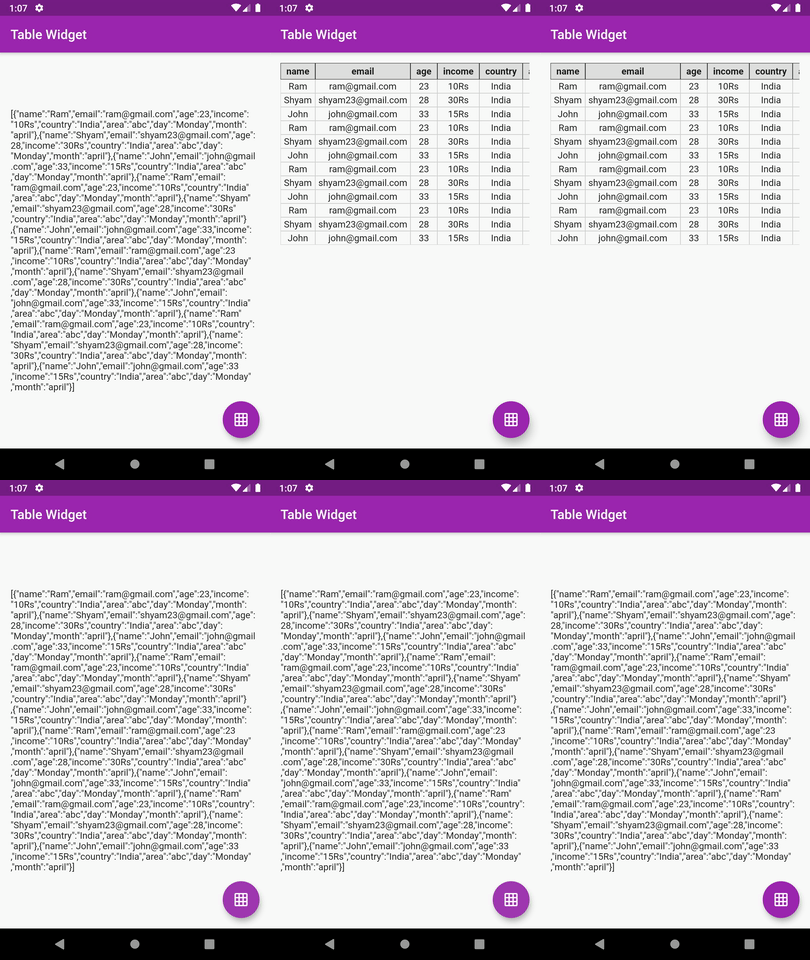
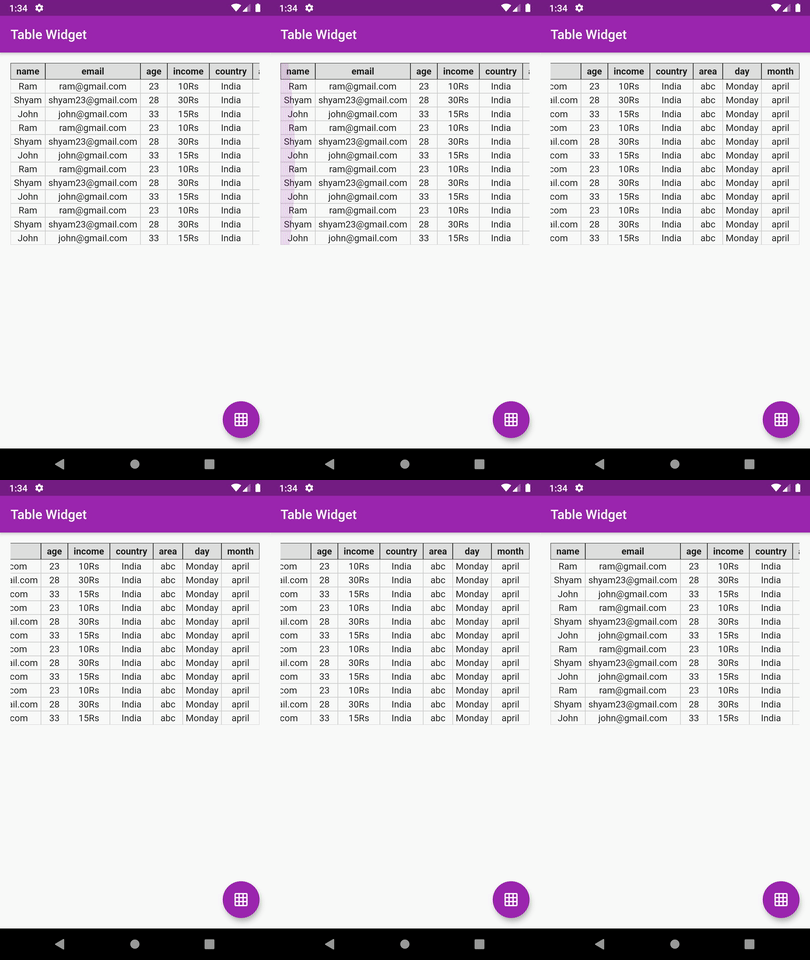
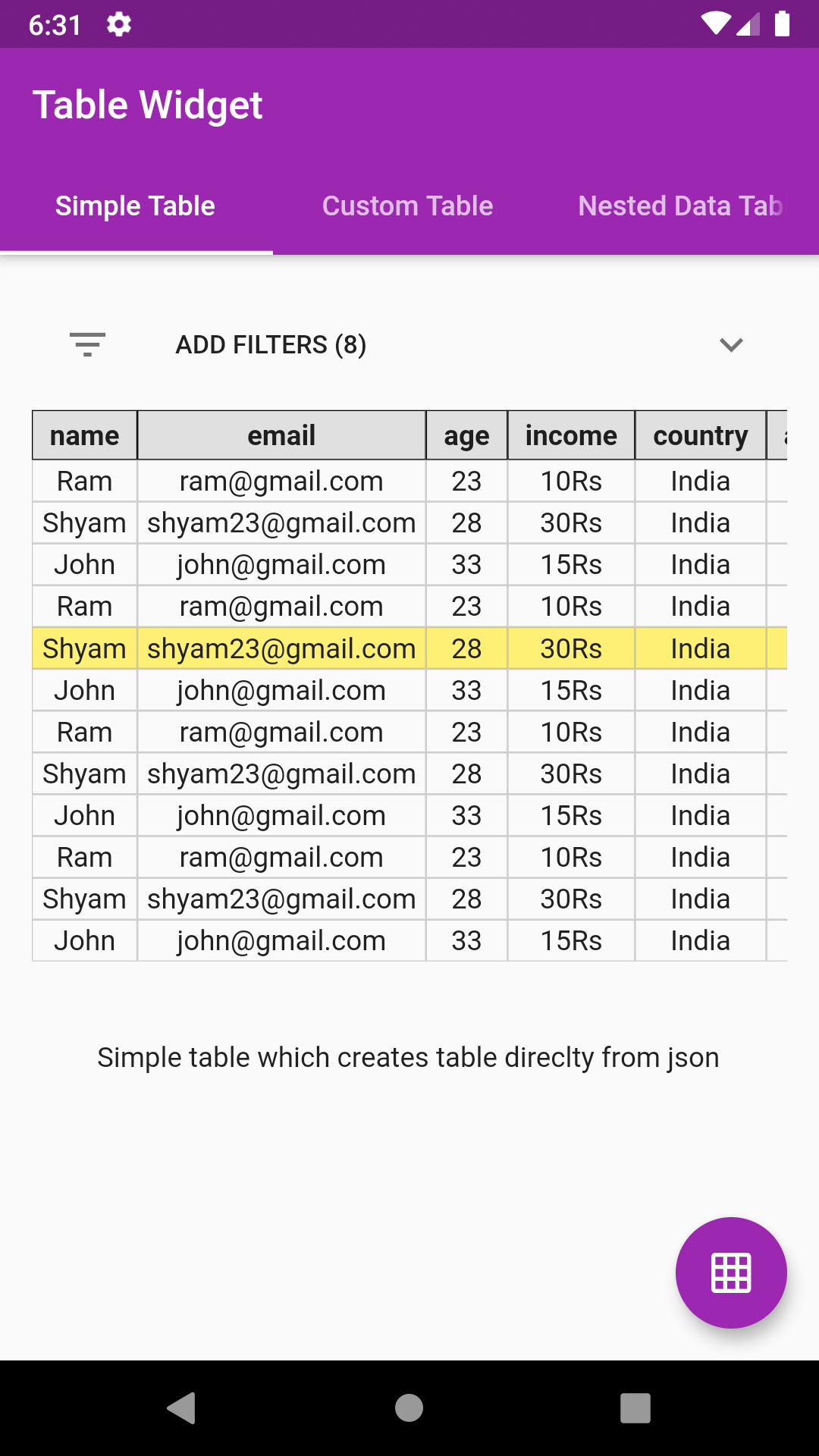
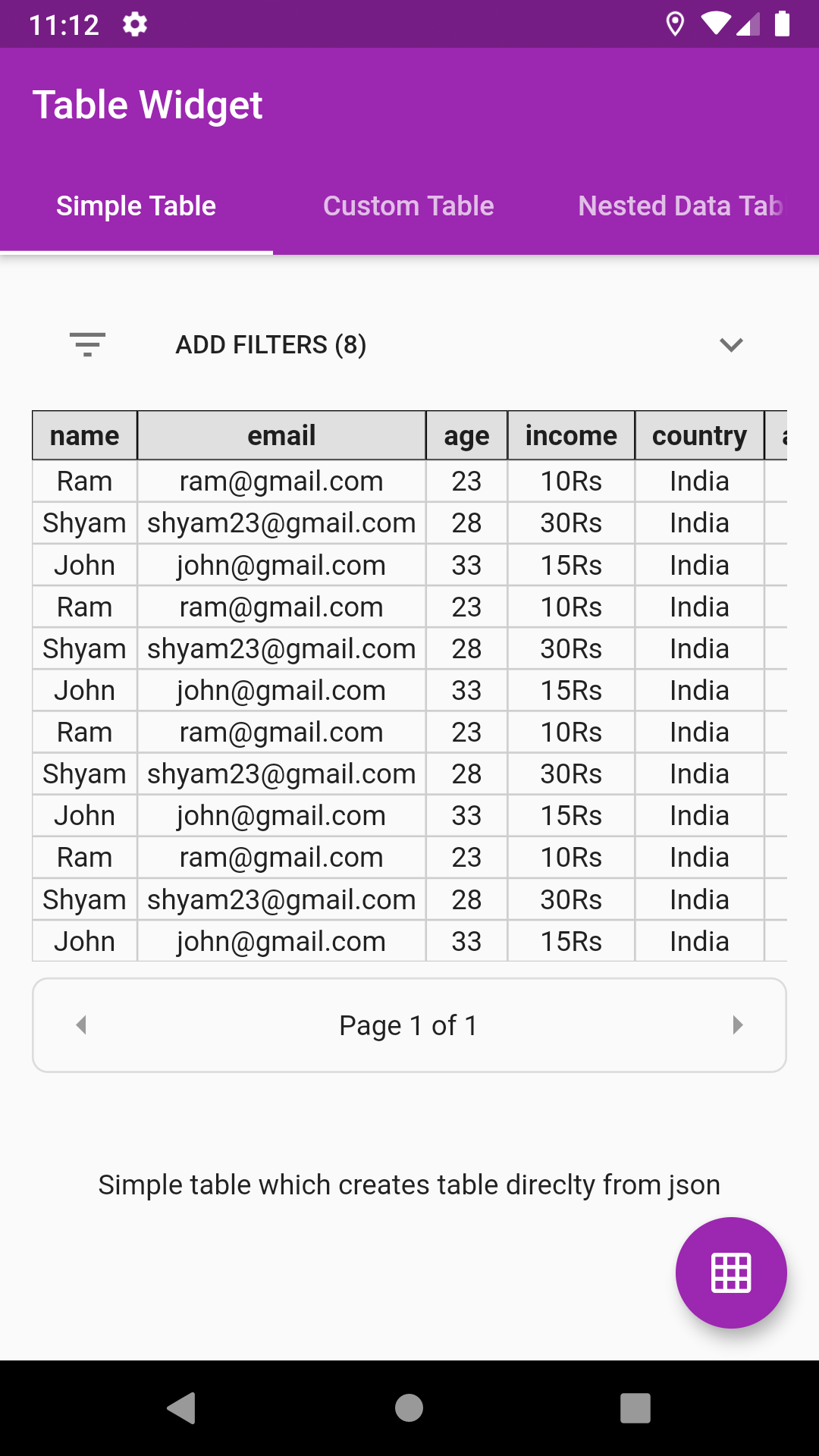
This Flutter package provides a Json Table Widget for directly showing table from a json(Map). Supports Column toggle also.
Live Demo: https://apgapg.github.io/json_table/
Live Data Testing: https://apgapg.github.io/json_table/#/customData
- The table constructed isn't the flutter's native DataTable.
- The table is manually coded hence serves a great learning purpose on how to create simple tables manually in flutter
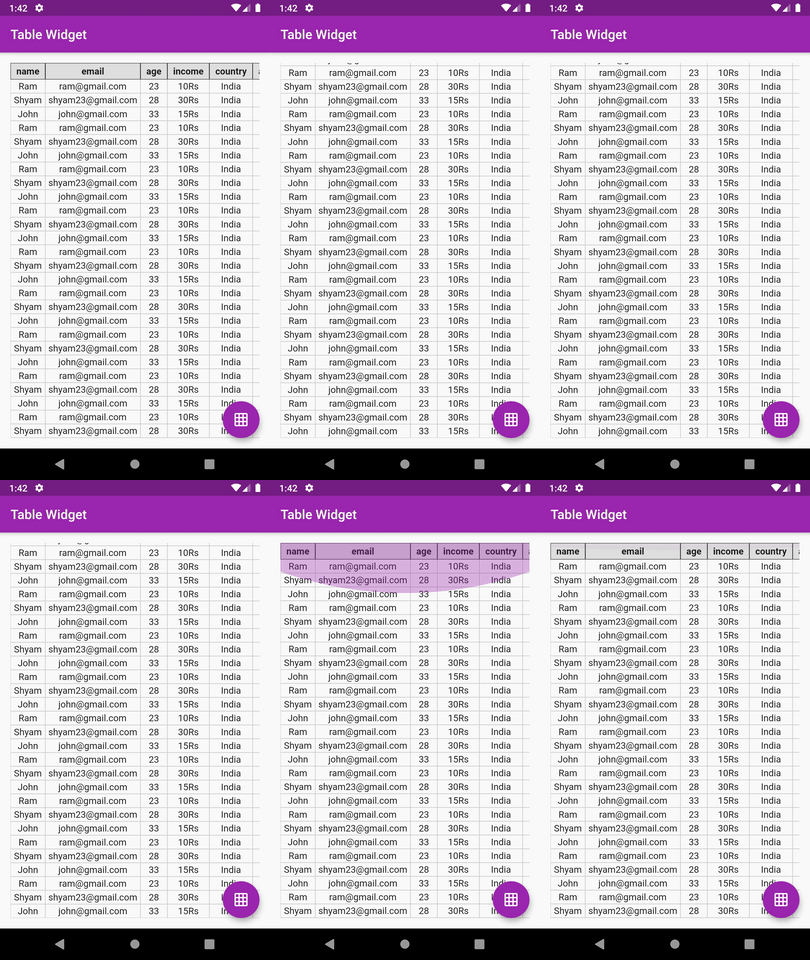
- Supports vertical & horizontal scroll
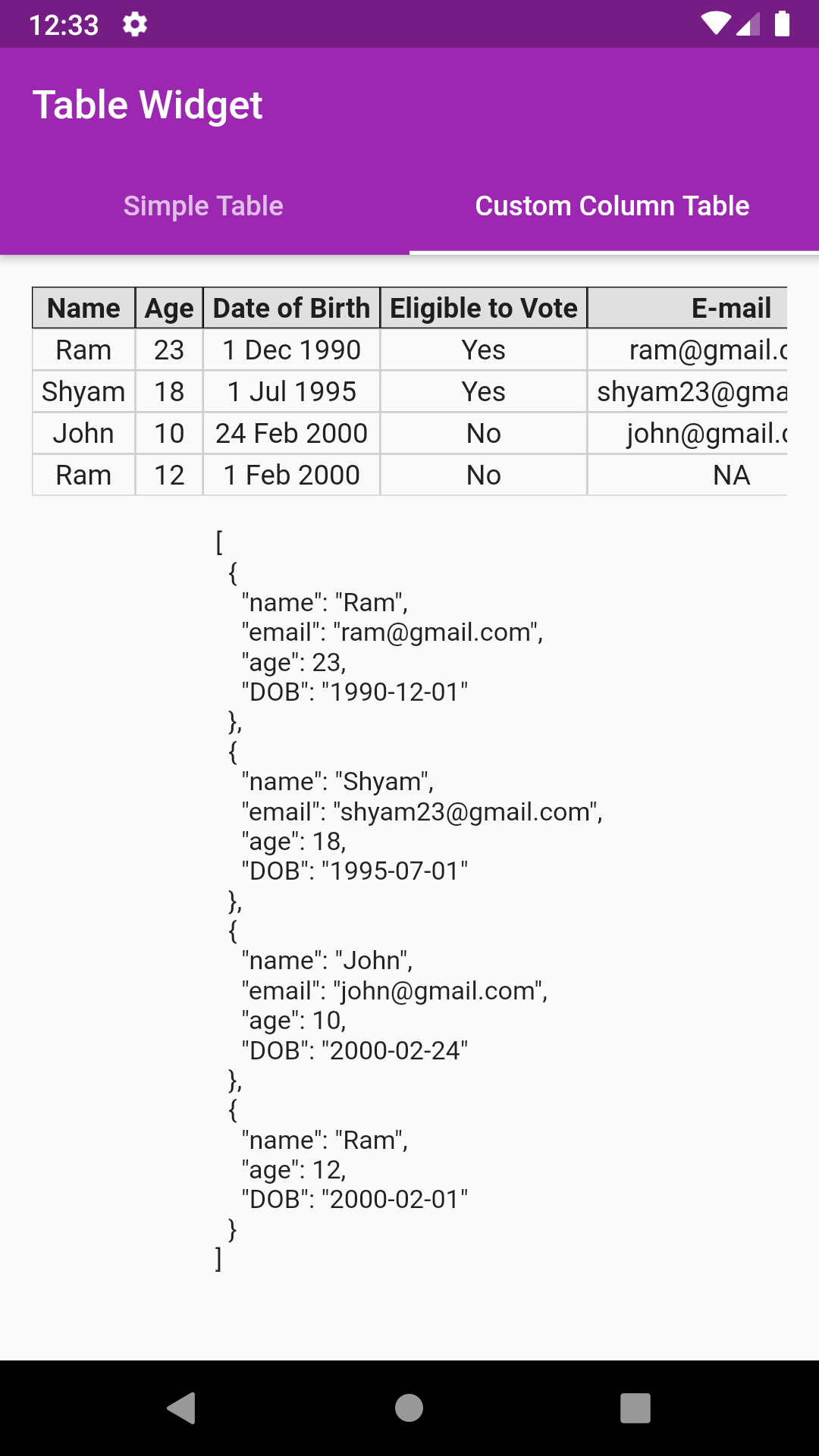
- Supports custom columns includes default value, column name, value builder
- Supports nested data showing
- Supports pagination
- Supports row select color, callback
In the dependencies: section of your pubspec.yaml, add the following line:

dependencies:
json_table: <latest version>import'package:json_table/json_table.dart';//Decode your json stringfinalString jsonSample='[{"id":1},{"id":2}]';
var json =jsonDecode(jsonSample);
//Simply pass this json to JsonTable
child:JsonTable(json)JsonTable(
json,
tableHeaderBuilder: (String header) {
returnContainer(
padding:EdgeInsets.symmetric(horizontal:8.0, vertical:4.0),
decoration:BoxDecoration(border:Border.all(width:0.5),color:Colors.grey[300]),
child:Text(
header,
textAlign:TextAlign.center,
style:Theme.of(context).textTheme.display1.copyWith(fontWeight:FontWeight.w700, fontSize:14.0,color:Colors.black87),
),
);
},
tableCellBuilder: (value) {
returnContainer(
padding:EdgeInsets.symmetric(horizontal:4.0, vertical:2.0),
decoration:BoxDecoration(border:Border.all(width:0.5, color:Colors.grey.withOpacity(0.5))),
child:Text(
value,
textAlign:TextAlign.center,
style:Theme.of(context).textTheme.display1.copyWith(fontSize:14.0, color:Colors.grey[900]),
),
);
},
)Head over to example code: simple_table.dart
- Pass custom column list to control what columns are displayed in table
- The list item must be constructed using JsonTableColumn class
- JsonTableColumn provides 4 parameters, namely,
JsonTableColumn("age", label:"Eligible to Vote", valueBuilder: eligibleToVote, defaultValue:"NA")- First parameter is the field/key to pick from the data
- label: The column header label to be displayed
- defaultValue: To be used when data or key is null
- valueBuilder: To get the formatted value like date etc
//Decode your json stringfinalString jsonSample='[{"name":"Ram","email":"ram@gmail.com","age":23,"DOB":"1990-12-01"},''{"name":"Shyam","email":"shyam23@gmail.com","age":18,"DOB":"1995-07-01"},''{"name":"John","email":"john@gmail.com","age":10,"DOB":"2000-02-24"},''{"name":"Ram","age":12,"DOB":"2000-02-01"}]';
var json =jsonDecode(jsonSample);
//Create your column listvar columns = [
JsonTableColumn("name", label:"Name"),
JsonTableColumn("age", label:"Age"),
JsonTableColumn("DOB", label:"Date of Birth", valueBuilder: formatDOB),
JsonTableColumn("age", label:"Eligible to Vote", valueBuilder: eligibleToVote),
JsonTableColumn("email", label:"E-mail", defaultValue:"NA"),
];
//Simply pass this column list to JsonTable
child:JsonTable(json,columns: columns)
//Example of valueBuilderStringeligibleToVote(value) {
if (value >=18) {
return"Yes";
} elsereturn"No";
}
Head over to example code: custom_column_table.dart
Suppose your json object has nested data like email as shown below:
{"name":"Ram","email":{"1":"ram@gmail.com"},"age":23,"DOB":"1990-12-01"}- Just use email.1 instead of email as key
JsonTableColumn("email.1", label:"Email", defaultValue:"NA")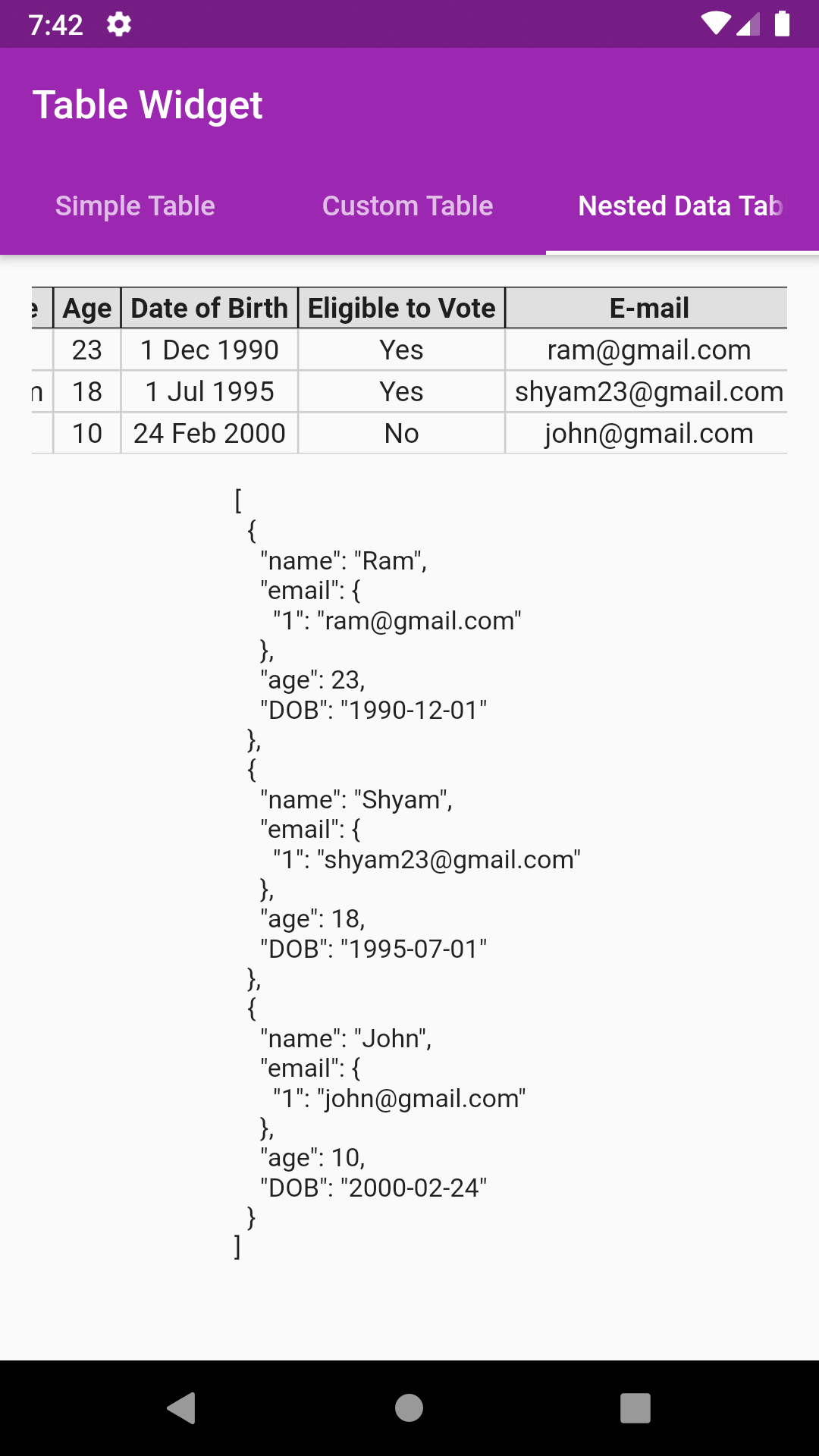
//Decode your json stringfinalString jsonSample='[{"name":"Ram","email":{"1":"ram@gmail.com"},"age":23,"DOB":"1990-12-01"},''{"name":"Shyam","email":{"1":"shyam23@gmail.com"},"age":18,"DOB":"1995-07-01"},''{"name":"John","email":{"1":"john@gmail.com"},"age":10,"DOB":"2000-02-24"}]';
var json =jsonDecode(jsonSample);
//Create your column listvar columns = [
JsonTableColumn("name", label:"Name"),
JsonTableColumn("age", label:"Age"),
JsonTableColumn("DOB", label:"Date of Birth", valueBuilder: formatDOB),
JsonTableColumn("age", label:"Eligible to Vote", valueBuilder: eligibleToVote),
JsonTableColumn("email.1", label:"E-mail", defaultValue:"NA"),
];
//Simply pass this column list to JsonTable
child:JsonTable(json,columns: columns)
Head over to example code: custom_column_nested_table.dart
Option for toggling column(s) also. User can customise which columns are to be shown
showColumnToggle:true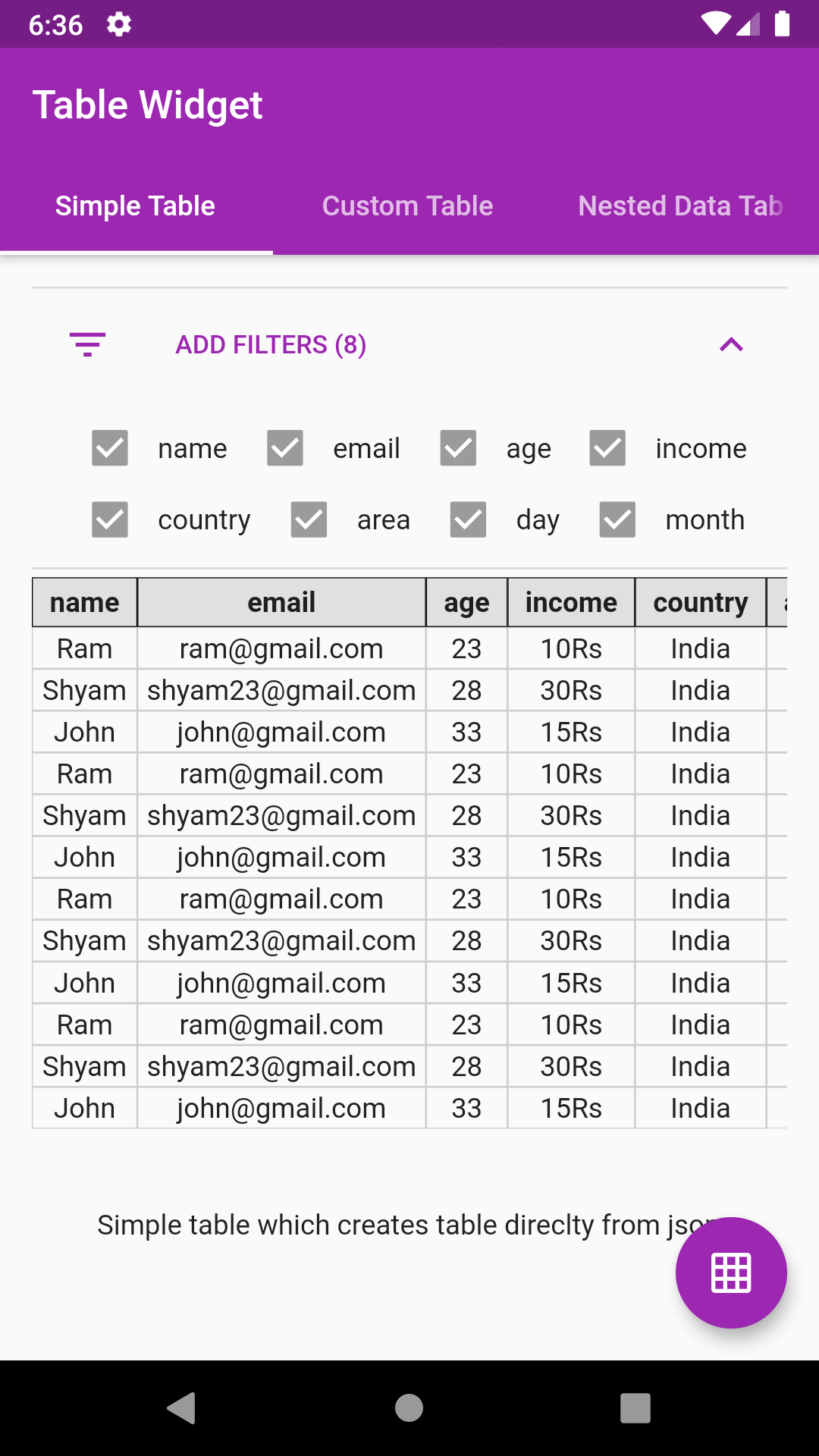
Add row highlighting with custom color support
allowRowHighlight:true,
rowHighlightColor:Colors.yellow[500].withOpacity(0.7),Get the index and data map of a particular selected row. Note index might return incorrect value in case of pagination
onRowSelect: (index, map) {
print(index);
print(map);
},Just provide an int value to paginationRowCount parameter
paginationRowCount:4,- Custom header list parameter. This will help to show only those keys as mentioned in header list
- Add support for keys missing in json object
- Add support for auto formatting of date
- Extracting column headers logic must be change. Not to depend on first object
- Nested data showing support
- Row highlight support
- Row select callback
- Wrap filters in expansion tile
- Pagination support
- Add option to change header row to vertical row on left
- pie_chart
Flutter Pie Chart with cool animation.
- avatar_glow
Flutter Avatar Glow Widget with glowing animation.
- search_widget
Flutter Search Widget for selecting an option from list.
- animating_location_pin
Flutter Animating Location Pin Widget providing Animating Location Pin Widget which can be used while fetching device location.


- flutter_profile
Showcase My Portfolio: Ayush P Gupta on Playstore.
- flutter_sankalan
Flutter App which allows reading/uploading short stories.


- Fork it
- Create your feature branch (git checkout -b my-new-feature)
- Commit your changes (git commit -m 'Add some feature')
- Push to the branch (git push origin my-new-feature)
- Create new Pull Request