Turn terminal output into stunning SVG screenshots. Blazing fast.
npm test| npx shellfie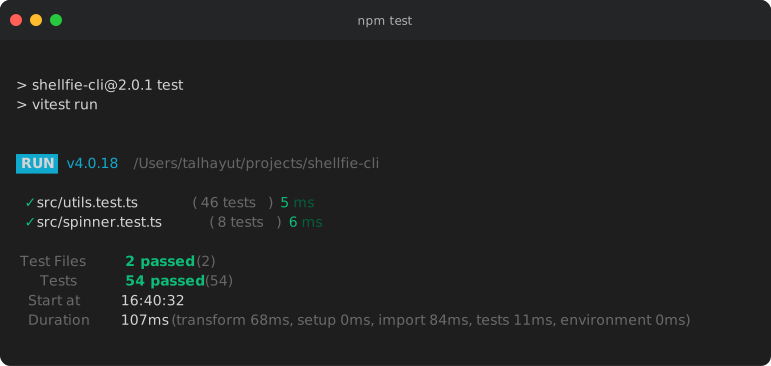
- Blazing fast - Built for speed, renders instantly
- Full 256 color support - Captures every color your terminal can display
- Auto syntax highlighting - 12 languages detected and highlighted out of the box
- 37 themes - From Dracula to Nord to Tokyo Night, find your style
- Zero config - Works perfectly with defaults, customize when you want
- Portable SVGs - Embed fonts for pixel-perfect rendering anywhere
brew install tool3/tap/shellfiecurl -fsSL https://raw.githubusercontent.com/tool3/shellfie-cli/master/scripts/install.sh | bash# Use directly with npx (no install needed)
npx shellfie-cli --help
# Or install globally
npm install -g shellfie-cli
# Or add to your project
npm install shellfie-cli -DPre-built binaries for macOS, Linux, and Windows are available on the Releases page.
# Capture test output
npm test2>&1| shellfie
# Git history
git log --oneline -10 | shellfie -i "Recent Commits"# Colorful output
ls -la --color=always | shellfie -T nordshellfie error.log -o error.svg
shellfie banner.txt -t minimal -T monokaicat output.txt | shellfie --stdout > output.svg
echo"Hello World"| shellfie --stdout | pbcopy # macOS clipboard37 beautiful themes to choose from:
| Theme | Theme | Theme | Theme |
|---|---|---|---|
night3024 | a11yDark | base16Dark | base16Light |
blackboard | catppuccinMocha | cobalt | dark |
dracula | draculaPro | duotoneDark | githubDark |
githubLight | gruvboxDark | gruvboxLight | hopscotch |
lucario | material | monokai | nord |
oceanicNext | oneDark | oneLight | pandaSyntax |
paraisoDark | seti | shadesOfPurple | solarizedDark |
solarizedLight | synthwave84 | terminal | tokyoNight |
twilight | verminal | vscode | yeti |
zenburn |
# List all themes
shellfie --list-themes
# Use a theme
npm test| shellfie -T dracula| Template | Description |
|---|---|
macos | macOS-style with traffic light buttons (default) |
windows | Windows-style with square buttons |
minimal | Clean, no window chrome |
| Option | Alias | Description | Default |
|---|---|---|---|
--output <path> | -o | Output file path | ./shellfie.svg |
--name <name> | -n | Output filename (without extension) | - |
--stdout | -s | Print SVG to stdout instead of file | false |
-t <name> | -t | Window style: macos, windows, minimal | macos |
-T <name> | -T | Color theme (see Themes) | - |
-i <text> | -i | Window title bar text | - |
-W <text> | -W | Watermark text or SVG markup (bottom-right corner) | - |
--watermark-style | Watermark CSS styles (opacity: 0.5; padding: 20px) | - | |
--width <cols> | -w | Terminal width in columns | auto |
--padding <value> | -p | Padding in pixels (16 or top,right,bottom,left) | - |
--font-size <px> | -f | Font size in pixels | 14 |
--line-height <n> | -l | Line height multiplier | 1.4 |
--font-family <css> | -F | CSS font-family string | - |
--embed-font | -e | Embed system font for portable SVGs | false |
--controls | -C | Show window control buttons | true |
--custom-glyphs | -G | Use pixel-perfect box drawing | true |
--language <lang> | -g | Syntax highlighting language | auto |
--highlight | -N | Enable syntax highlighting | true |
--header-height <px> | -H | Custom header bar height | - |
--header-color <hex> | -c | Header background color | - |
--footer-height <px> | -r | Footer bar height | - |
--footer-color <hex> | -R | Footer background color | - |
--list-themes | -L | List all available themes | - |
--list-templates | -P | List all available templates | - |
--help | -h | Show help | - |
--version | -v | Show version | - |
Use --no-<option> to negate boolean flags (e.g., --no-controls, --no-highlight).
npm test2>&1| shellfie -T dracula -i "Unit Tests" -o tests.svg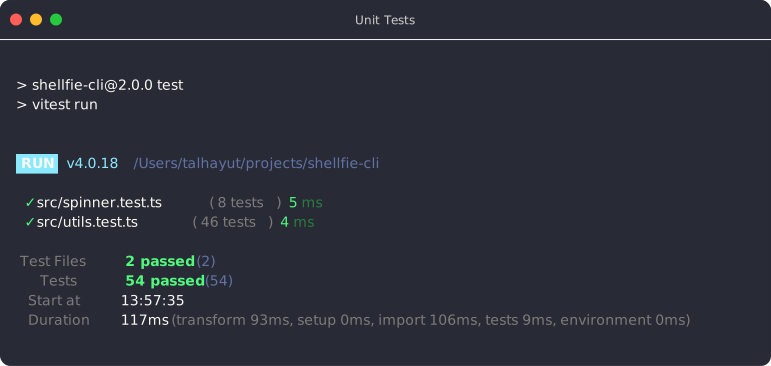
git log --oneline --graph --color=always | shellfie -t minimal -T githubDark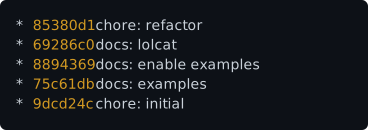
cat script.sh | shellfie -T draculaPro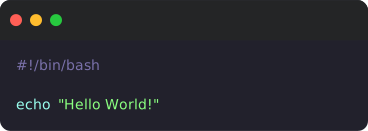
ls -l | lolcat -f | shellfie -e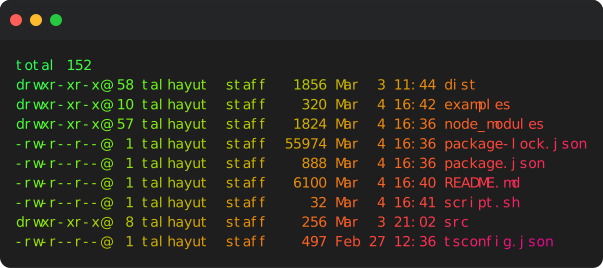
ifconfig | grep inet | shellfie -W "@$USER" -T monokai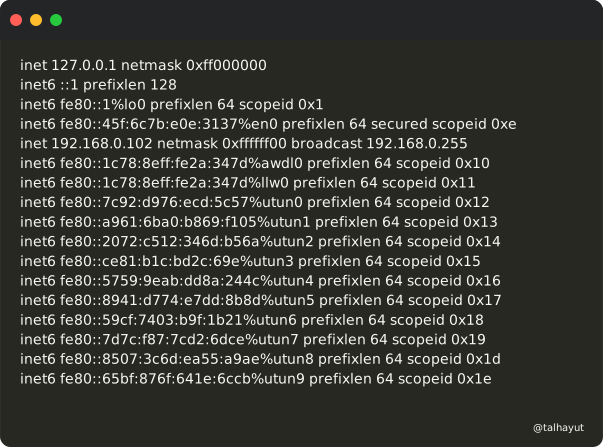
Watermarks support ANSI escape sequences and CSS styles:
# Colored watermark with ANSI codesecho"test"| shellfie -W '\033[31m@username\033[0m'# Redecho"test"| shellfie -W '\x1b[32m@username\x1b[0m'# Green# Custom CSS styles (opacity, padding, transform, etc.)echo"test"| shellfie -W "@tool3" --watermark-style "opacity: 0.5; padding: 20px"echo"test"| shellfie -W "@tool3" --watermark-style "font-size: 16px; transform: rotate(-5deg)"# SVG markup watermark (auto-detected)echo"test"| shellfie -W '<a href="https://github.com"><text>GitHub</text></a>'Many commands disable colors when piped. Force them:
ls -la --color=always | shellfie
grep --color=always pattern file | shellfie
git -c color.ui=always log | shellfie
npm test --color | shellfieInclude error output with 2>&1:
npm test2>&1| shellfie# GitHub Actions
- name: Generate test screenshotrun: npm test 2>&1 | npx shellfie-cli -T githubDark -o test-output.svg
- name: Upload artifactuses: actions/upload-artifact@v4with:
name: test-screenshotpath: test-output.svg{
"scripts": {
"test:screenshot": "npm test 2>&1 | shellfie -T dracula -o tests.svg"
}
}MIT